If a time or class is full, customers can join a waitlist instead of leaving empty-handed. When a place becomes free, Sitewig automatically sends an offer to the person who has waited longest.
Turn on the waitlist
Step 1: Open Waitlist
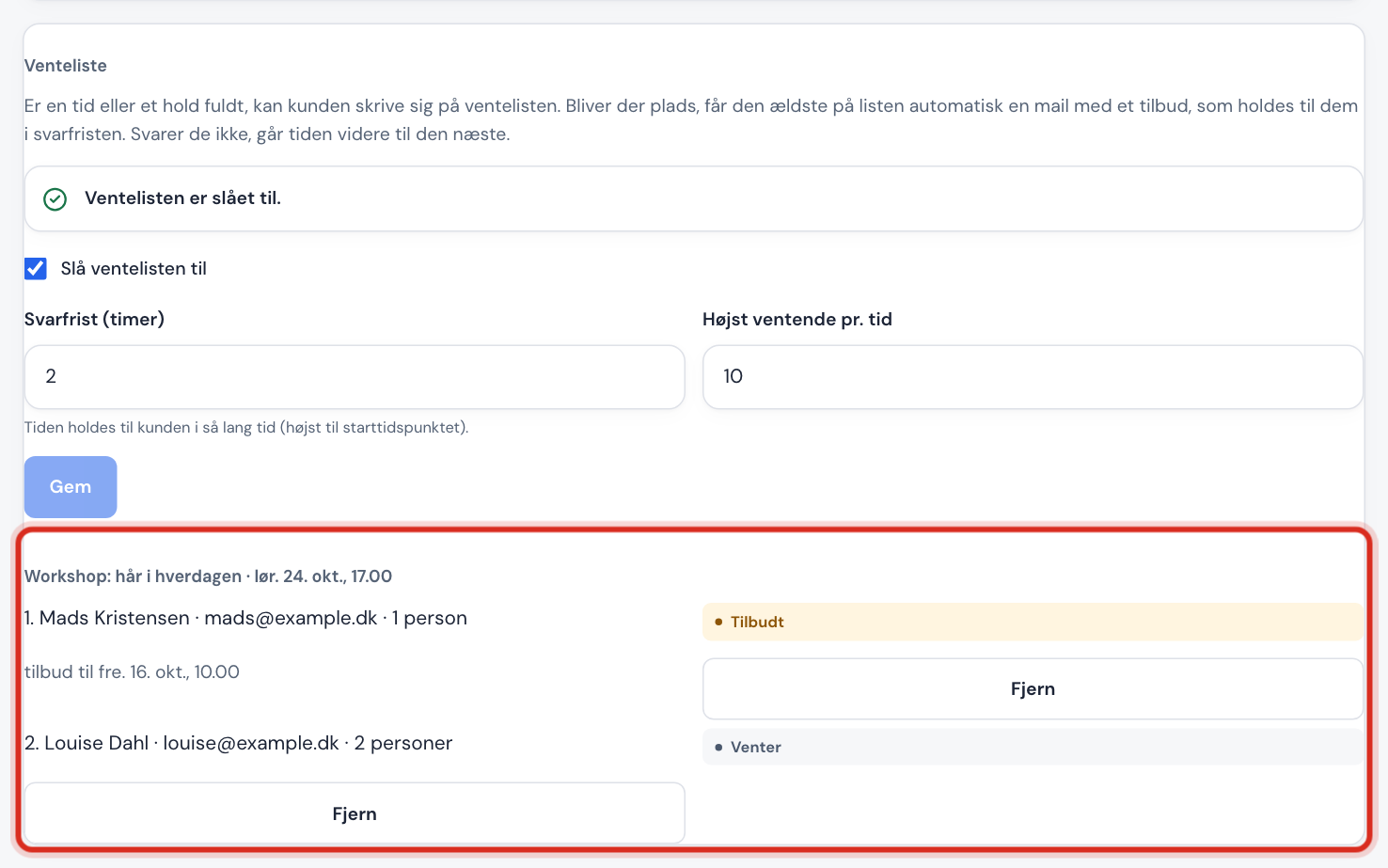
Go to Booking → Settings and scroll down to the Waitlist card.
Step 2: Turn on
Tick Turn on the waitlist.
Step 3: Reply deadline
In Reply deadline (hours), enter how long a free place is held for the customer after the offer has been sent, from 0.25 (a quarter of an hour) to 48 hours. The place is held at most until the time starts, though.
Step 4: Number on the list
In Max people waiting per time, enter the maximum number of people who can be on the waitlist for the same time (1-200). Tap Save.
What the customer experiences
- If the time is full, the customer can join the waitlist instead of booking.
- The customer receives an email and must confirm their place on the waitlist using the link. If it isn't confirmed within 24 hours, the sign-up is deleted.
- When a place becomes free, the first person in the queue receives an email with a link to book the time.
- If the customer says yes before the reply deadline, the time is booked and the customer receives an ordinary confirmation. Otherwise the offer goes on to the next person.
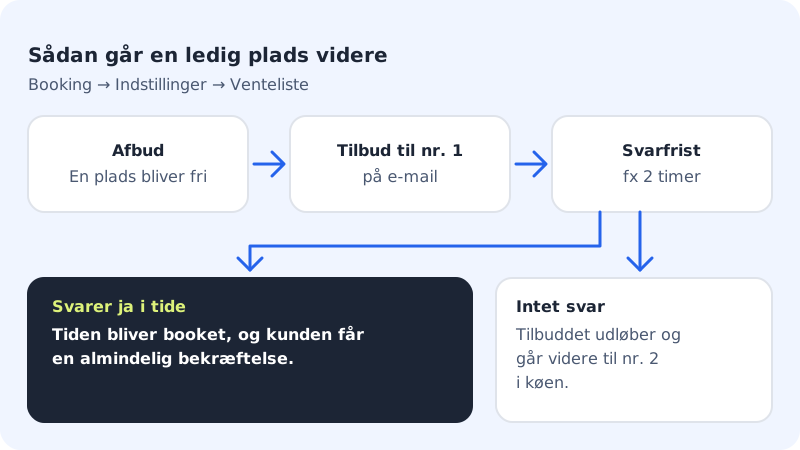
A place becomes free when a customer cancels or reschedules, when you cancel, or when a customer doesn't manage to pay a deposit in time.
See and edit the queue
The Waitlist card shows everyone who is waiting, sorted by time. Each person has a status:
| Status | Means |
|---|---|
| Waiting | In the queue |
| Offered | Has received an offer and can reply until the deadline |
| Booked | Said yes and got the time |
| Expired | Didn't reply in time |
| Left | Left the list themselves, or was removed |
Tap Remove to take a person off the list. If the person has an offer, the place goes on to the next in the queue.
Frequently asked questions
Does the waitlist also work for classes?
Yes. If a class is full, customers can join the waitlist for the class in the same way.
Can the customer leave the waitlist again?
Yes. The emails from the waitlist have a link to leave it. The customer then gets the status Left.