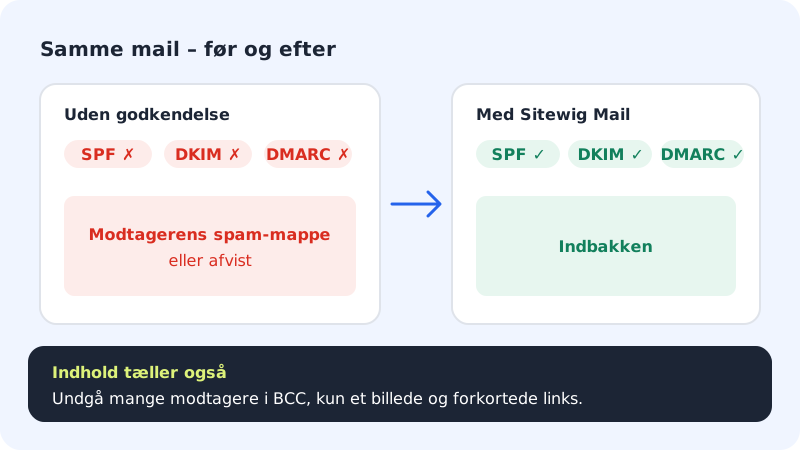
Large email providers such as Gmail and Outlook only trust messages that can prove where they come from. This is done with three records in your domain's DNS: SPF, DKIM and DMARC. If they are missing or wrong, your messages often end up in spam – or are rejected.
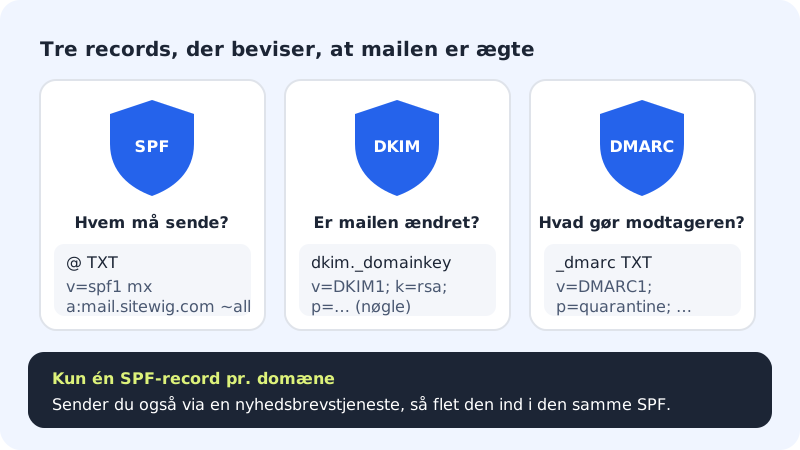
- SPF is a list of the servers that are allowed to send email from your domain.
- DKIM is a digital signature the recipient can use to see that the message has not been changed on the way.
- DMARC tells the recipient what should happen to messages that fail SPF or DKIM – and where reports should be sent.
Check your domain
Step 1: Open DNS for the domain
Go to Domains → My domains, click the domain, and scroll down to the DNS section. Choose the TXT type in the filter.
Step 2: Find the three records
You should be able to see these three TXT records. When the domain's email points to Sitewig Mail, Sitewig creates them itself.
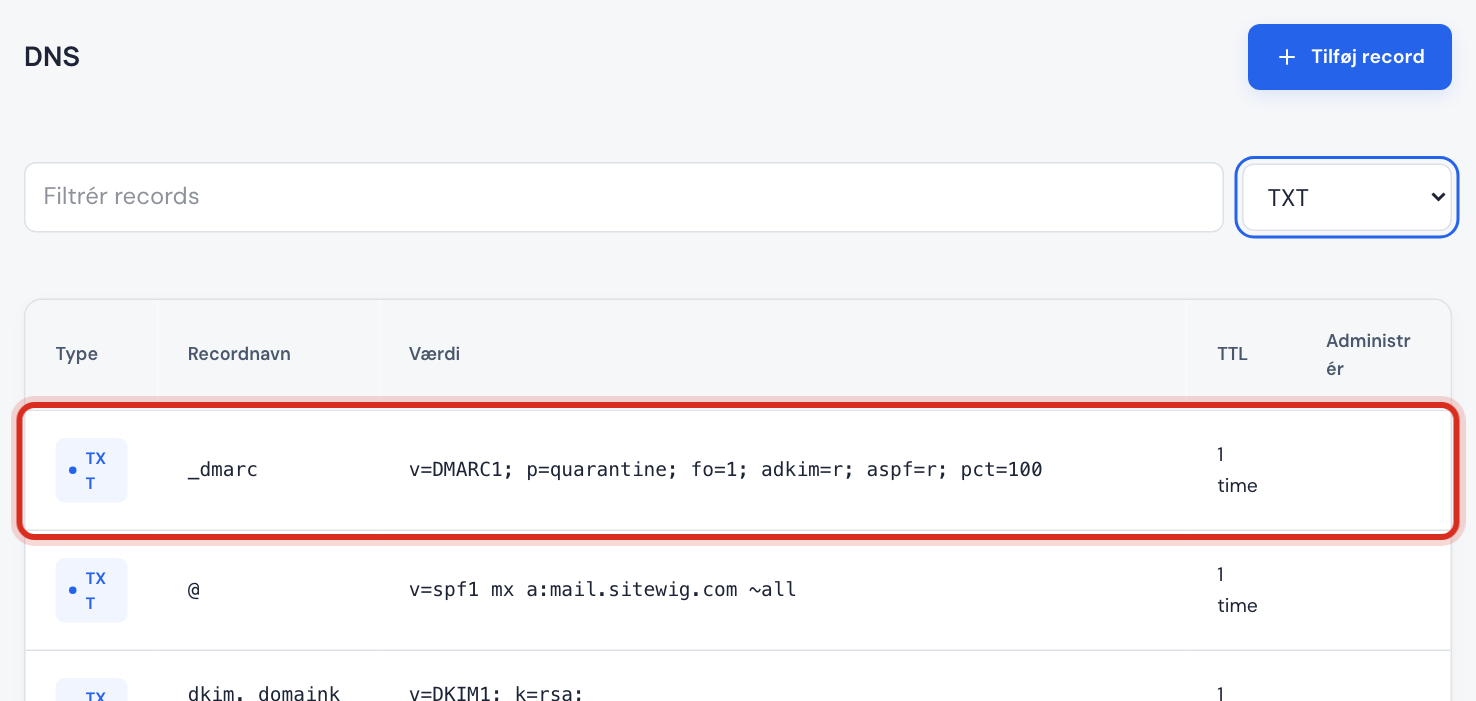
SPF on @, DKIM on dkim._domainkey and DMARC on _dmarc Records for Sitewig Mail
- SPF (name @)
v=spf1 mx a:mail.sitewig.com ~all- DKIM (name dkim._domainkey)
- Starts with
v=DKIM1; k=rsa; p=followed by a long key - DMARC (name _dmarc)
- Starts with
v=DMARC1; p=quarantine;
Step 3: Missing? Choose Sitewig Mail as the target
Records from the standard setup are managed by Sitewig and follow the domain's target. If anything other than Sitewig Mail is shown under Email in the The domain points to card, press Change target, choose Sitewig Mail, and press Save.
Step 4: Do you use another DNS provider?
Then you must create the three records yourself at that provider. Copy the values from the table above. The DKIM key is unique to your domain – write to support if you need it.
What you can do about the content
- Write a clear subject line without all capitals and lots of exclamation marks.
- Do not send messages that consist of a single large image.
- Avoid shortened links – use the real address.
- If you send to many people at once, use a newsletter program instead of BCC from your ordinary mailbox.
- Ask regular recipients to mark your message as not spam and add you as a contact.
Test your delivery
Use a free email tester on the web: send a message to the address the tester gives you, and read the report. It shows whether SPF, DKIM and DMARC pass, and points out typical content problems.
If you get errors you cannot fix, attach the report to an email to support.
Frequently asked questions
Why do my messages end up in spam even though everything is correct?
The recipient also assesses the content, the sender's history and whether recipients have previously marked messages from you as spam. New domains also need to build a good reputation – that takes a couple of weeks of ordinary email traffic.
What does p=quarantine in DMARC mean?
That the recipient should put messages that fail the check in spam instead of the inbox. It protects your domain against others pretending to be you.
My online shop or form sends emails. Does it need to be in SPF?
Yes, if it sends from an address on your domain via another server. Otherwise the messages look like forgeries. The service's server must be added to the same SPF record – with Sitewig Mail, contact support to have it added.