You can cancel a web hosting or an email plan at any time. As a rule, the subscription keeps running until the expiry date you have already paid for, and is not renewed after that. Your domains are a subscription of their own, so they renew as before unless you cancel them too.
What is closed, and what do you keep?
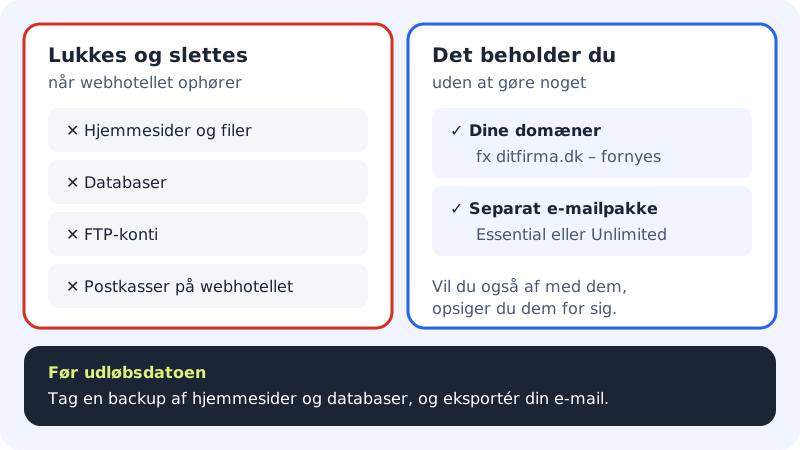
When the web hosting ends on the expiry date, it is closed and the content is deleted:
- websites and their files
- databases
- FTP accounts
- mailboxes that belong to the web hosting, with all their email
You keep:
- your domains: they renew as before, and you can point them somewhere else
- the mailboxes in a separate email plan (Essential or Unlimited)
How to cancel
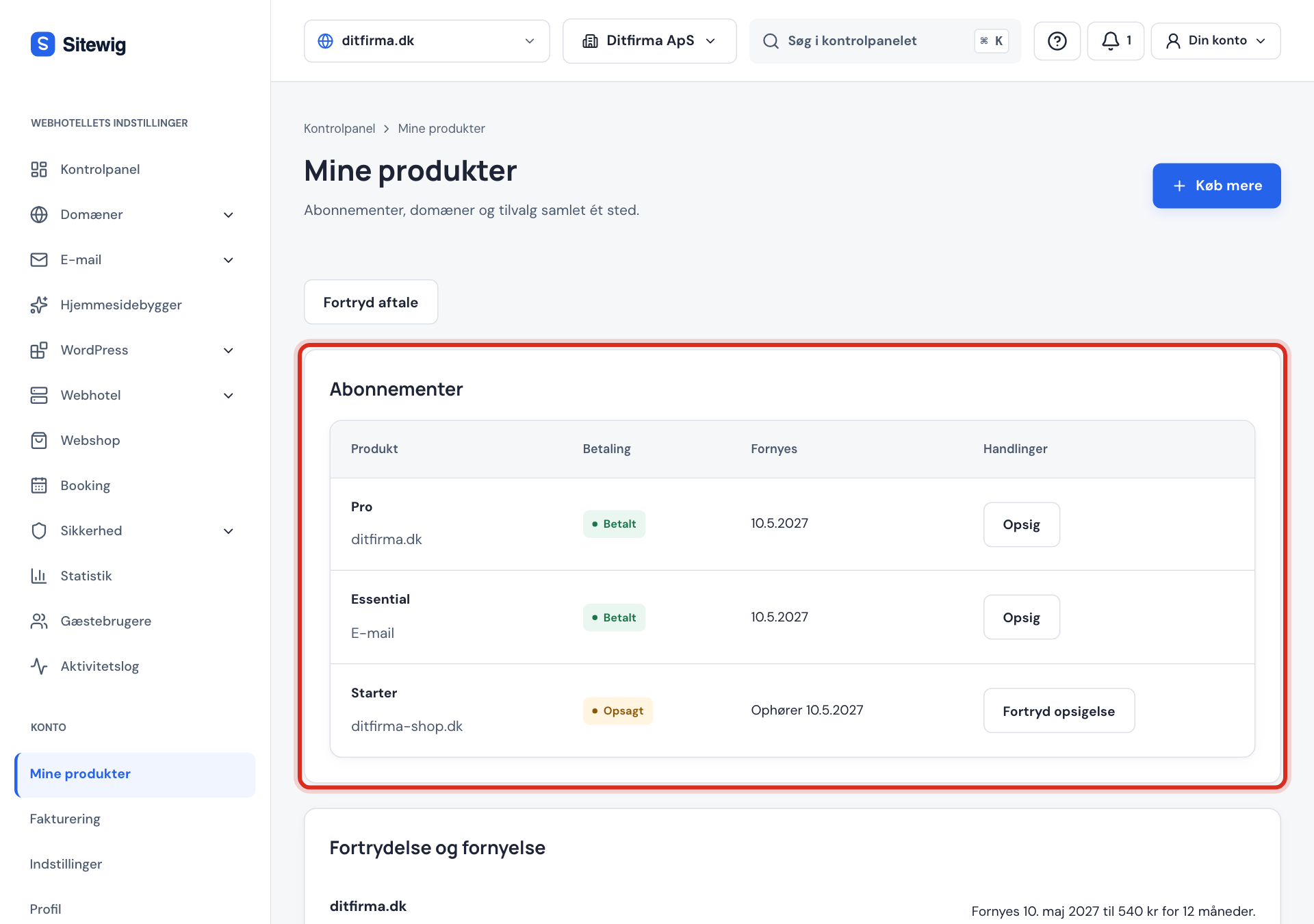
Step 1: Open My products
Log in to the control panel and click My products in the menu at the top. All your subscriptions, domains and add-ons are gathered here.
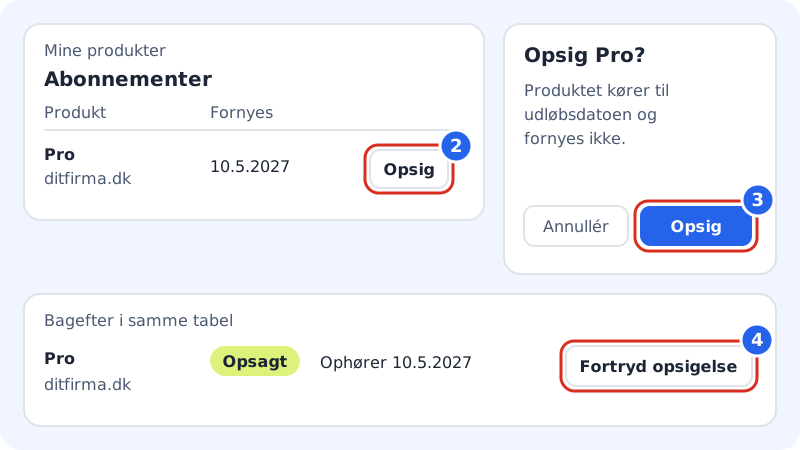
Step 2: Find the subscription and click Cancel
Under Subscriptions, each plan is listed with the name of the web hosting beneath it. Email plans are marked Email. Click Cancel next to the subscription you want to stop.
Step 3: Confirm
A window asks, for example, Cancel Pro?, with the text The product runs until the expiry date and is not renewed. Click Cancel. If we ask you to confirm that it is you, enter your password or use your passkey.
Step 4: Check the expiry date
At the top of the page it says from which date the cancellation takes effect, for example Applies from 10/05/2027. In the table, the subscription now has the status Cancelled and the text Ends followed by the date.
Undo a cancellation
If you change your mind before the expiry date is reached, click Undo cancellation next to the subscription under My products, and confirm. The subscription then renews as normal, and nothing is closed.
If you have received money back proportionally, the cancellation cannot be undone. If you want to continue anyway, you need to buy a new plan.
Cancel the domain too
If you want to get rid of a domain completely, you cancel it separately under Domains on the My products page, with the Cancel button next to the domain. If you want to move the domain to another provider instead, see Move a domain away from Sitewig.
Domain only
For some accounts, the Change plan page has a card called Domain only, with the text Cancel the web hosting and keep only your domains. It does the same as cancelling the web hosting under My products, but first shows exactly how many websites, databases, FTP accounts and mailboxes will be closed, and which domains you keep. You need to tick I understand that the content will be deleted and cannot be restored and click Cancel web hosting. If you do not see the card, use My products as described above.
Frequently asked questions
Do I get money back when I cancel?
It depends on your situation. As a rule, the subscription runs until the expiry date and nothing is paid back. If you are a private customer after the first period, you get the unused part back proportionally. The amount is shown on the page right after you have cancelled.
Can I cancel during the 3 free months?
Yes. Cancel in the same way under My products. The date the subscription ends is shown in the table afterwards.
What happens to my email if I only have the web hosting?
Mailboxes that belong to the web hosting are closed along with it. If you want to keep email on the domain, contact support well before the web hosting ends so we can help you move to an email plan. See The Essential and Unlimited email plans.
Can I cancel an email plan and keep the web hosting?
Yes. Cancel the email plan under Subscriptions in the same way. The web hosting and its own mailboxes continue.