Sitewig has two email plans: Essential and Unlimited. Both give you professional email on your own domain, e.g. contact@yourcompany.com, with webmail, IMAP and SMTP. The difference is the number of mailboxes and how the space is shared out.
Do you need an email plan?
It depends on whether you have a web hosting:
- You have a web hosting (Starter, Pro, Business or Max). Mailboxes come with the web hosting: 3 mailboxes of 3 GB each in Starter, 10 of 5 GB in Pro, 25 of 10 GB in Business and an unlimited number of 25 GB in Max. They share the web hosting's storage with the website. You do not need to buy an email plan to have email on your domains.
- You have Free. Free does not include email. You need a paid plan or Mail Essential.
- You only have a domain with us. Then an email plan is the cheapest way to get email on the domain without paying for a web hosting.
- You want a calendar, contacts or encryption. Calendar (CalDAV) and contacts (CardDAV) for your email client come with the email plans. PGP encryption only comes with Unlimited.
Essential and Unlimited side by side
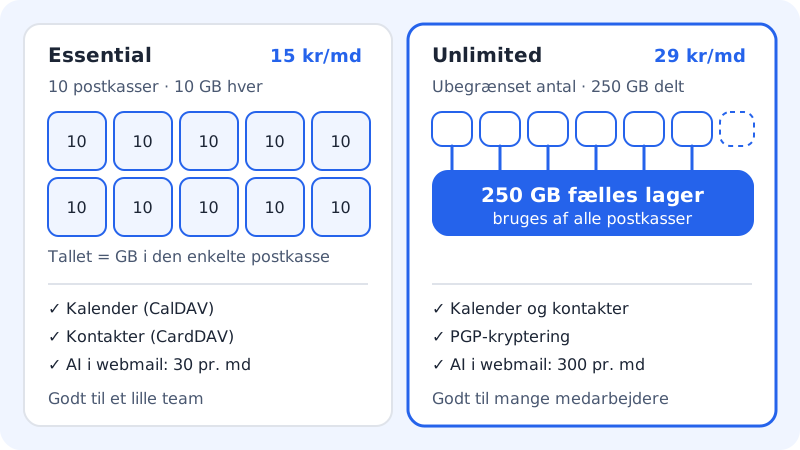
Essential
- Price
- shown in your currency on the pricing page
- Mailboxes
- 10
- Space
- 10 GB per mailbox
- Calendar and contacts
- Yes (CalDAV and CardDAV)
- PGP encryption
- No
- AI in webmail
- 30 per month
Unlimited
- Price
- shown in your currency on the pricing page
- Mailboxes
- Unlimited
- Space
- 250 GB, shared by all mailboxes, at most 25 GB per mailbox
- Calendar and contacts
- Yes (CalDAV and CardDAV)
- PGP encryption
- Yes
- AI in webmail
- 300 per month
The prices are for Denmark and exclude VAT. If you are a private customer in Denmark, 25% VAT is added. As with the web hostings, the first 3 months are free, and after that you pay for 12 months at a time.
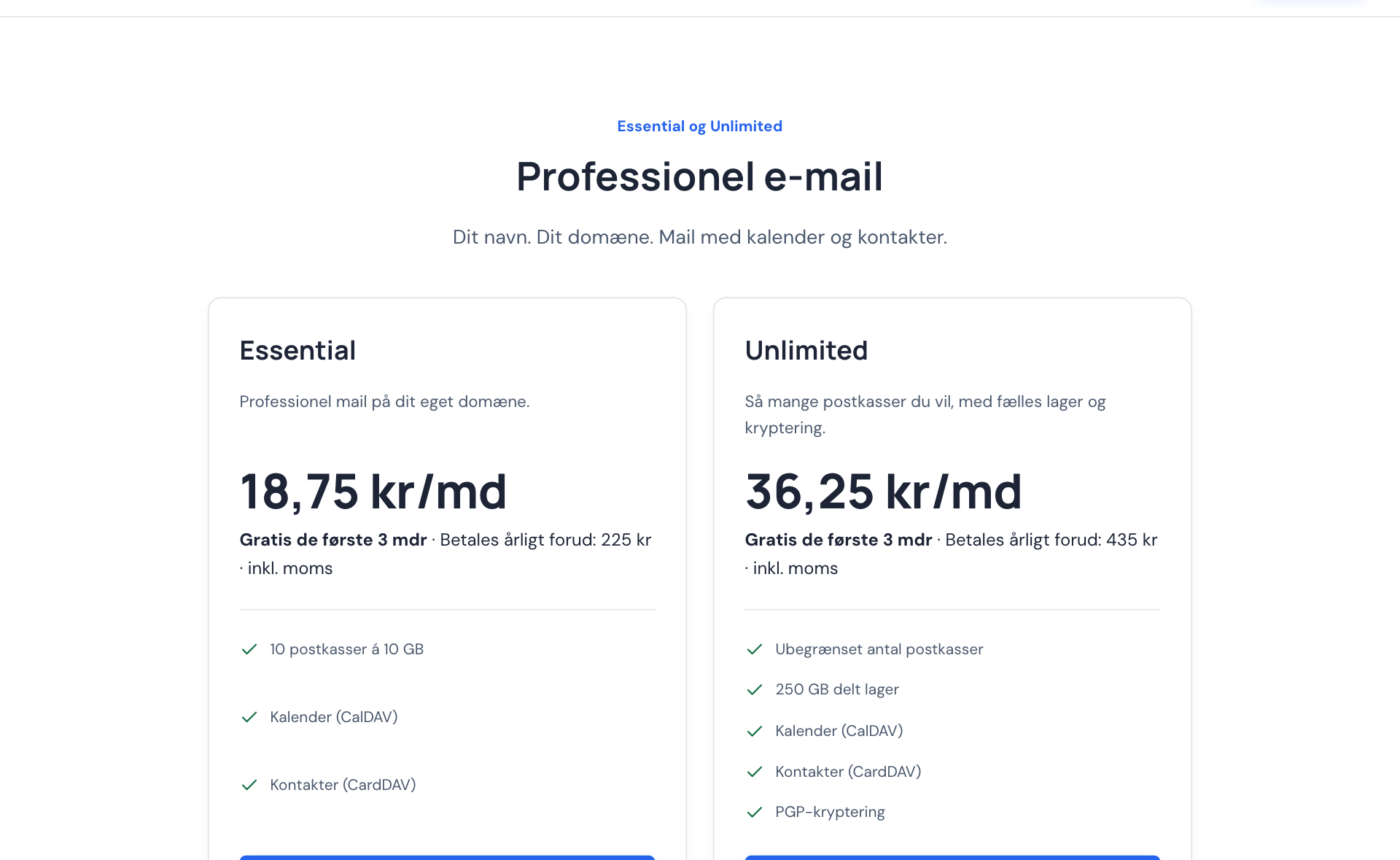
Buy an email plan for a domain
Step 1: Choose the domain
Log in to the control panel and choose the domain in the web hosting selector at the top. If the domain has no web hosting, it is listed under Domain only.
Step 2: Click Activate email
Under Activate more on this domain you will find the Email on the domain card. Click Activate email.
Step 3: Choose a plan and pay
On the Choose mail plan page, click Essential or Unlimited, accept the terms and click Continue with and the name of the plan. You pay with Stripe, and for the first 3 months the plan is free.
Step 4: Create your mailboxes
Once the payment has gone through, you can create mailboxes under Email → Mailboxes. See Create an email account.
You can also start from the pricing page and add the email plan to your basket together with a new domain.
Switch between Essential and Unlimited
If you already have an email plan, you switch it on the same page as the web hosting plan:
Step 1: Open Change plan
Click Change plan at the top of the control panel or in the web hosting selector.
Step 2: Find the Email section
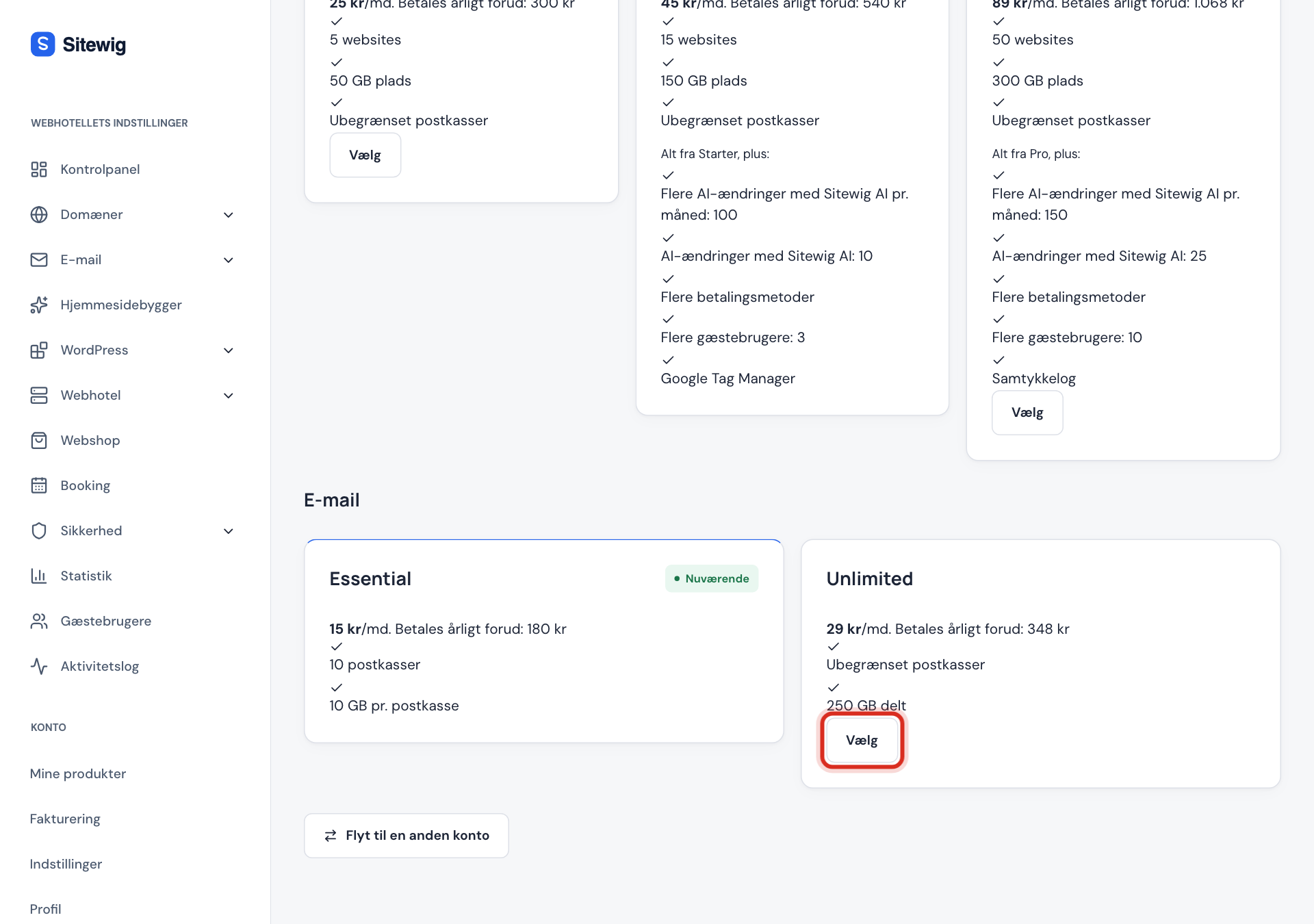
Scroll down to the Email section. Your current plan is marked Current.
Step 3: Click Select and confirm
Click Select on the other plan and confirm in the window. If you go up to Unlimited, you pay the difference for the rest of the period straight away.
Frequently asked questions
Which server details do I need in my email client?
The same for both plans: incoming server mail.sitewig.com on port 993 with SSL/TLS, and outgoing server mail.sitewig.com on port 465 (SSL/TLS) or 587 (STARTTLS). The username is the full email address. See IMAP, SMTP and POP settings.
What happens to my email if I cancel the web hosting?
Mailboxes in a separate email plan are kept even if the web hosting is cancelled. Mailboxes that only belong to the web hosting are closed. See Cancel the web hosting and keep your domain.
Can I buy extra space for one mailbox?
Yes, in Essential. The Larger mailbox 25 GB add-on is charged per mailbox. You buy it under Email → Accounts in the mailbox's menu. The add-on does not exist in Unlimited: there, each mailbox can use up to 25 GB of the 250 GB. See Add-ons and extras.