Your domain is yours. If you want to move it to another provider, you get the auth code yourself in the control panel – it takes a couple of minutes. The new provider uses the code to take over the domain.
This guide applies to domains that Sitewig has registered (bought or moved here), except .dk. A .dk domain is moved via Punktum dk – see Move a .dk domain away from Sitewig (in Danish). If the domain is only connected to Sitewig, the registration is already with another provider, and the code must be obtained there.
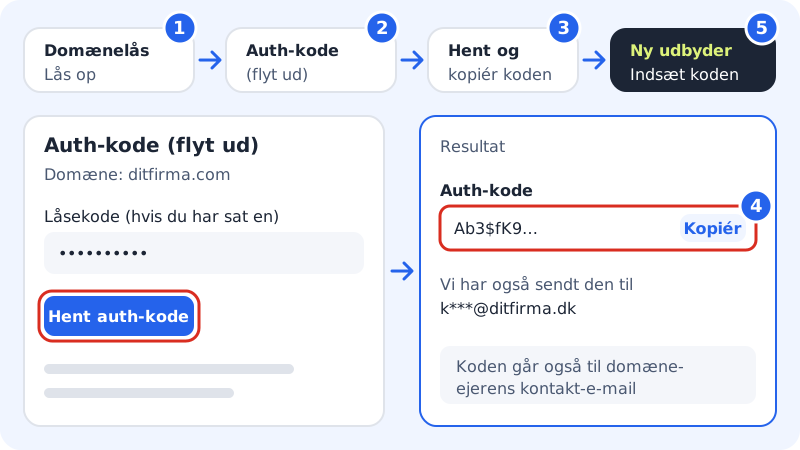
Get the auth code
Step 1: Unlock the domain
Go to Domains → Domain lock. Choose the domain in the menu at the top and tap Unlock the domain. If you have set a lock code, enter it in the Current lock code field first. Read more in Domain lock and lock code.
Step 2: Open Auth code (transfer out)
Go to Domains → Auth code (transfer out). Check that the right domain is shown at the top of the page.
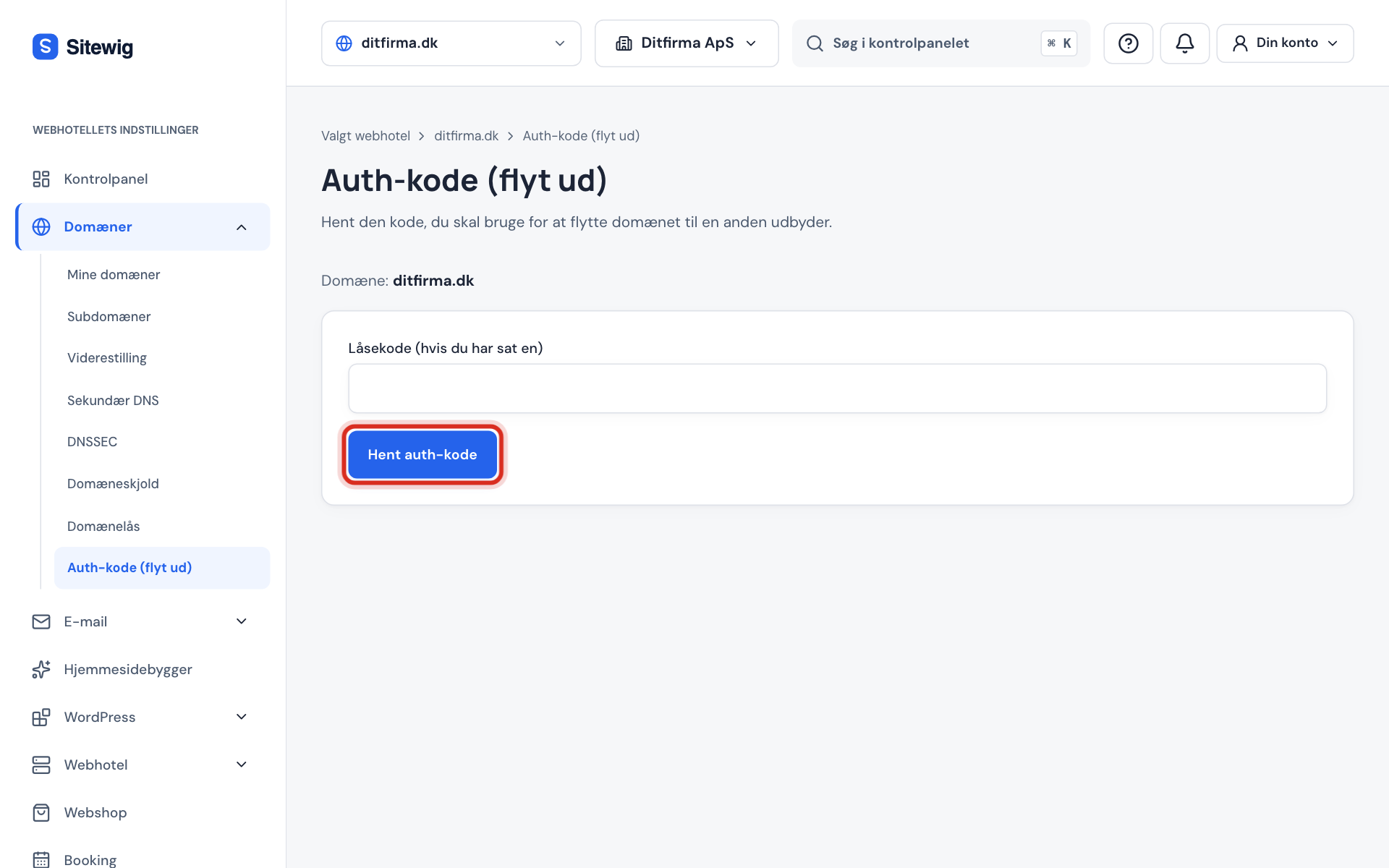
Step 3: Get the code
If you have set a lock code, enter it in the Lock code (if you have one) field. Tap Get auth code.
Step 4: Copy the code
The code appears in the Auth code field, where you can copy it. Sitewig also sends it to the domain owner's contact email – the page tells you which address.
Step 5: Start the transfer at the new provider
Paste the code at the new provider and follow their instructions. Once the transfer is complete, the domain disappears from Sitewig.
If it does not work
- The domain is locked. Unlock it under Domain lock and try again. The transfer lock is still turned on. Unlock the domain first.
- The lock code is wrong. Enter the lock code again. After five wrong attempts you have to wait 15 minutes.
- You have requested the code too many times. You can get the code three times an hour per domain and ten times a day in total. Use the code from the email, or wait a little.
- The domain is registered with another registrar. The domain is only connected to Sitewig. Get the code from the provider that registered it.
Frequently asked questions
Does it cost anything to move away from Sitewig?
No. Sitewig does not charge for providing the auth code. The new provider may have its own price for the transfer.
I have received an auth code I did not ask for. What should I do?
Then someone else with access to the control panel has requested it. Go to Domains → Domain lock and tap Lock the domain straight away. Consider setting a lock code.
How long is the code valid?
It depends on the registry. Use it as soon as possible, and get a new one if the new provider rejects it.