You can cancel at any time. A cancelled plan or domain runs until its expiry date and is not renewed after that. You can cancel in the control panel or without signing in.
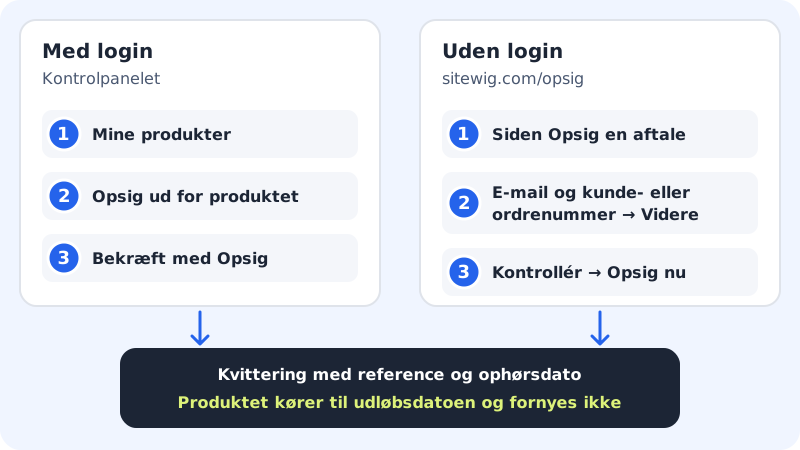
Cancel in the control panel
Step 1: Open My products
Sign in to the control panel and choose My products in the menu. Your subscriptions, domains and add-ons are listed here.
Step 2: Tap Cancel
Tap Cancel next to the plan or domain you want to stop. A window asks, for example, Cancel Pro? and explains that the product runs until the expiry date and is not renewed.
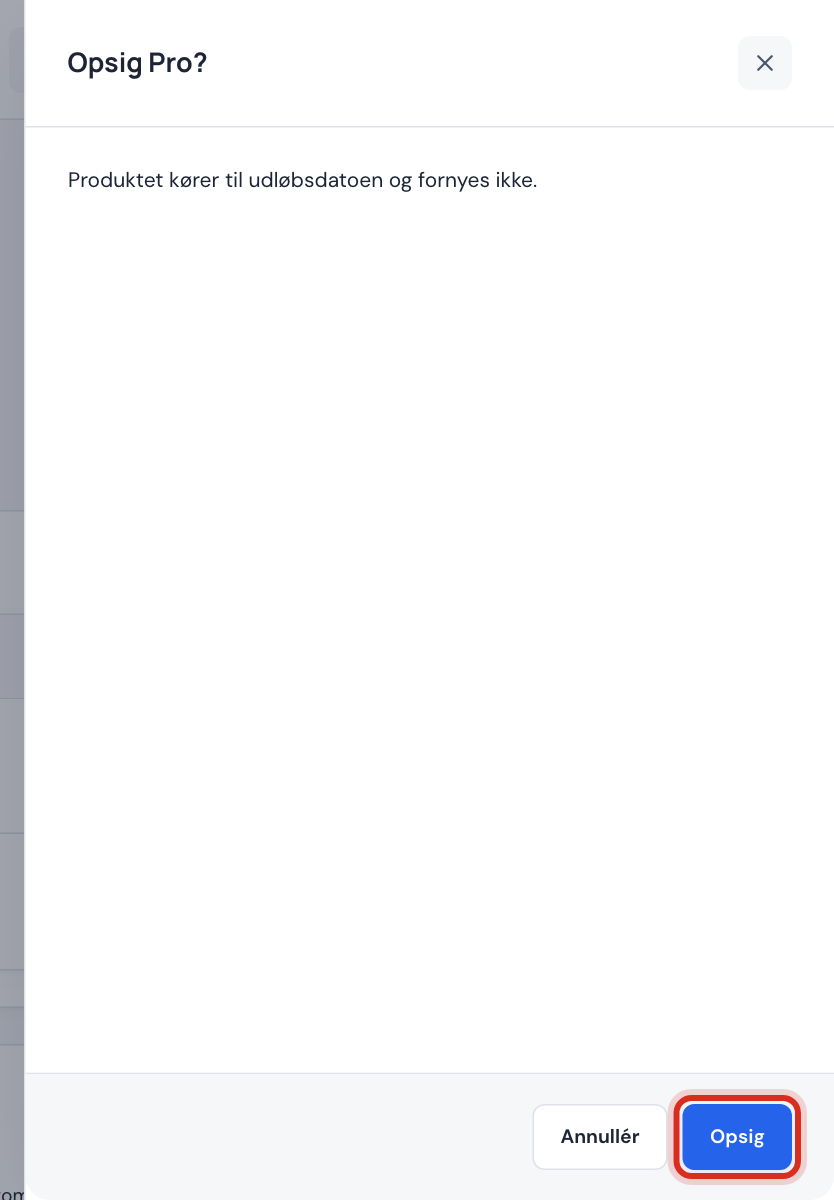
Confirm the cancellation in the window Step 3: Confirm
Tap Cancel in the window. You may be asked to confirm with your password or passkey: this protects against other people cancelling your products.
Step 4: Check the end date
The product gets the status Cancelled, and instead of the renewal date it says Ends and the date. At the top of the page it says when the cancellation takes effect and whether you get money back.
Cancel without signing in
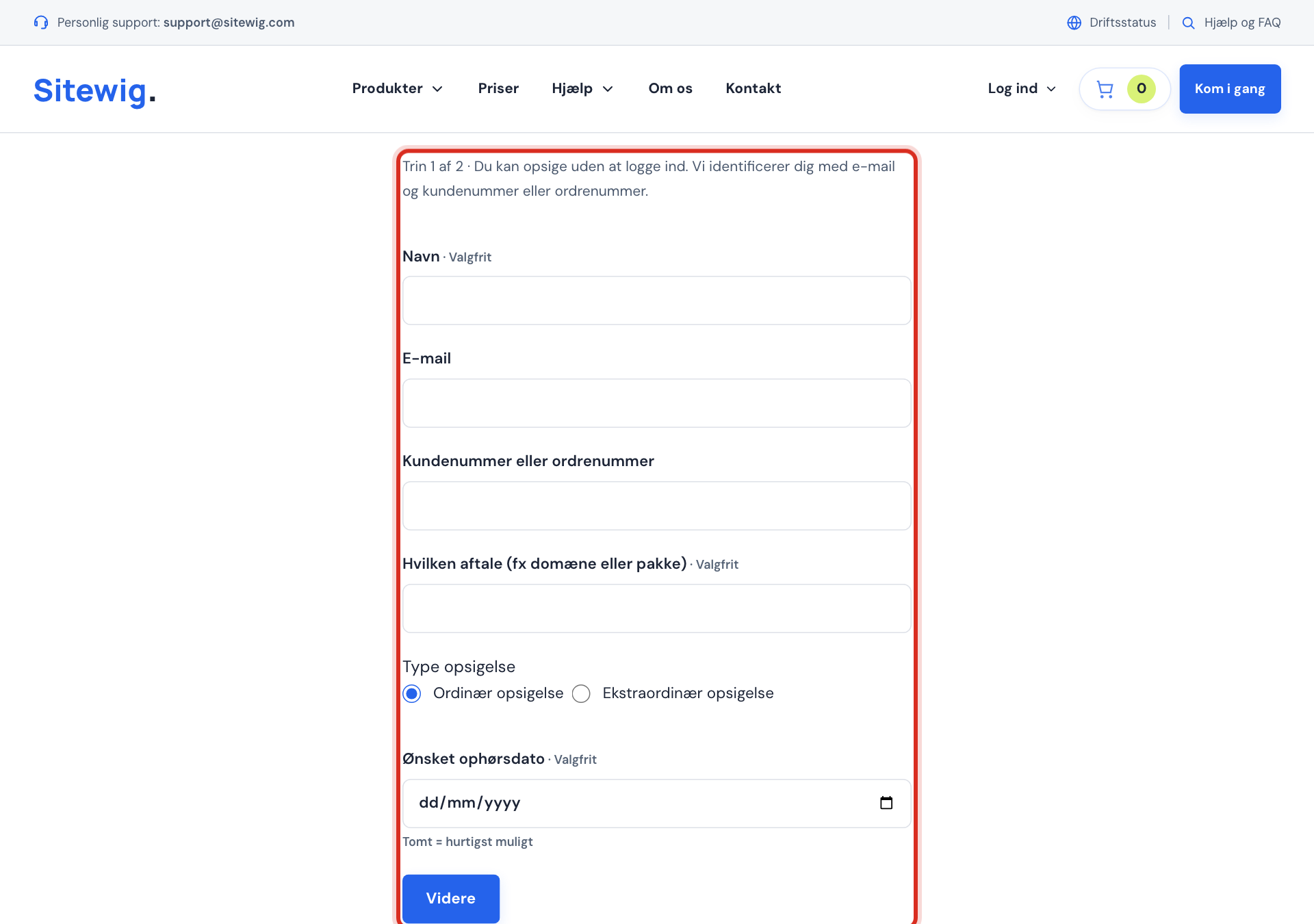
If you cannot sign in, you can use the Cancel an agreement page on sitewig.com.
- Fill in Email and Customer number or order number. Your name and which agreement it concerns are optional, but make things easier for us.
- Choose Ordinary cancellation or Extraordinary cancellation, and if you like enter a Requested end date: leaving it empty means as soon as possible.
- Tap Continue, check the details and tap Cancel now.
- You get a receipt with a reference and a time. Save or print it.
- If the email and number match an account, we send an email with a link. Click the link within 7 days to confirm the cancellation.
What happens after it ends?
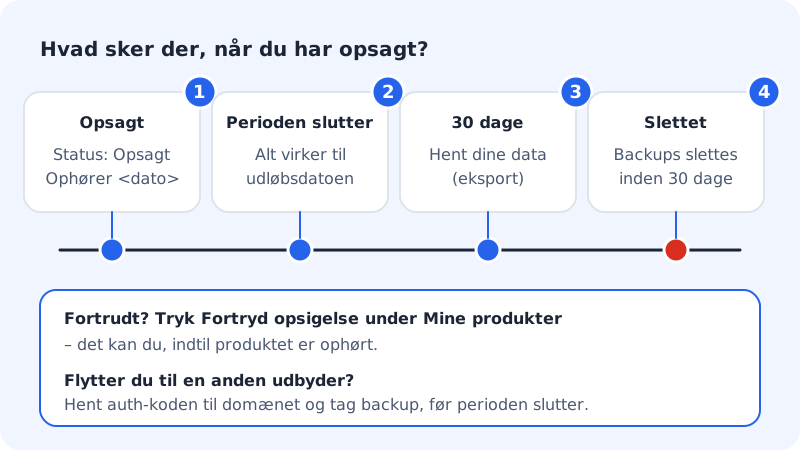
- Everything works until the paid period ends.
- After that you have 30 days to download your data. Then it is deleted from our systems, and copies in backups are deleted within a further 30 days.
- We keep invoices for as long as the law requires.
Money back on cancellation
- Consumers: once the first 12-month period is over, you can cancel with 1 month's notice and get your money back for the whole, unused days. In Norway the tie-in is 6 months at most. If you have only just bought, the 14-day right of withdrawal applies instead.
- Businesses: the plan runs out the period, and amounts paid in advance are not refunded.
Frequently asked questions
Why can't I cancel my domain?
If the domain has renewal protection, you get a message saying it cannot be cancelled until the protection has been turned off under Domain Shield. Turn the protection off and try again.
Can I cancel the web hosting and keep my domain?
Yes. Cancel the plan and not the domain. The domain then renews separately. If you see the Domain only option under Change plan, you can use that too: it shows exactly what will be closed and deleted before you confirm.
Can I cancel an add-on such as Domain Shield?
We are in the process of opening up cancellation of add-ons under My products. Until the Cancel button appears next to the add-on, write to support@sitewig.com.