When a member of staff leaves, you need to decide two things: should email sent to the address still reach someone, and should the old emails be kept? The answer determines whether you forward, deactivate or delete.
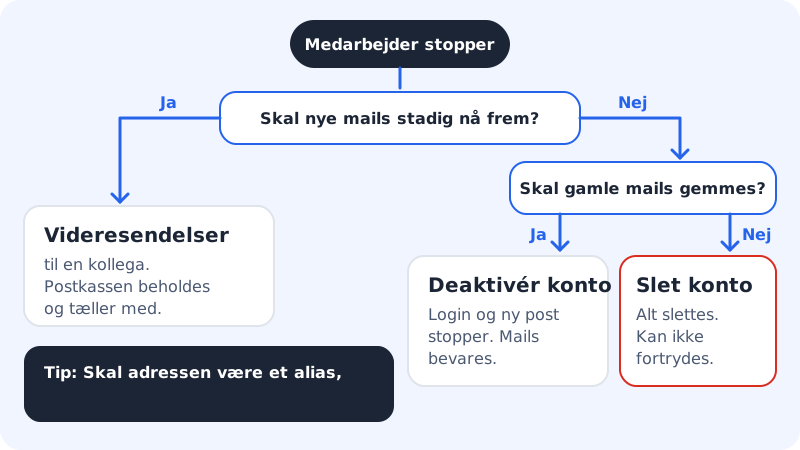
Your options
| Option | Login | New email | Old emails | Can be undone |
|---|---|---|---|---|
| Forward to a colleague | Yes (change the password) | Forwarded | Kept | Yes |
| Deactivate account | No | Not received | Kept | Yes |
| Delete email account | No | Not received | Deleted | No |
Deactivate a mailbox
Step 1: Open the account menu
Go to Email → Mailboxes and click the three dots next to the address.
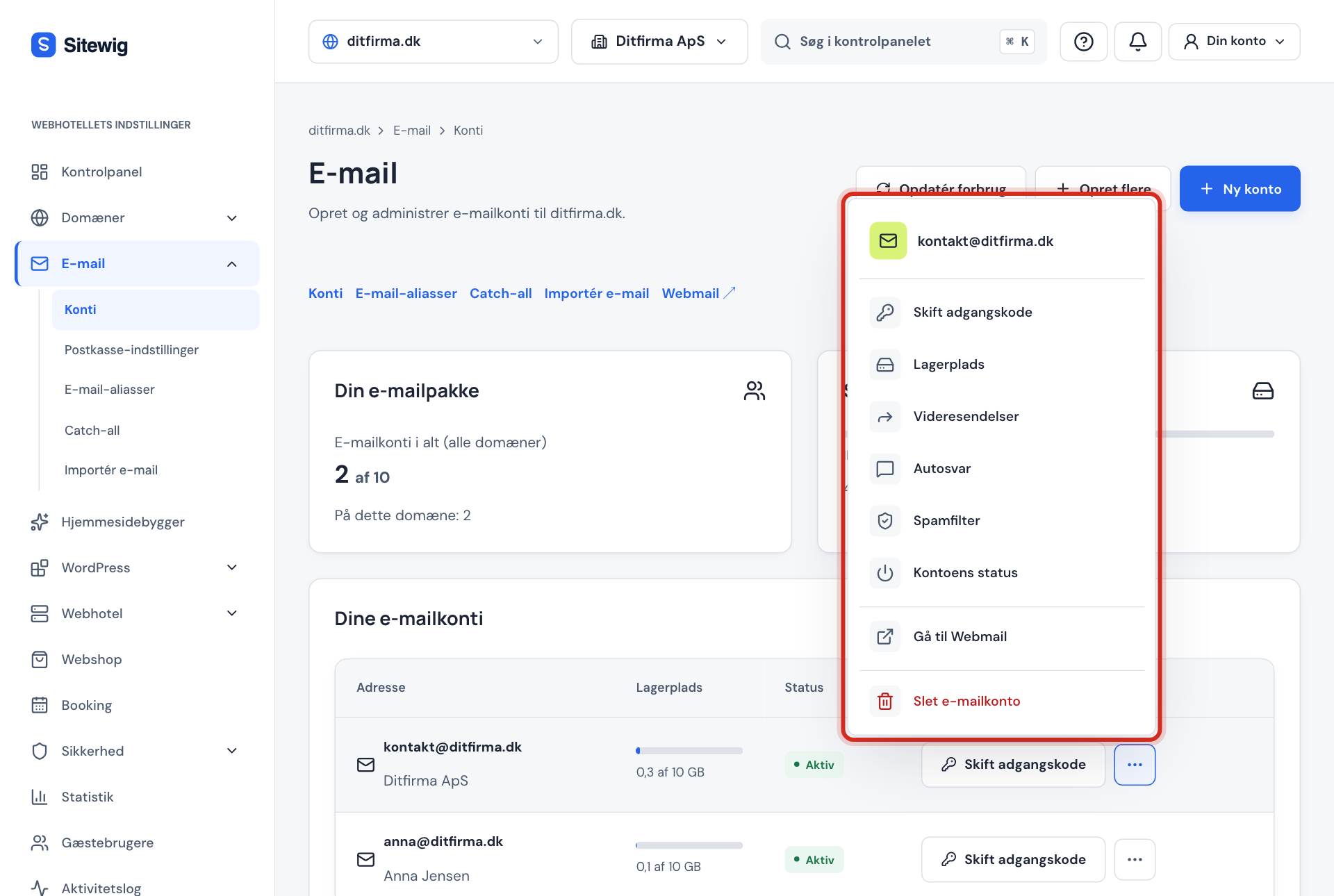
The account menu Step 2: Choose Account status
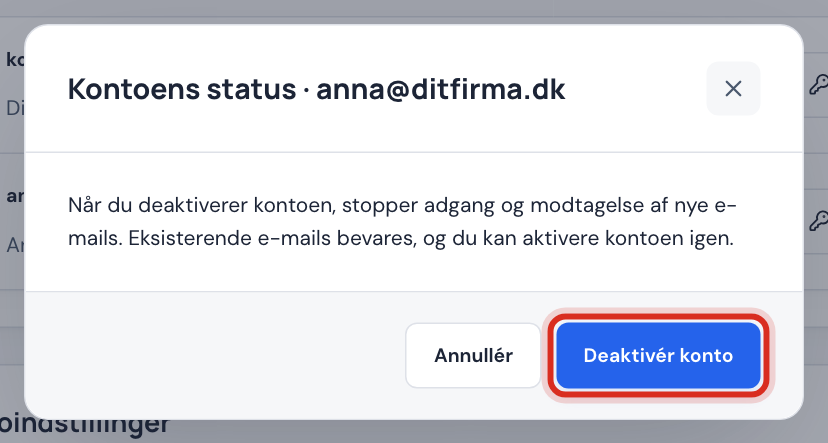
The window explains what happens: access and the receipt of new emails stop, but existing emails are kept.
Step 3: Click Deactivate account
You see the message The email account has been deactivated., and the account shows the status Deactivated in the list.
If you want to use the account again, open Account status again and click Activate account.
Delete a mailbox permanently
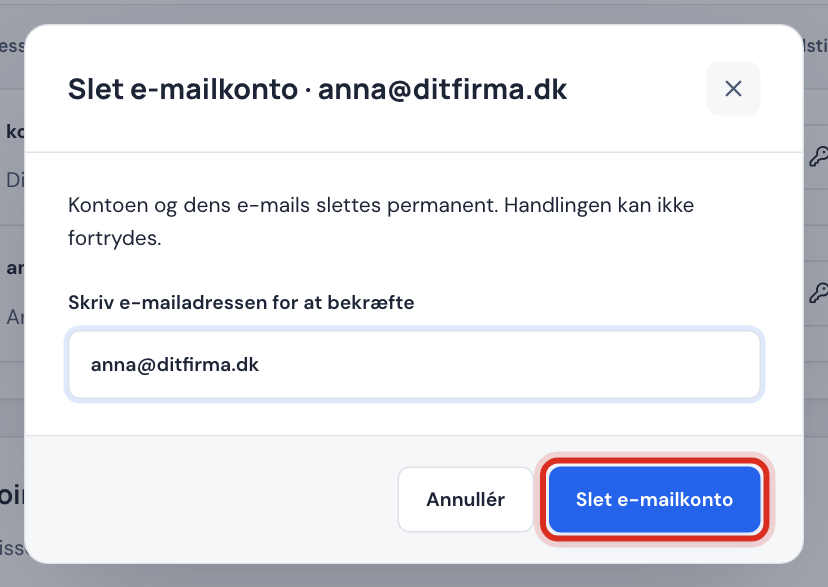
- Click the three dots next to the address and choose Delete email account.
- Enter the full email address in the field Type the email address to confirm.
- Click Delete email account. You see the message The email account has been deleted.
Frequently asked questions
Can I restore a deleted mailbox?
No, the emails cannot be recovered. You can create a new, empty mailbox with the same address.
Can the address live on as an alias for a colleague?
Yes. Delete the mailbox, then create an alias with the same address that delivers to your colleague's mailbox. An alias cannot have the same address as a mailbox that still exists.
What does the status Awaiting activation or Error mean?
Awaiting activation means the mailbox is being created on the mail server: wait a moment and click Refresh usage. If it says Error, contact support.