Every mailbox has a limit on how much it may hold. If it becomes full, it cannot receive new email. Here you can see how to keep an eye on usage and give a mailbox more space.
How much space is included
| Plan | Mailboxes | Storage |
|---|---|---|
| Web hosting Starter | Up to 3 | 3 GB per mailbox, out of the web hosting's shared 15 GB |
| Web hosting Pro | Up to 10 | 5 GB per mailbox, out of the web hosting's shared 50 GB |
| Web hosting Business | Up to 25 | 10 GB per mailbox, out of the web hosting's shared 100 GB |
| Web hosting Max | Unlimited | 25 GB per mailbox, out of the web hosting's shared 200 GB |
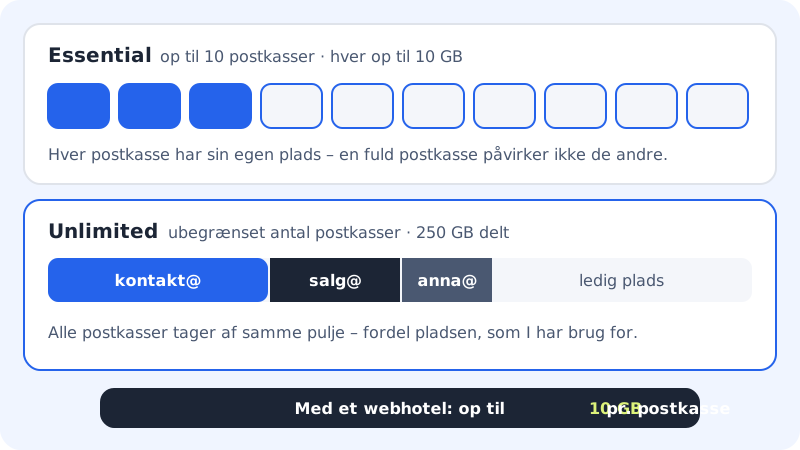
| Email Essential | Up to 10 | Up to 10 GB per mailbox |
| Email Unlimited | Unlimited | 250 GB shared between all mailboxes, at most 25 GB per mailbox |
Free does not include email. It requires a paid plan or Mail Essential.
On a web hosting plan, the mailboxes share storage with the website's files and databases. When 95% of the storage is used, you cannot create new mailboxes, give more space or upload more files. Email to the mailboxes you have still gets through, and nothing is deleted.
Check usage
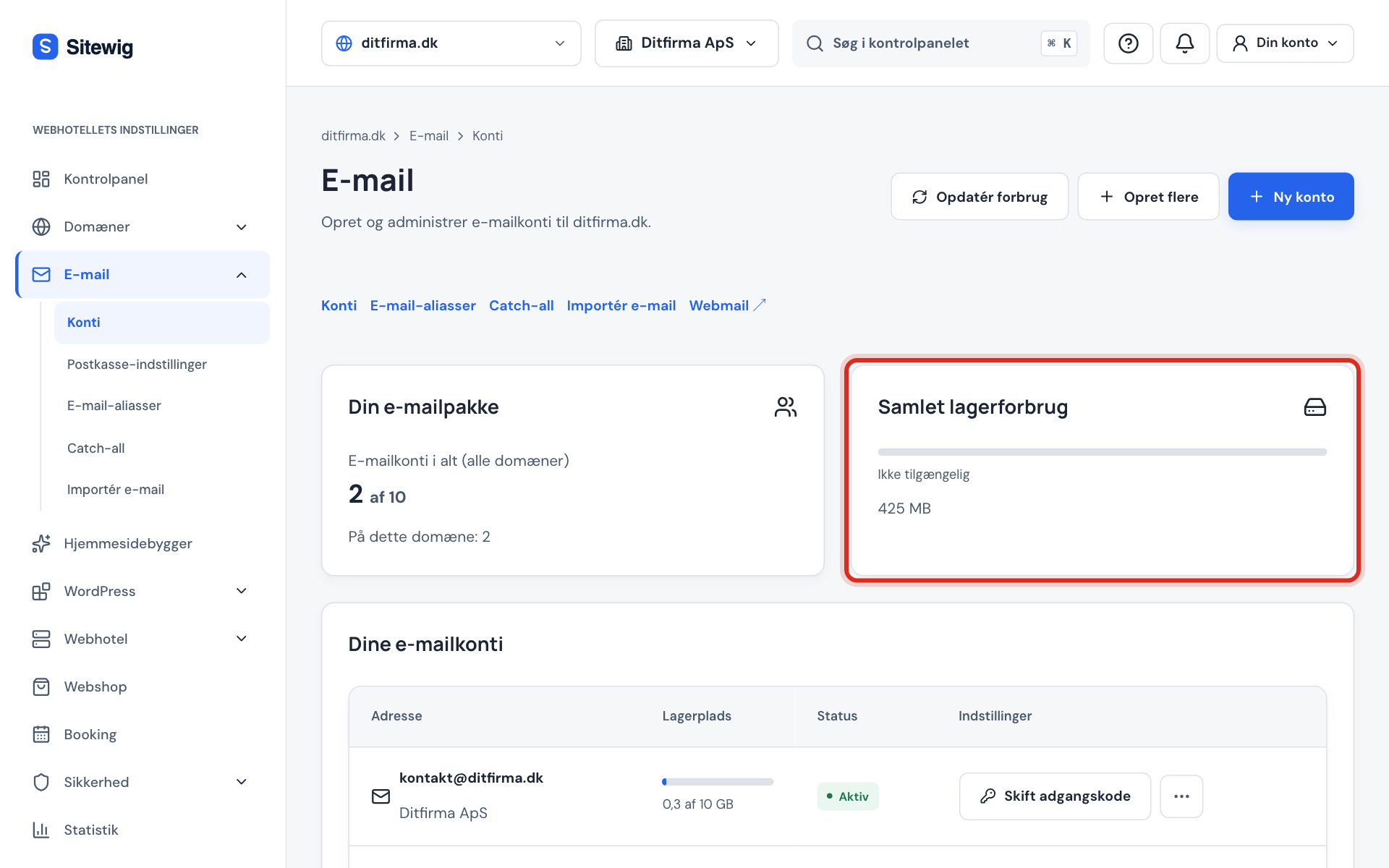
Go to Email → Mailboxes. At the top, the Your email plan card shows how many accounts you have, and the Total storage used card shows how much they take up. If your plan has a shared pool, it says Shared between all your domains. In the Your email accounts list, the Storage column shows the usage for each mailbox.
Click Refresh usage at the top to fetch the latest figures.
Give a mailbox more space
Step 1: Open the account menu
Click the three dots next to the address in the Your email accounts list.
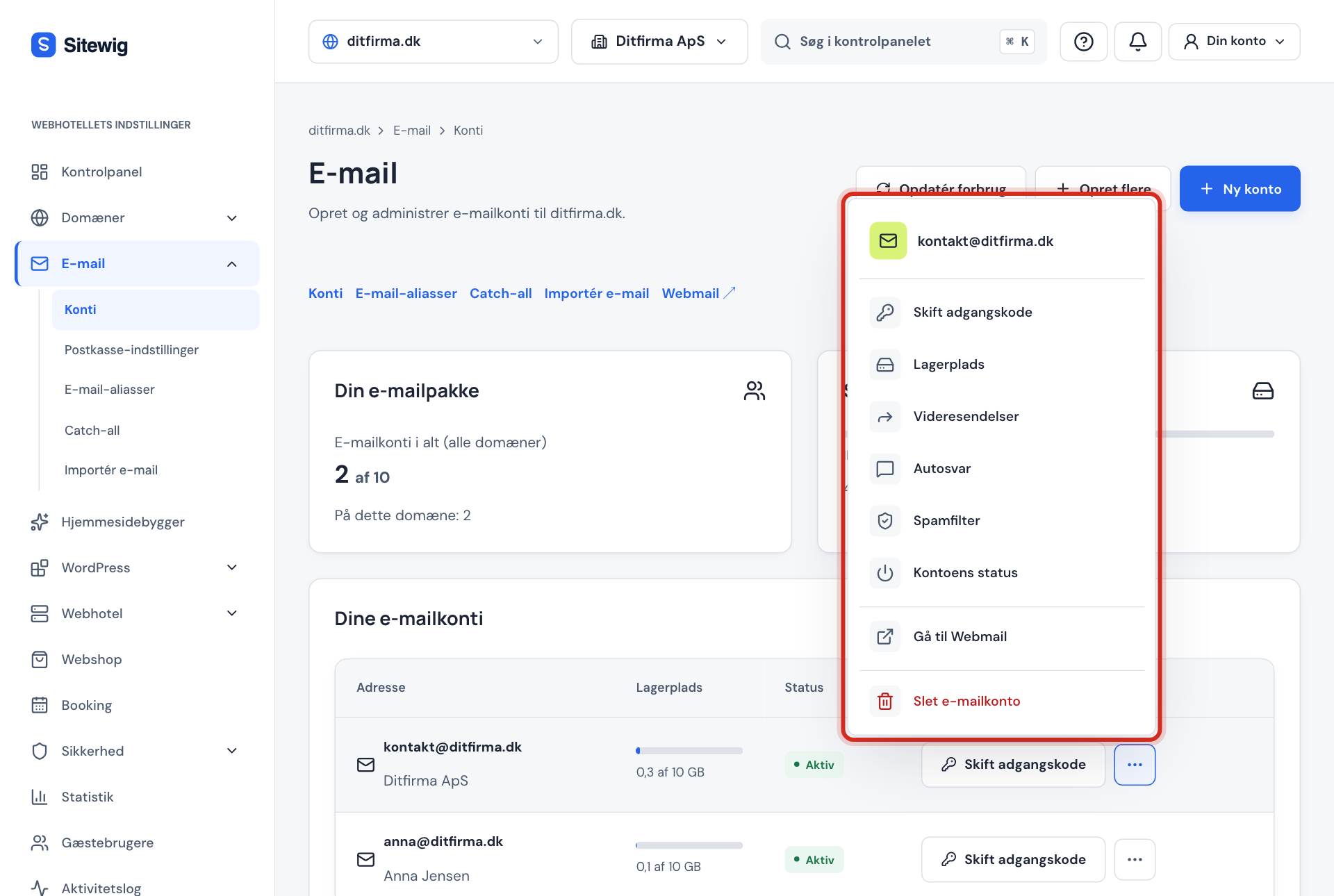
The account menu with the Storage option Step 2: Choose Storage
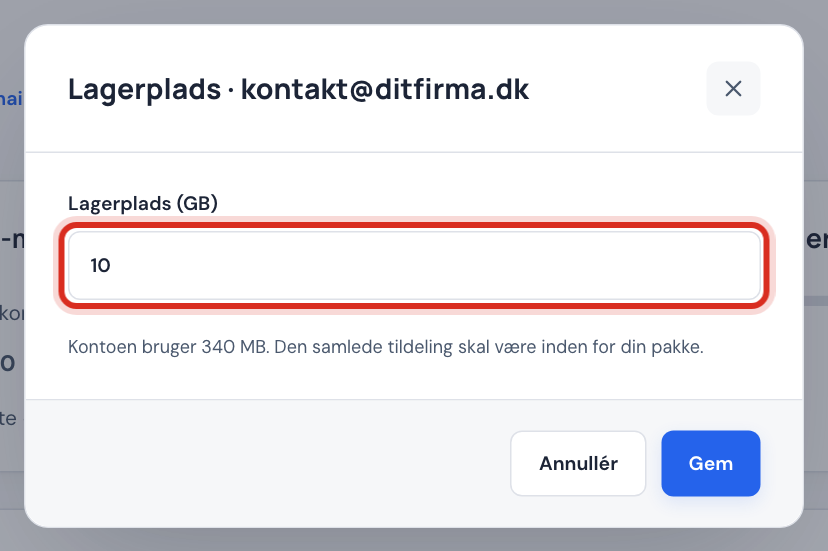
The window shows the field Storage (GB) and, below it, how much the account is using now.
Step 3: Enter the new number of GB
You can choose at most what your plan gives per mailbox, e.g. 3 GB in Starter. If you have a shared pool, the total across all mailboxes must stay within the pool. If the mailbox needs more, you can instead choose Upgrade mailbox and buy Larger mailbox 25 GB.
Step 4: Save
Click Save. You see the message Storage changed.
Error messages
| Message | What it means |
|---|---|
| The storage on your web hosting is almost used up (X of Y GB: website Z GB · email W GB)… | The web hosting's shared storage is 95% used. Clear out files or mailboxes, or upgrade your plan. |
| Your plan gives at most N GB per mailbox. Buy "Larger mailbox" (25 GB) or upgrade your plan. | You have chosen more than your plan allows for one mailbox. |
| The shared storage (… GB) is used up. | The pool has been allocated in full. Reduce the space on another mailbox first. |
| The storage cannot be less than what is already used. | Clear out the mailbox before you reduce the space. |
Free up space in the mailbox
- Empty Bin and Spam: they take up space until they are emptied.
- Search for emails with large attachments, save the files elsewhere and delete the emails.
- Move old folders to an archive on your computer if you do not need them on the server.
Frequently asked questions
What happens when a mailbox is full?
New emails cannot be delivered, and the sender typically gets an error message back. Give the mailbox more space or clear it out, and it works again immediately.
Will my emails be deleted if I reduce the storage?
No. You cannot set the space lower than what the mailbox already uses.
Why can't I choose more space for a mailbox?
Each plan has a fixed size per mailbox: 3 GB in Starter, 5 GB in Pro, 10 GB in Business, 25 GB in Max and 10 GB in Essential. With Unlimited, a mailbox can use up to 25 GB as long as the 250 GB pool lasts. If you want more in one mailbox, buy Larger mailbox 25 GB or upgrade your plan.
Can I keep my mailboxes if I have more than my plan allows?
Yes. Mailboxes you already have keep working. You just cannot create more until you are under the limit or have upgraded.