Every mailbox with Sitewig has a spam filter, which is turned on from the start at the Medium level. Emails that the filter judges to be spam are not deleted: they are put in the mailbox's junk folder, so you can always find them again.
Choose the right level
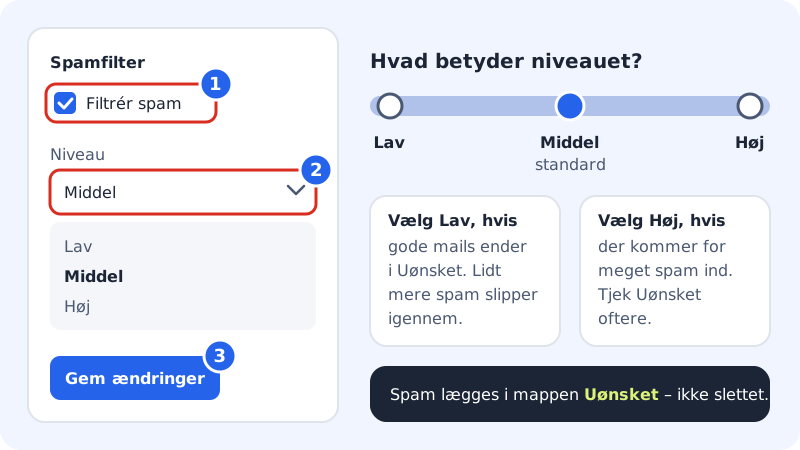
| Level | When |
|---|---|
| Low | Genuine emails from customers or suppliers too often end up as spam. |
| Medium | Default. Suits most people. |
| High | Too much spam gets through. Check the Junk folder a little more often. |
Step 1: Open Spam filter for the mailbox
Go to Email → Mailboxes, click the menu button (the three dots) next to the address and choose Spam filter. The Settings for address drawer opens.
Step 2: Check that the filter is on
Under Spam filter, Filter spam must be ticked.
Step 3: Choose a level
Choose Low, Medium or High in Level.
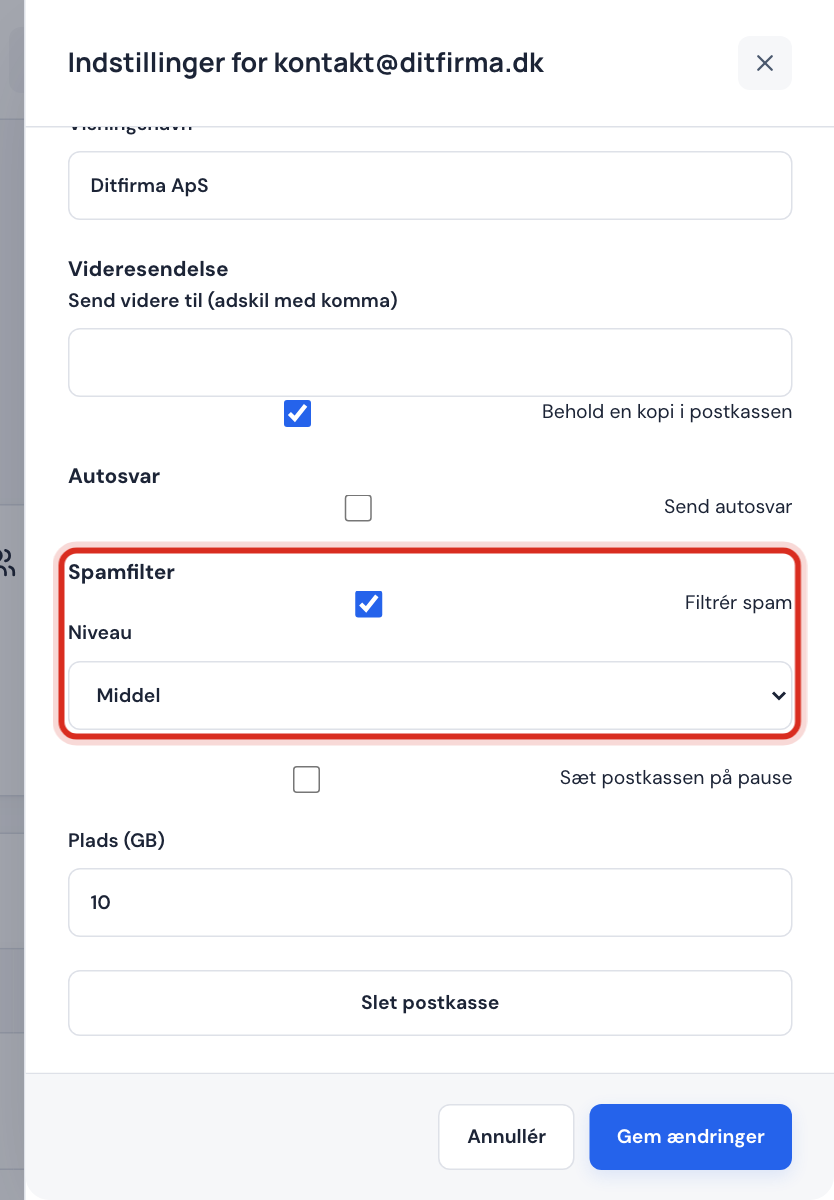
The spam filter in the mailbox settings Step 4: Save
Click Save changes. The new level applies to new emails from now on: emails that have already been sorted are not moved.
Find emails that ended up as spam
Spam is put in the Junk folder (in some mail apps it is called Junk or Spam).
- Open webmail via the Webmail tab on the Email page, or open your mail app.
- Open the Junk folder.
- If you find a good email, move it back to the Inbox.
Look in the folder regularly, especially in the first few weeks after you've changed the level.
What you can't do yet
- There is no separate quarantine page in the control panel. Spam sits in the Junk folder in the mailbox itself.
- You create lists of allowed and blocked senders with email rules.
Frequently asked questions
My own emails end up as spam for the recipient. Does the spam filter help here?
No, the spam filter only sorts the emails you receive. Whether your outgoing emails land in spam for other people depends mainly on SPF, DKIM and DMARC – see SPF, DKIM and DMARC.
Does Sitewig delete emails in the Junk folder?
The spam filter doesn't delete emails: it moves them. Delete emails in the folder yourself once you've looked through them, so they don't take up space in the mailbox.
Does the level apply to all my mailboxes?
No, it is set for each mailbox separately. Repeat the steps for the other addresses.