The domain lock is a security barrier. As long as it is turned on, no one can get the auth code in Sitewig and move the domain to another provider. The lock is turned on by default for all domains registered by Sitewig. If you want to be extra safe, you can also set a lock code, which is needed to change the lock.
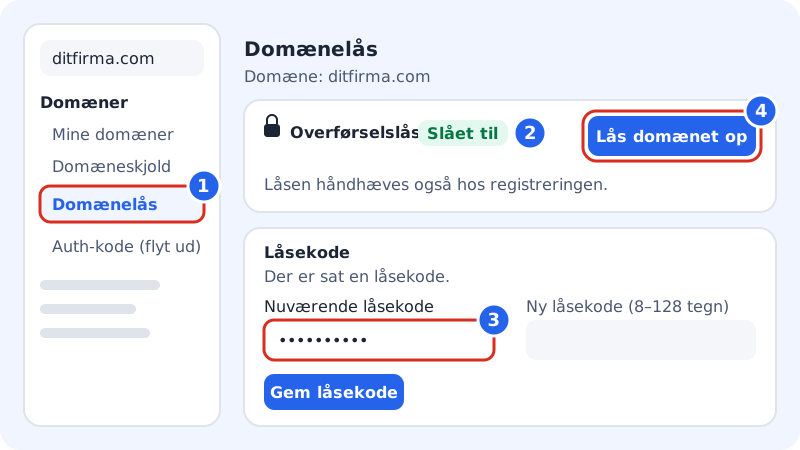
How the lock works
- Turned on (default): The auth code cannot be retrieved, and the domain cannot be moved out.
- Turned off: You can get the auth code under Domains → Auth code (transfer out).
- For domains such as .com or .eu, Sitewig also sets the lock at the registry. The page shows this as The lock is also enforced at the registry.
Turn the lock on or off
Step 1: Open Domain lock
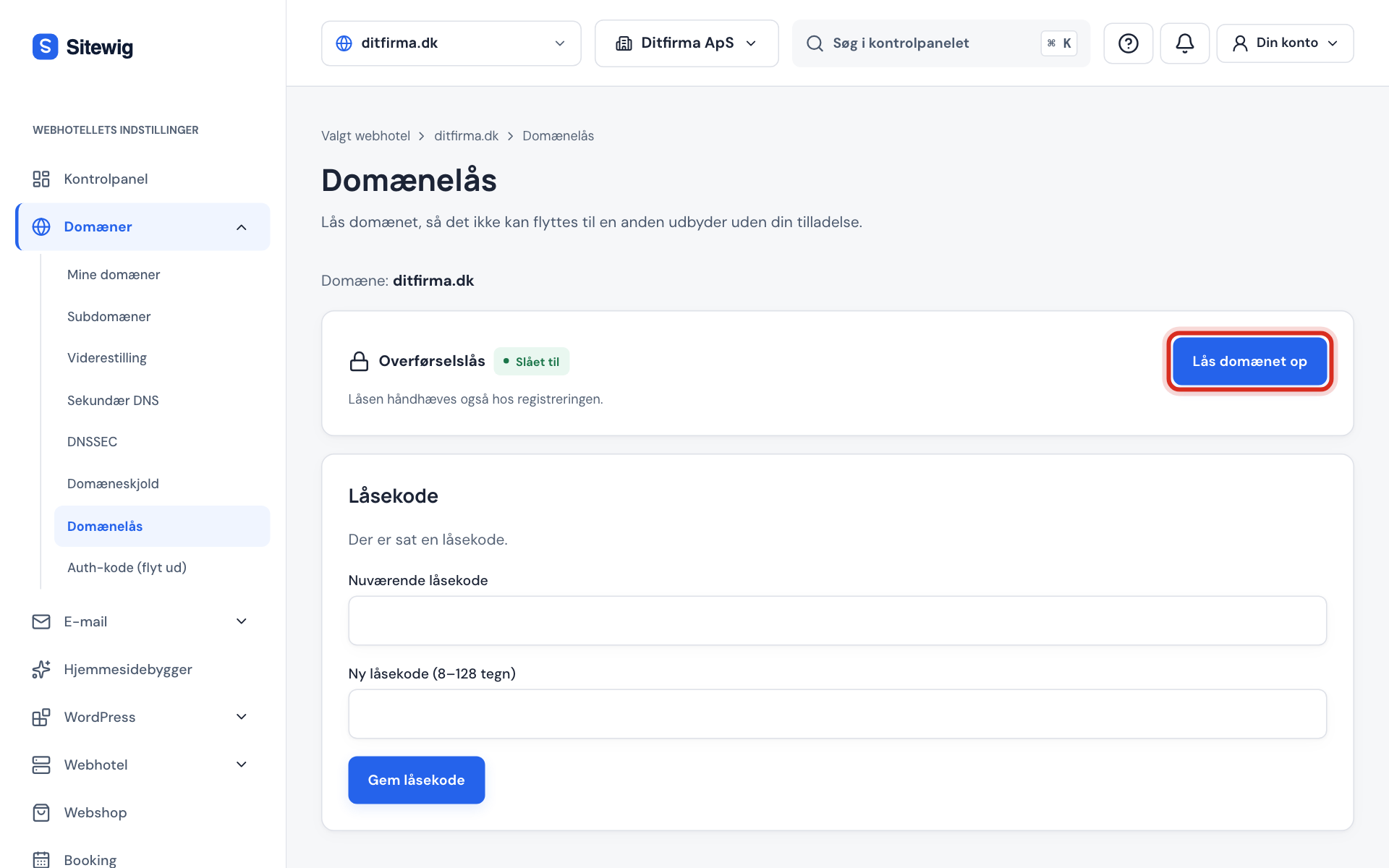
Go to Domains → Domain lock and choose the domain in the menu at the top. The page shows the selected domain.
Step 2: Check the status
Next to Transfer lock it says On or Off.
Step 3: Enter the lock code, if you have one
If you have set a lock code, enter it in the Current lock code field in the Lock code card further down. It is needed for every change.
Step 4: Change the lock
Tap Unlock the domain to turn the lock off, or Lock the domain to turn it on again.
Set a lock code
A lock code is an extra password for the domain. Once it is set, it is needed to unlock, to change the lock and to get the auth code – even if someone is signed in to your account.
Step 1: Find the Lock code card
On the Domain lock page you will find the Lock code card. Here you can see whether a lock code has been set.
Step 2: Enter a new lock code
Enter a code in the New lock code (8–128 characters) field. If a lock code already exists, you must also enter it in Current lock code.
Step 3: Save
Tap Save lock code. Keep the code somewhere safe, for example in a password manager.
.dk and connected domains
- .dk: .dk domains have no lock at the registry. A .dk domain is moved at Punktum dk with the domain owner's approval. The lock in Sitewig only prevents the auth code from being retrieved in Sitewig. See Move a .dk domain away from Sitewig (in Danish).
- Connected domains: If the domain is registered with another provider, the transfer lock is managed there.
Frequently asked questions
Do I need to unlock the domain when I move it to Sitewig?
Yes, but at the provider the domain is coming from, not in Sitewig. The lock in Sitewig only applies to domains that are already registered with us.
Does the lock affect my website or email?
No. The lock only stops transfers. DNS, email and website work as normal.
Where else can I see the lock?
Under Domains → Domain Shield, the transfer lock is also shown, with a link to the Domain lock page.