If a customer is to get their money back, the procedure depends on whether the order has been shipped. If it's not shipped, you can cancel it. If it's shipped, you refund – in full or in part. Card payments go back to the customer's card automatically via Stripe.
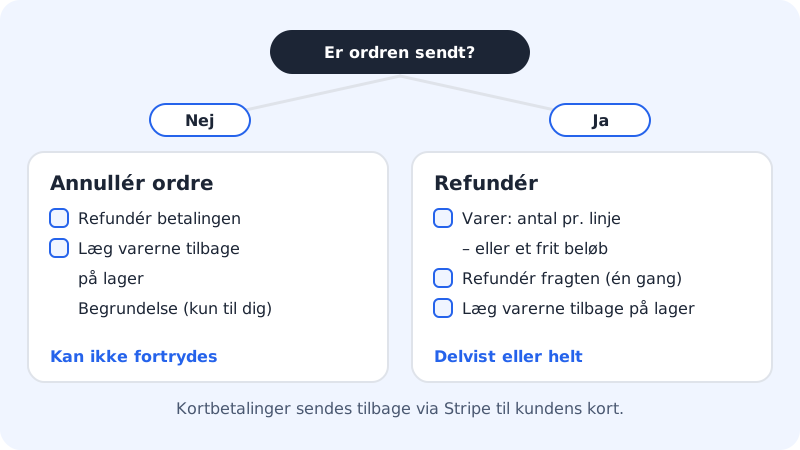
Cancel an order that hasn't been shipped
Step 1: Open the order
Go to Online shop → Orders and click View next to the order.
Step 2: Click Cancel order
Click Cancel order. If the order has been paid, you can choose Refund the payment and Put the products back in stock.
Step 3: Enter a reason and confirm
If you like, enter a reason in Reason (not shown to the customer). Leave Email the customer turned on so the customer gets the Cancelled email. Confirm.
Refund in full or in part
Step 1: Click Refund
Open the order and click Refund. The button appears on paid orders for as long as there is an amount left to refund.
Step 2: Choose products or a free amount
Choose Products to refund specific products, and specify the quantity per line, e.g. 1 of 2. Choose Free amount if you want to give back a specific amount, e.g. as compensation. The dialogue shows the most that can be refunded.
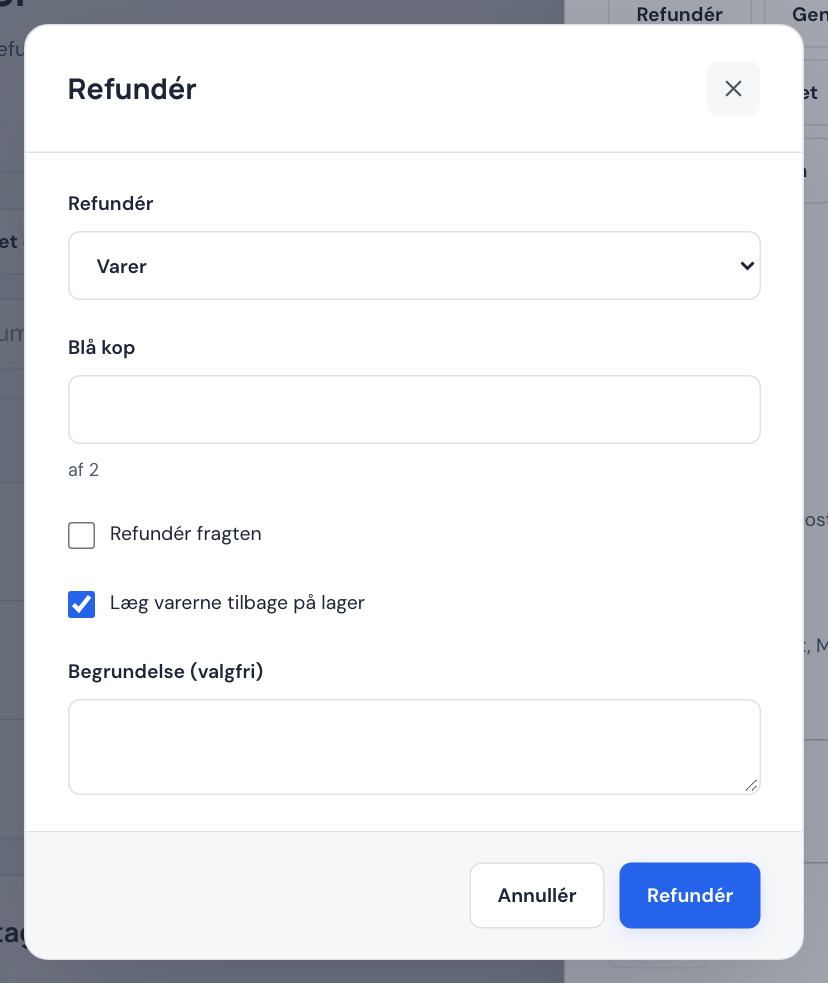
Step 3: Shipping and stock
If you're refunding products, you can tick Refund shipping and Put the products back in stock. Shipping can only be refunded once per order.
Step 4: Confirm
If you like, enter a reason and click Refund. Card payments are sent back via Stripe. The order changes to Partly refunded or Refunded, and the refund appears under Refunds on the order.
When a customer withdraws from a purchase
Consumers have a right of withdrawal when buying online. The online shop has a built-in withdrawal function so the customer can withdraw directly from your website.
- Go to Online shop → Shop settings and check Withdrawal period (days) under Legal pages. It must be at least 14 days.
- Make sure Withdrawal (form) points to a page on your website, e.g.
/withdrawal. Sitewig adds the withdrawal function to the page itself when you publish. - When a customer withdraws, it appears on the order under Withdrawals received and in History as Withdrawal received. If the withdrawal arrived after the deadline, it says After the deadline.
- Refund the order with Refund once you've received the products back. The customer must have their money no later than 14 days after you were told of the withdrawal – you may wait until the products have been returned.
Frequently asked questions
How long does it take before the customer has the money?
The refund is sent to Stripe straight away. It's the customer's bank that decides when the amount appears in their account, typically within 5–10 banking days.
Can I refund several times on the same order?
Yes. You can make several partial refunds until the whole amount has been refunded. Shipping can only be refunded once, however.
Can I refund a PayPal payment?
Yes, PayPal payments through Stripe can be refunded from the order for up to 180 days after purchase.
Do I get Stripe's fee back when I refund?
That's for Stripe to decide. See your fees under Open Stripe overview on Payments & VAT.