In addition to card payment via Stripe, you can offer two manual payment methods: Bank transfer and Payment on delivery. The customer orders and pays afterwards, and you mark the order as paid yourself once the money has arrived. An active manual method counts as a payment method on the checklist, so you can open the shop without Stripe.
Turn on bank transfer or payment on delivery
Step 1: Open Payments & VAT
Go to Online shop → Payments & VAT and find the Manual payment methods card.
Step 2: Turn the method on
Tick Bank transfer or Payment on delivery, or both.
Step 3: Enter a name and instructions
Name at checkout is what the customer sees, e.g.
Bank transfer. In Instructions for the customer you explain how to pay, for example: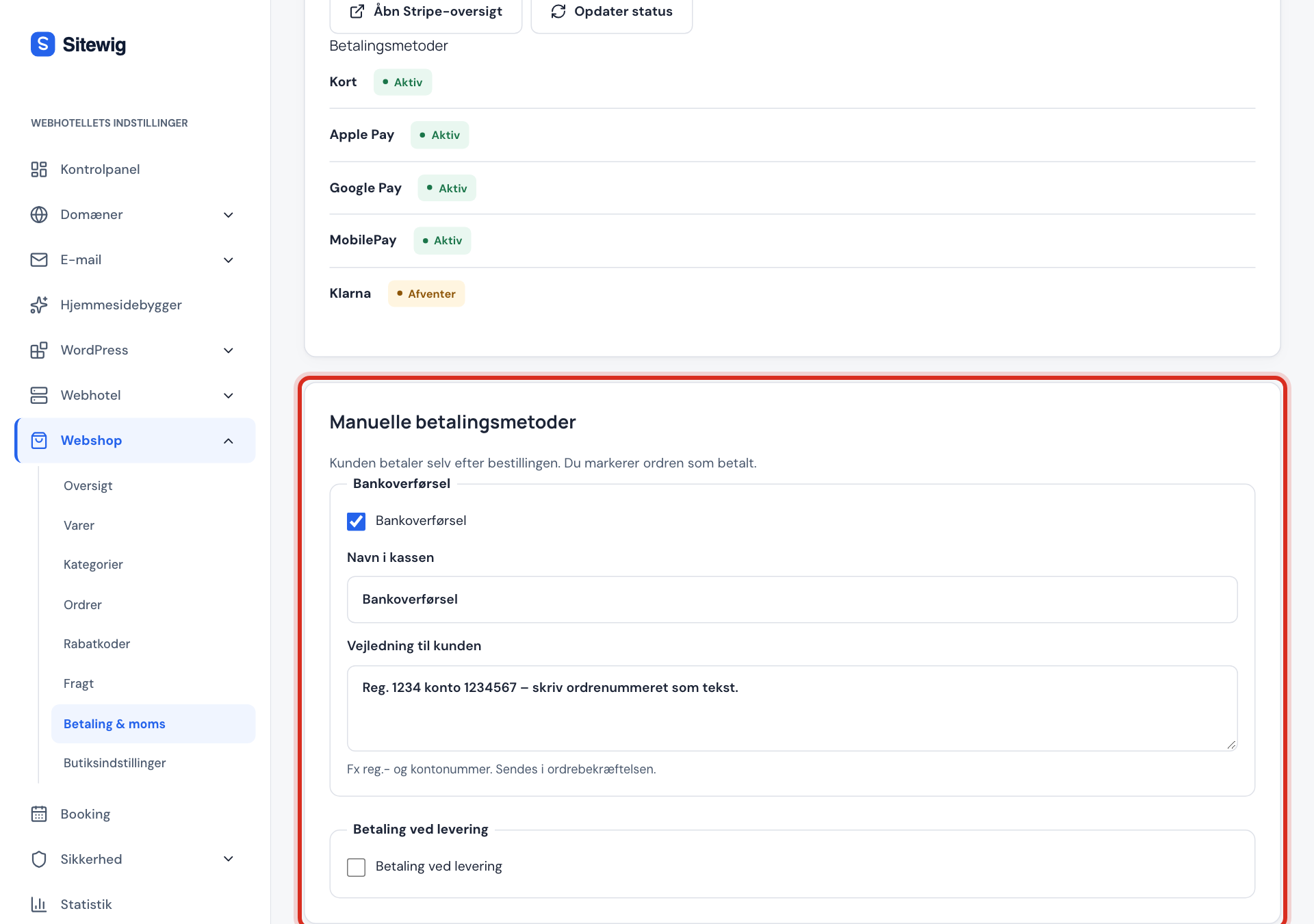
Transfer the amount to sort code 12-34-56, account 12345678. Use the order number as the reference.The instructions are included in the order confirmation.
Step 4: Save
Click Save. The method now appears at checkout.
When the customer has paid
- Go to Online shop → Orders. Unpaid orders show as Not paid.
- Click View next to the order.
- When the money is in your account, click Mark as paid. The customer receives a payment confirmation by email.
- Ship the order as usual with Mark as shipped.
Reserve the card amount and take it on dispatch
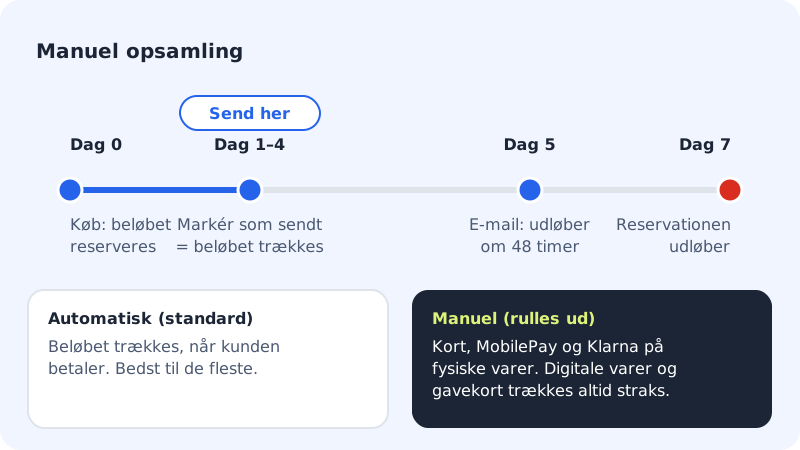
With manual capture, the amount is only reserved on the customer's card when they order. The money isn't taken until you ship the order. This is handy if you don't always know whether a product can be delivered.
Step 1: Choose Manual
Go to Online shop → Shop settings and find the Payment capture card. Choose Manual: reserve the amount and take it on dispatch and click Save.
Step 2: Ship the order within 7 days
The order shows as Reserved on the card. When you click Mark as shipped, the whole reserved amount is taken automatically.
Step 3: Take a smaller amount if something is missing
If you can't deliver everything, click Capture payment on the order and enter the amount in Amount to capture. The rest is released on the customer's card.
Manual capture applies to orders with physical products paid for by card, MobilePay or Klarna. Orders with digital products or gift cards are always charged immediately.
Frequently asked questions
Can I offer only bank transfer without Stripe?
Yes. One active manual payment method is enough for the item A payment method on the checklist to turn green.
Does Sitewig send a reminder to customers who haven't paid?
No, not automatically. You can resend the order confirmation with the instructions from the order using Resend email and the type Order confirmation.
What's the difference between automatic and manual capture?
With Automatic, the amount is taken when the customer pays. With Manual, it's only reserved, and you take it when you ship the order, or release it if you cancel.