A DNS change doesn't take effect everywhere at the same instant. Computers, phones and internet providers keep the old answer for a while before they ask again. How long that takes depends on what you have changed.
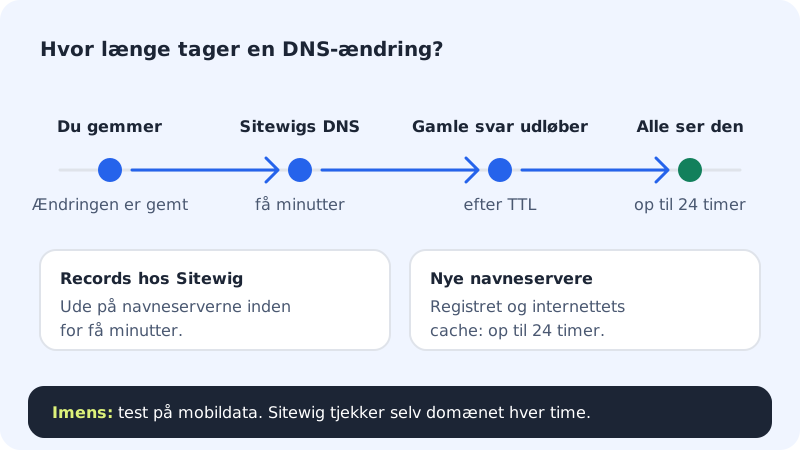
| You have … | It typically takes |
|---|---|
| added or edited a record under DNS at Sitewig | a few minutes |
| changed the target with Change target on the domain | a few minutes |
| switched name servers at another provider to Sitewig | from an hour up to 24 hours |
changed name servers for a .dk domain at Punktum dk | only once the owner has approved with MitID, then up to 24 hours |
Find out how far the change has got
Step 1: Open the domain
Go to Domains → My domains and click the domain. Look at the badge next to the domain name and at the Setup list.
Step 2: Read the status
- Active and all steps Ready: DNS at Sitewig is in order. If you still see the old page, it's cache – go to the step Rule out cache.
- Awaiting name servers: The domain doesn't point to Sitewig's name servers yet. The Point the domain to Sitewig box shows which name servers must be set at your provider.
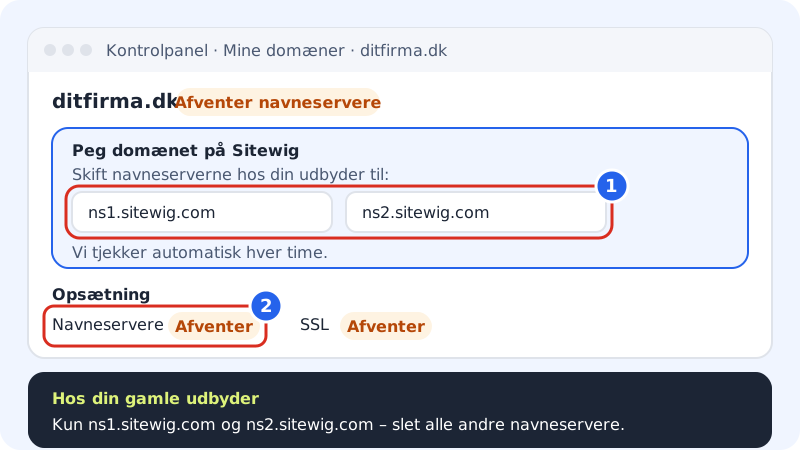
The Name servers step changes to Ready when the provider points to Sitewig Step 3: Check the name servers at your provider
Log in at the provider where the domain is registered and check that exactly these two are listed, and no others:
Sitewig's name servers
- Name server 1
ns1.sitewig.com- Name server 2
ns2.sitewig.com
If there is a third, old name server, delete it. Otherwise some lookups will still ask the old provider.
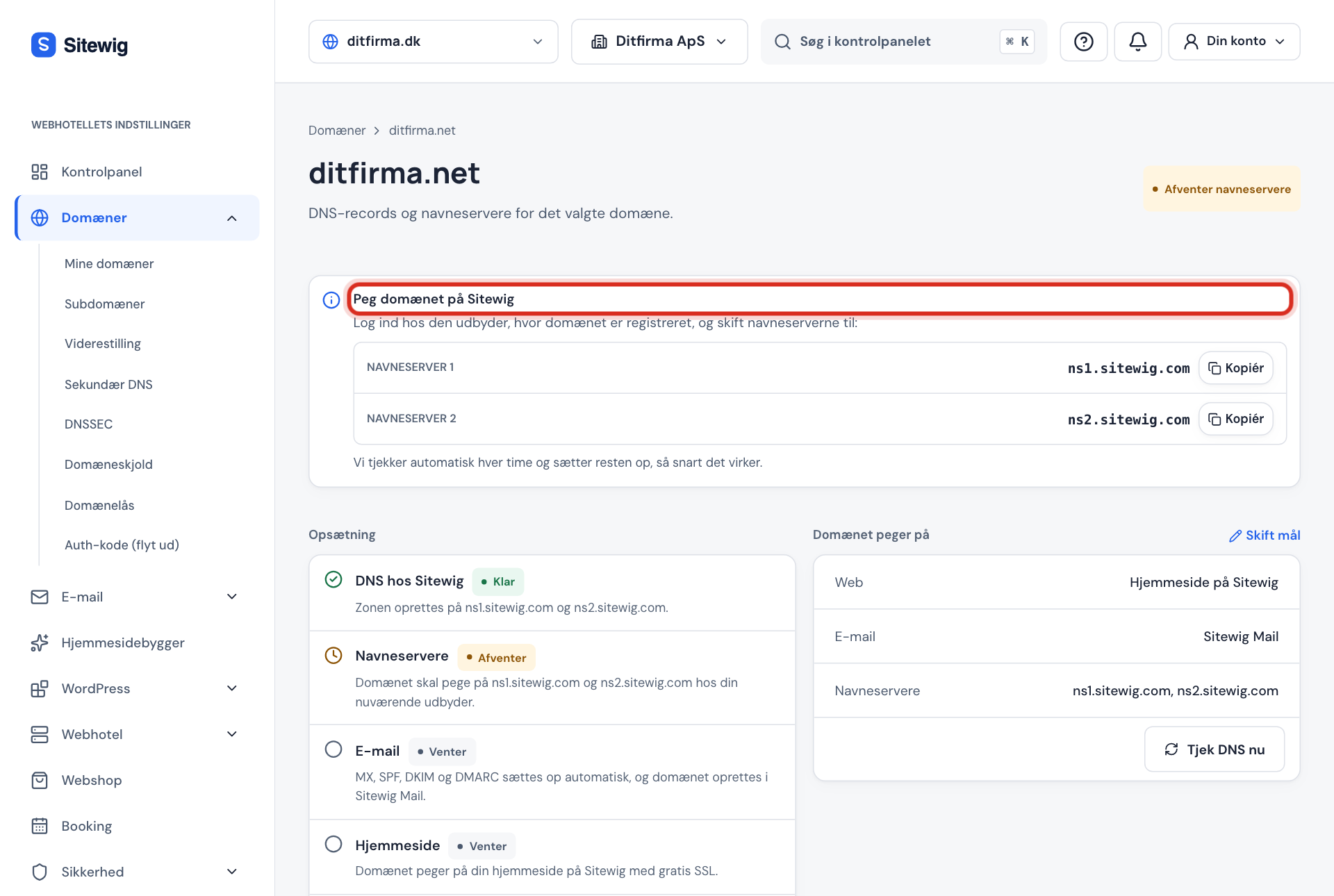
What the domain page looks like while we wait for the name servers Step 4: A .dk domain? Approve with MitID
If the
.dkdomain is self-managed, you change name servers in Punktum dk's self-service, and the owner must approve with MitID. See Change name servers for a .dk domain at Punktum dk (in Danish).Step 5: Wait for the automatic check
You don't need to press anything. Sitewig checks the domain every hour and sets up the rest (website, email and SSL) as soon as the name servers point to us.
Step 6: Rule out cache
Test in a private window and on your phone with wi-fi turned off. If it works there, it's only your computer that remembers the old answer. Restart the browser or wait for the cache to expire.
Frequently asked questions
Can Sitewig make the change go faster?
No. Once our name servers have the new value, it's internet providers and devices around the world that decide when they ask again. Nobody can clear their cache from the outside.
I've waited more than 24 hours. What now?
Check again that the name servers at the provider are spelt correctly and that no old name servers are listed alongside them. For .dk, the MitID approval must be completed. If the domain still shows Awaiting name servers, write to support with the domain name.
My website works, but email still goes to the old provider. Why?
Mail servers also keep old answers, and MX records can have a long TTL. Allow up to a day. Also check that the domain's email points to Sitewig Mail under The domain points to.