When a renewal cannot be charged to your card, the subscription gets the status Payment failed. Your website and email carry on for a while, but pay as soon as you can.
Typical causes
- The card has expired, been blocked or been replaced by a new card.
- There are insufficient funds, or the card has a limit on online purchases.
- Your bank asked for approval (3-D Secure), which was not completed.
How to see that the payment failed
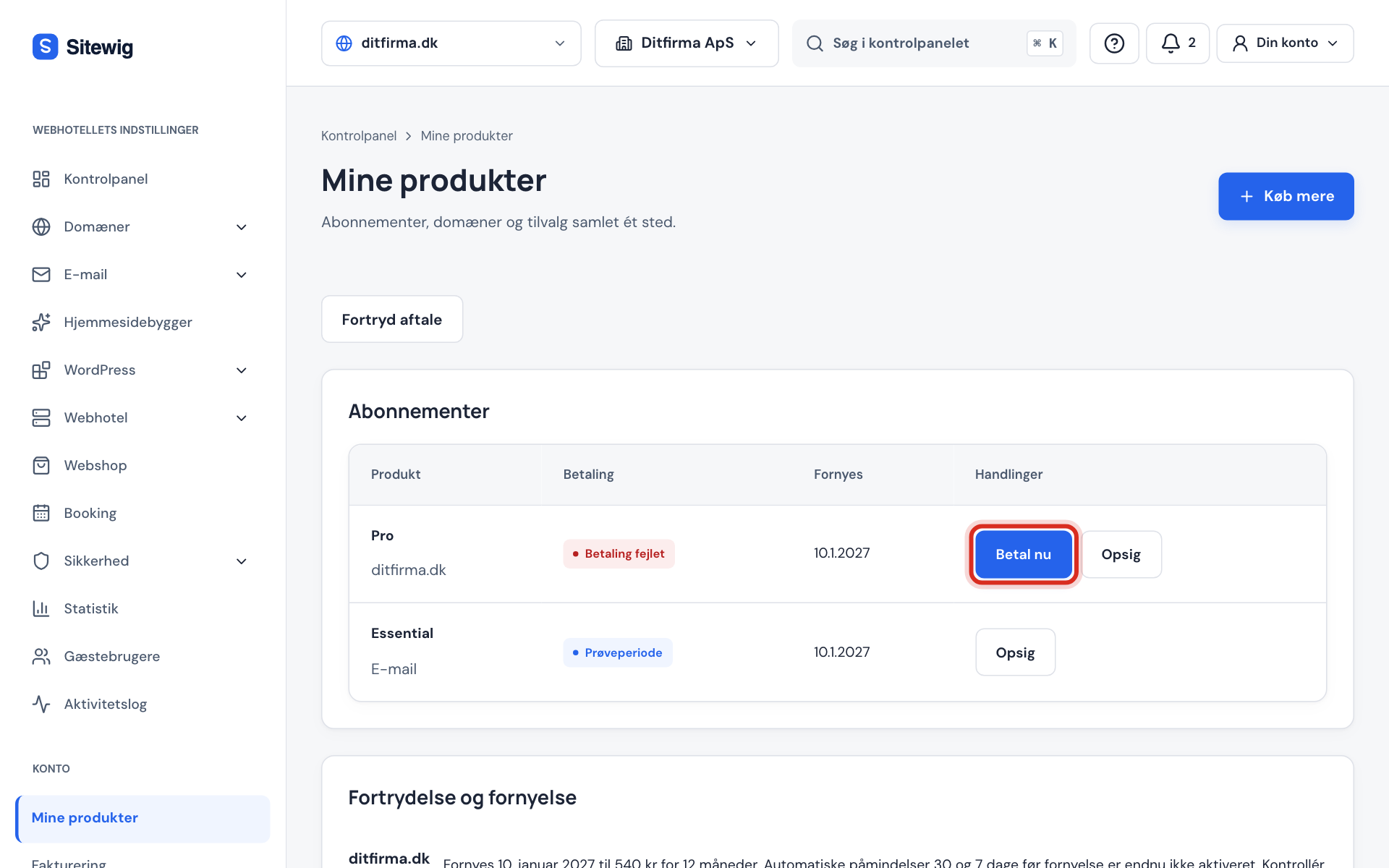
- On the control panel's front page you see the message The payment for … failed. with the Pay now button.
- Under My products, the subscription has the status Payment failed, and the Pay now button is next to it.
- Under Billing, the invoice has the status Unpaid or Overdue.
Pay the open invoice
Step 1: Change the card if it has expired
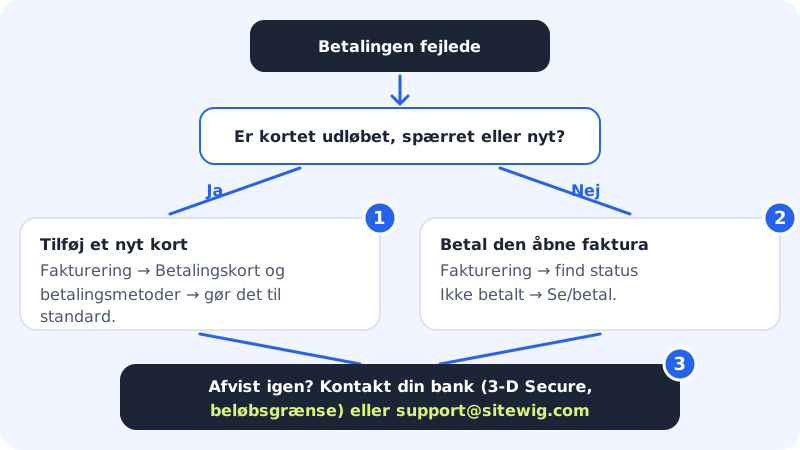
If the old card has expired or been blocked, add a new card first and make it the default. See Change or add a payment card.
Step 2: Tap Pay now
Tap Pay now under My products or in the message on the front page. You are taken to Billing.
Step 3: Open the invoice with View/pay
Find the invoice with the status Unpaid or Overdue and tap View/pay. The invoice opens on Stripe's payment page.
Step 4: Pay with your card
Enter or choose the card and complete the payment. Once the payment has been registered, the invoice changes to Paid, and the message about the failed payment disappears.
What happens if I do not pay?
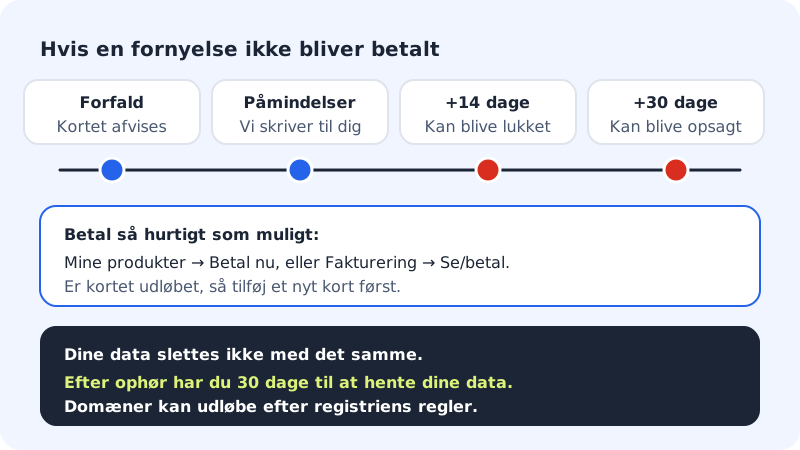
- On the due date the payment is declined, and we send reminders.
- 14 days after the due date we may suspend the service temporarily until payment is made.
- 30 days after the due date we may terminate the agreement.
- Domains may expire and be deleted under the rules of the registry for the domain extension.
Your data is not deleted straight away. After an agreement has ended, you have 30 days to download your data.
Frequently asked questions
The payment was interrupted while I was ordering. Has money been taken?
No. If you go back from the payment page, you land in the basket again. If the payment page has expired, Sitewig shows The payment was not completed with a message that nothing has been charged. Tap Try again to start over.
I have paid, but it still says Payment failed. Why?
It can take a moment for the payment to be registered. Reload the page after a few minutes. If it still says Unpaid under Billing, write to support@sitewig.com with the invoice number.
The card is valid, but keeps being declined. What do I do?
Contact your bank. It may, for example, have blocked online purchases abroad or set a limit. Sitewig is run by a UK company, so your bank may see the payment as a purchase from abroad.