You can change plan at any time. The price depends on whether you move up or down:
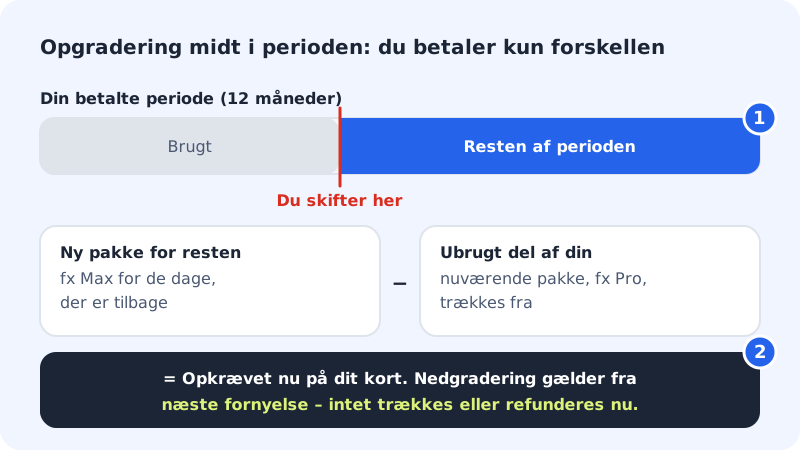
- Upgrade: you pay pro rata for the rest of the period you have already paid for. The amount is charged immediately.
- Downgrade: the lower price applies from the next renewal. Nothing is charged or refunded now, but the smaller plan's limits apply from the change.
- In the 3 free months: nothing is charged now. The new plan's price applies from the first annual payment.
Change plan
Step 1: Open Change plan
Sign in to the control panel and tap Change plan at the top of the front page or under the plan's name in the web hosting selector.
Step 2: Choose the new plan
The page shows the web hosting plans and the email plans with a monthly price and an annual price. Your current plan is marked Current. Tap Choose on the plan you want to switch to.
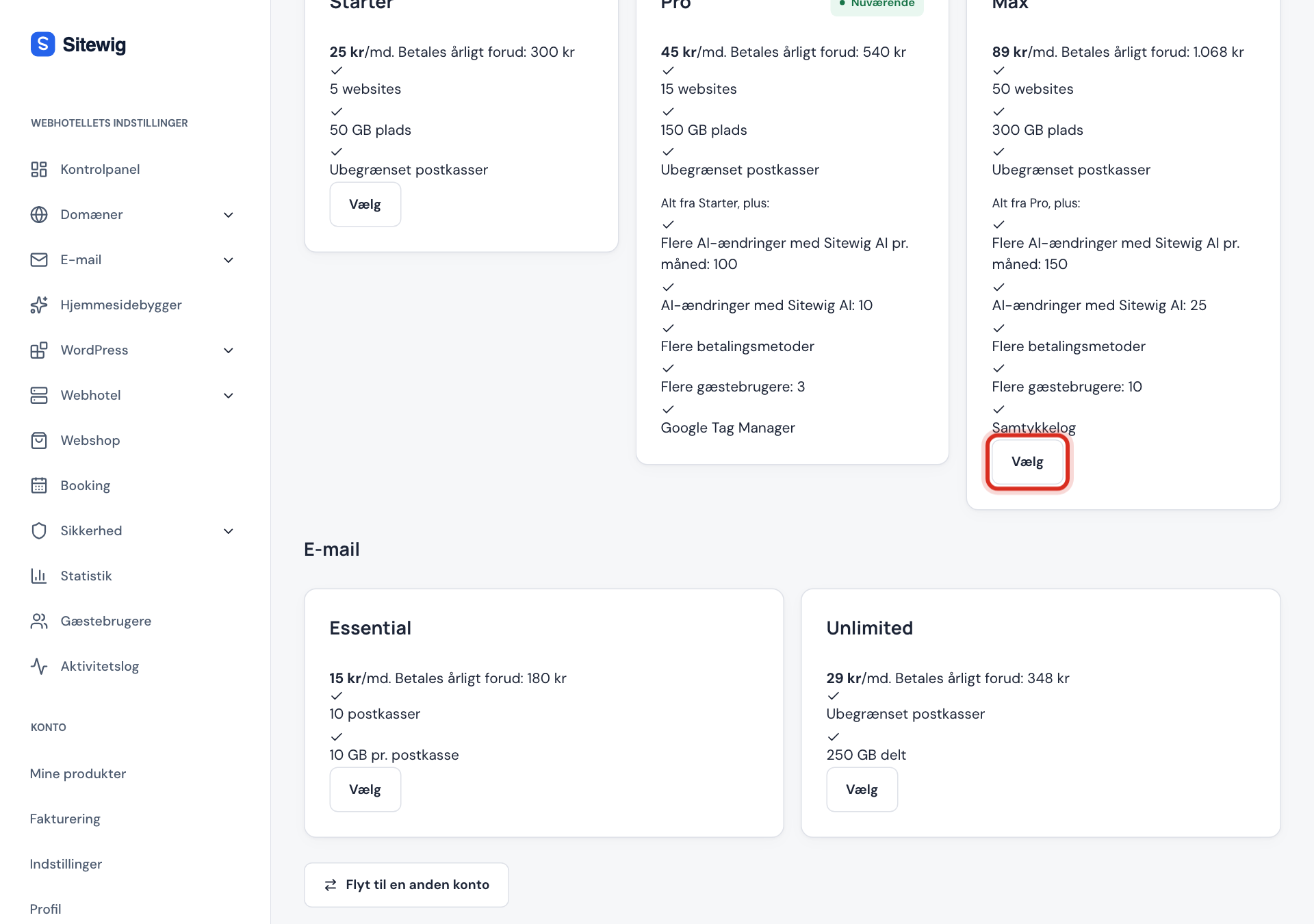
Choose the new plan under Change plan Step 3: Confirm the change
A window asks, for example, Switch to Business? and repeats the rule for upgrades and downgrades. Tap Choose to confirm.
Step 4: See what was charged
After the change it says, for example, Charged now: and the amount for an upgrade, or Applies from next renewal and the date for a downgrade. The invoice for an upgrade appears under Billing.
Before you downgrade
A smaller plan has lower limits for things like websites, databases, disk space and mailboxes, and the limits change as soon as you have confirmed. If you use more than the new plan allows, the change is rejected until you have cleared things out. Check your usage at the top of the Change plan page.
Frequently asked questions
Can I choose the Max plan?
Max is only shown under Change plan when it has been opened for your account, or if you already have it. Write to support@sitewig.com if you need it.
Why was an amount charged even though I'm in the free months?
It shouldn't have been. A plan change during the introductory period is only charged at the first annual payment. If you still see a charge, write to support with the invoice number from Billing.
Can I change email plan in the same way?
Yes. The Essential and Unlimited email plans are on the same page under Email, and the same rules apply.