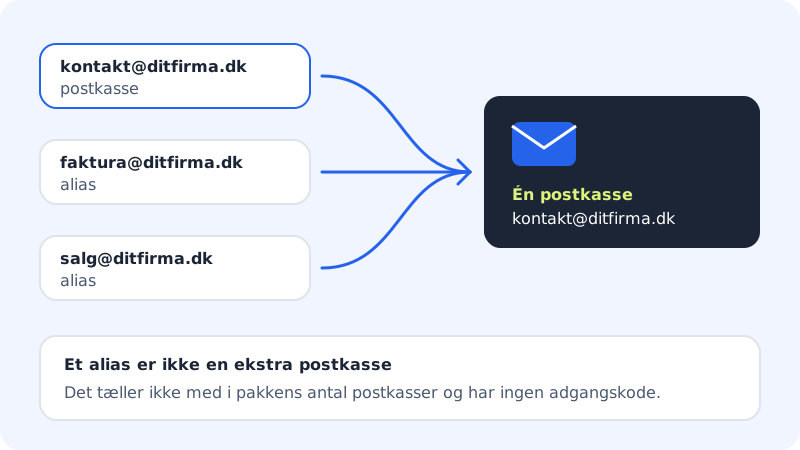
An alias is an extra email address on your domain that doesn't have its own mailbox. Everything sent to the alias lands in the mailbox you choose. That way you can have, say, faktura@ditfirma.dk and salg@ditfirma.dk but read everything in kontakt@ditfirma.dk.
Good to know
- An alias doesn't count towards the number of mailboxes your plan includes.
- An alias has no password and can't be used to sign in. You read and reply from the mailbox the alias delivers to.
- The alias must be on a domain where you use Sitewig Mail.
- The address must not already be a mailbox.
- Today, an alias can only deliver to your own mailboxes with Sitewig. If email to an address needs to go to another provider, use forwarding.
Create an alias
Step 1: Open Email aliases
Go to Email and choose the Aliases tab (or Email aliases in the menu on the left).
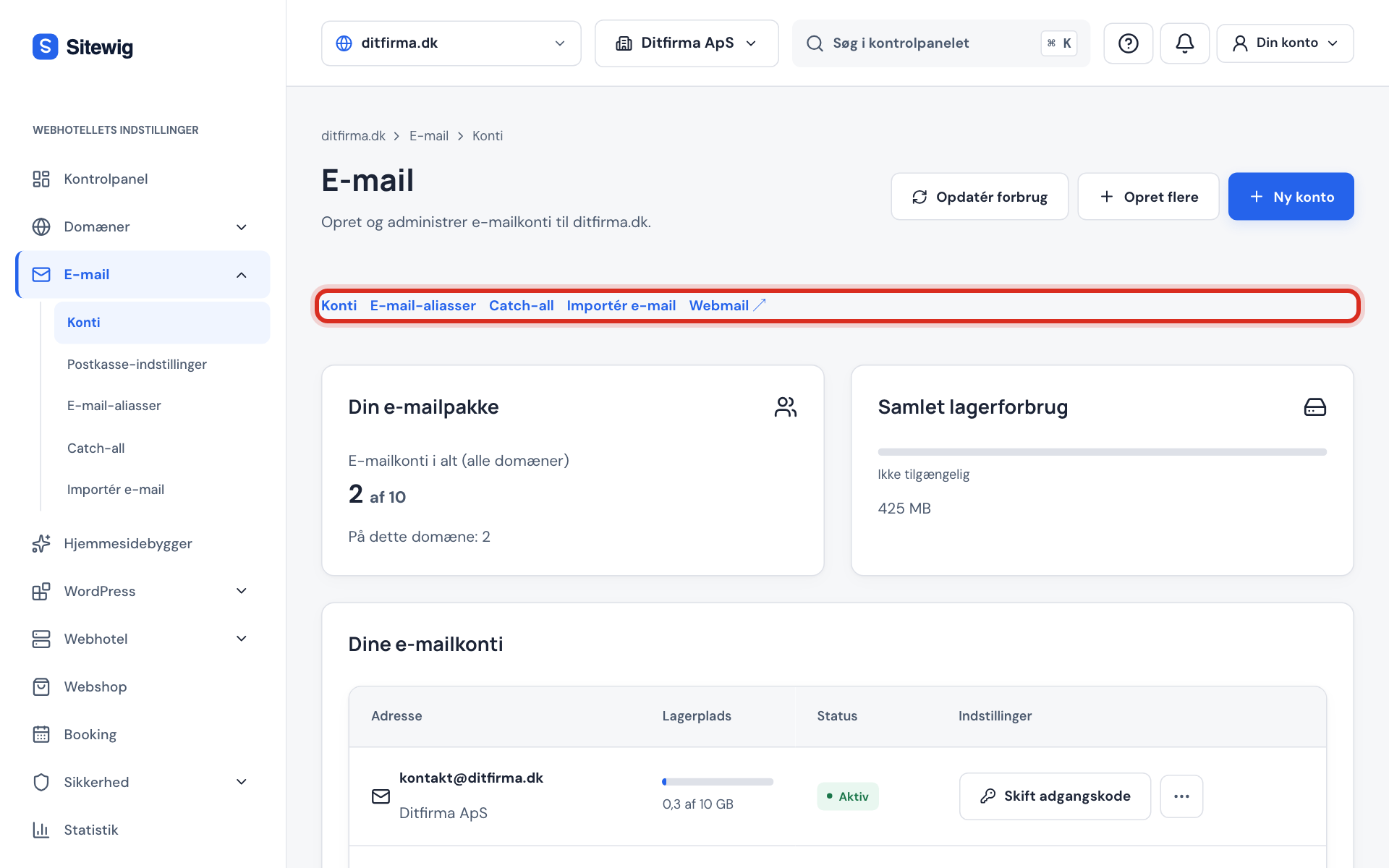
The tabs on the Email page Step 2: Type the new address
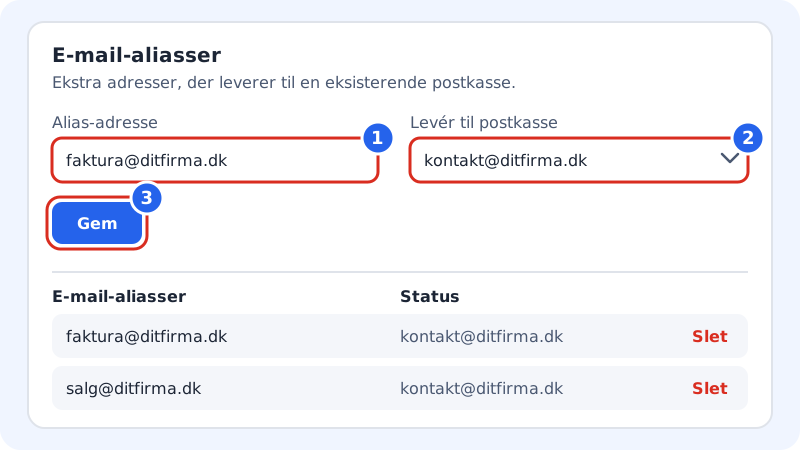
Type the full address in Alias address, for example
faktura@ditfirma.dk.Step 3: Choose the mailbox
In Deliver to mailbox, choose which of your mailboxes the email should land in.
Step 4: Save
Click Save. The alias now appears in the list below, and email sent to the new address lands in the chosen mailbox.
Test the alias
Send an email to the alias from another address. It should show up in the mailbox you chose.
Delete an alias
Find the alias in the list on the Email aliases page, click Delete and confirm the question Delete the alias?. After that, emails sent to the address are rejected, unless you have a catch-all address, which will then receive them.
Frequently asked questions
Why do I get the error "The address is already a mailbox."?
A real mailbox with that address already exists. You can't have both a mailbox and an alias with the same name. Delete the mailbox first if the address should be an alias instead.
Can I change which mailbox an alias delivers to?
Delete the alias and create it again with the new mailbox chosen in Deliver to mailbox.
How do I reply so the customer sees the alias address as the sender?
This is controlled in your mail app. Many apps let you add an extra sender address (an "identity") to the account. Use the same server and login as the mailbox – see the server settings.