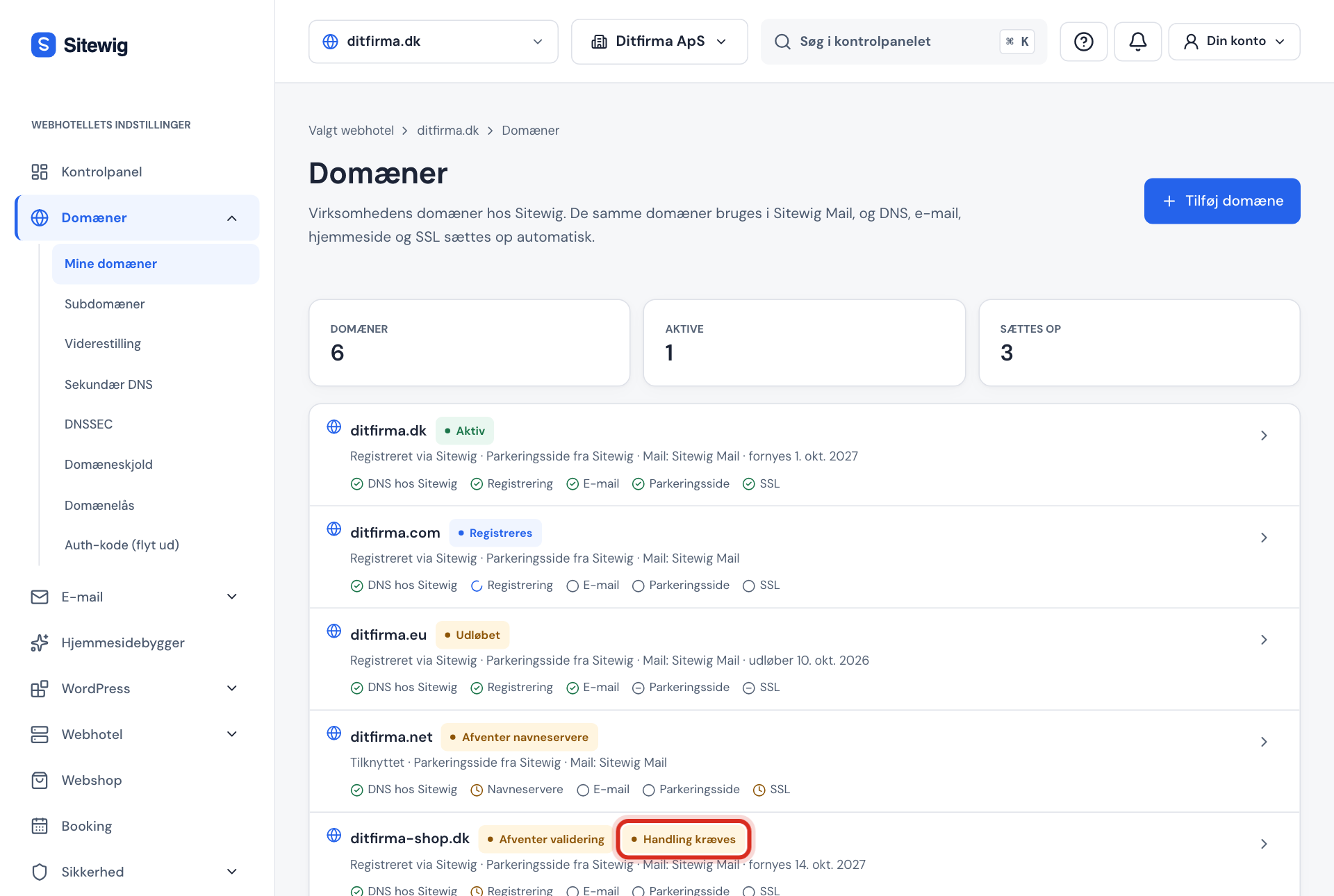
Under Domains → My domains, each domain has a status label. At the top of the page you can see the number of Domains, how many are Active and how many are Being set up. Under the name it says whether the domain is Registered via Sitewig or Linked, what it points to, and when it renews or expires.
All statuses
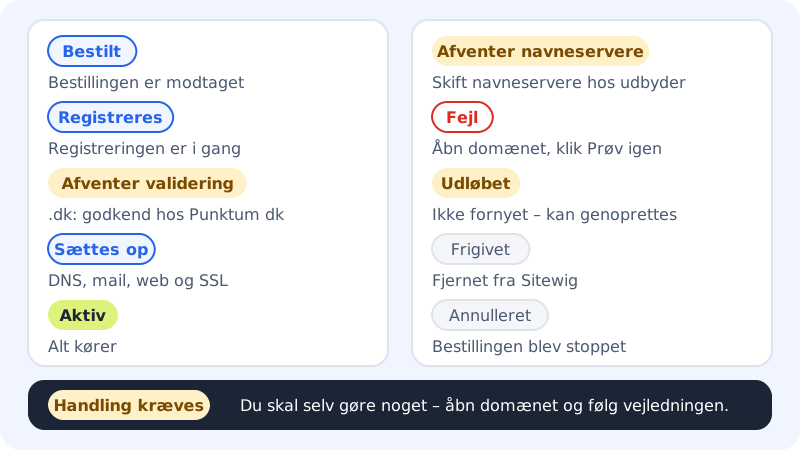
| Status | What it means | Do you need to do anything? |
|---|---|---|
| Ordered | Sitewig has received the order. | No. |
| Registering | The domain is being registered or moved at the registry. | No. |
| Awaiting validation | The registry, for .dk Punktum dk, must approve the registration. | Yes. Follow the instructions on the domain page. See .dk domains: Punktum dk, MitID and approval (in Danish). |
| Registered | The domain is registered, and the setup is starting. | No. |
| Setting up | Sitewig is creating DNS, email, website or parking page, and SSL. | No. |
| Active | Everything is set up and working. | No. |
| Awaiting nameservers | A linked domain doesn't point to Sitewig's name servers yet. | Yes. Change the name servers at your provider. See Use a domain you already own. |
| Error | A step in the setup has gone wrong. | Sitewig often retries by itself. If not, click Try again. |
| Expired | The domain hasn't been renewed. | Restore it if you want to keep it. See My domain has expired. |
| Released | The domain has been removed from Sitewig, and others can register it. | The domain is no longer shown in the list. |
| Cancelled | The order or setup has been stopped. | Contact Sitewig if you didn't cancel it yourself. |
The "Action required" label
If Action required appears next to the status, Sitewig is waiting for you to do something, e.g. approve a .dk domain at Punktum dk or correct name servers in Punktum dk's self-service.
Step 1: Open the domain
Click the domain in the list.
Step 2: Read the instructions at the top
At the top of the domain page there's a box with a title, an explanation and the steps. If there's a deadline, it's shown here too.
Step 3: Follow the steps
Do what the instructions describe. Sitewig checks automatically when you're done, and the label disappears by itself.
When a domain shows Error
Open the domain. A message is shown at the top:
- We are working on it: a step failed temporarily, and Sitewig automatically tries again. You can also click Try again to start straight away.
- The domain could not be set up: the setup has stopped. Click Try again, and contact Sitewig if it keeps failing.
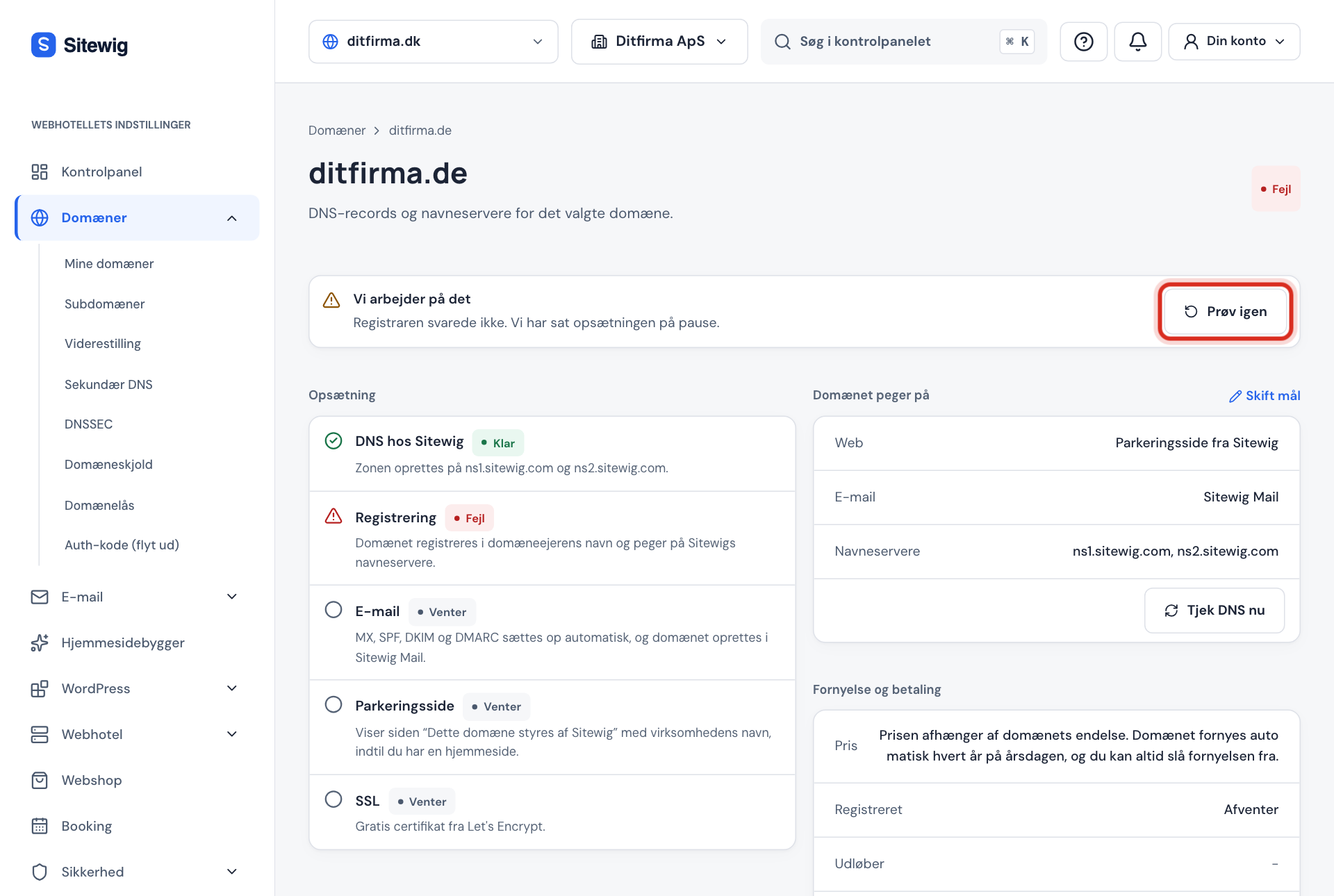
In the list you can also click Try again directly next to a domain with an error.
Frequently asked questions
How long does a domain stay in Setting up?
Typically only a short time. If a step is waiting for name servers or approval, the step shows as Pending under Setup on the domain page until it's in place.
Why does my moved domain show as Linked in the list?
Under the domain name, the list says Registered via Sitewig for domains bought from us, and Linked for all others, including domains you've moved here. Once the move is complete, Sitewig renews the domain anyway, and you can see this in the Renewal and payment card on the domain page.