If you already have a domain with another provider, you can use it at Sitewig without moving it. The domain stays registered and paid for with your current provider, while Sitewig takes care of DNS, website, email and SSL. It costs nothing to link a domain.
Link the domain in the control panel
Step 1: Open the Link a domain you own tab
Go to Domains → My domains and click Add domain. Choose the Link a domain you own tab.
Step 2: Enter the domain
Enter the domain in the Domain field, e.g.
yourcompany.com, withoutwwwand withouthttps://.Step 3: Choose what the domain should point to
Under What should the domain point to?, Parking page from Sitewig and Sitewig Mail are selected beforehand. Choose Website on Sitewig if your website is already with us. See all the options explained.
Step 4: Click Link domain
Click Link domain. You'll see the message yourcompany.com has been linked and a box with the name servers you need to use.
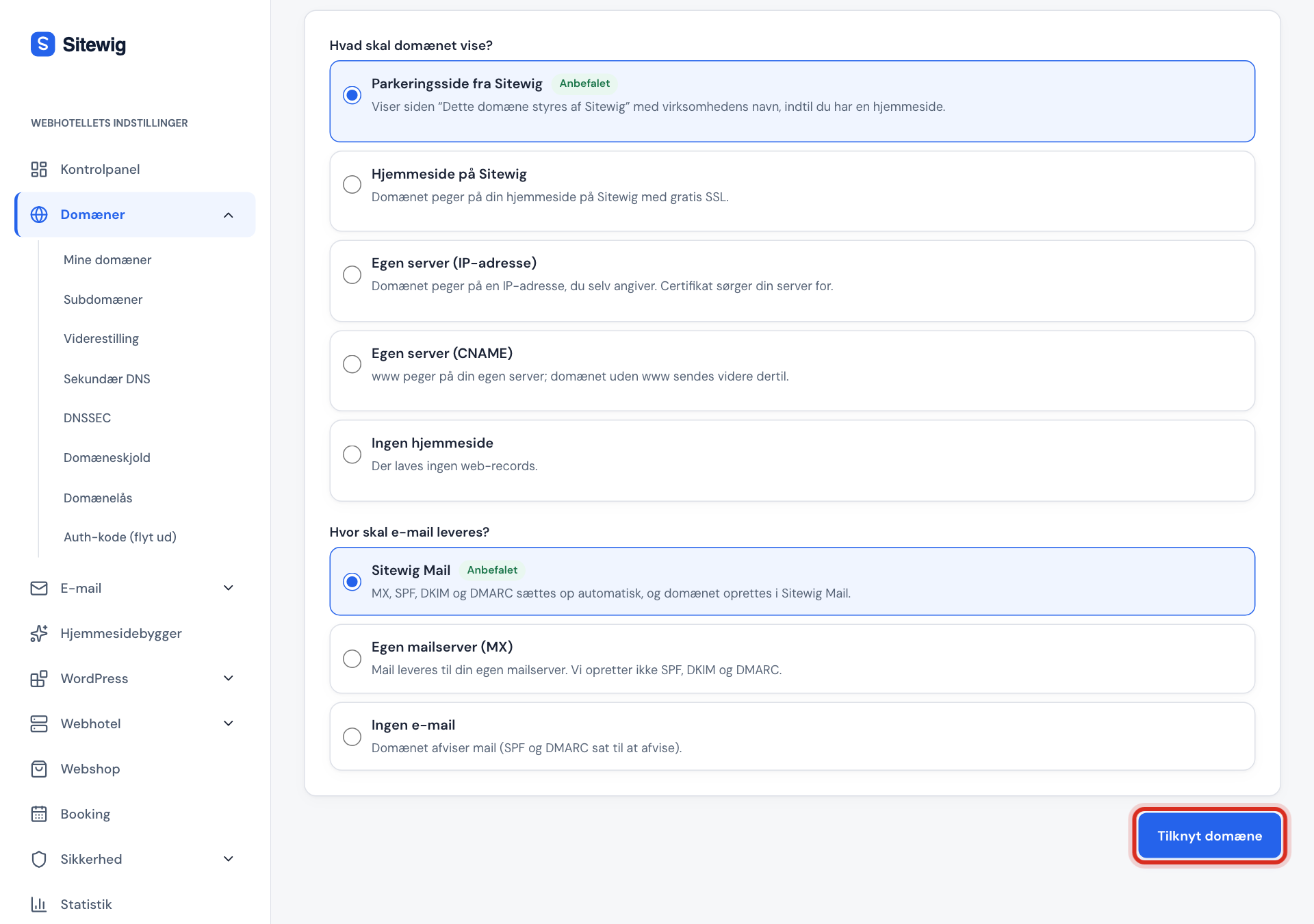
Link a domain you own Step 5: Change the name servers at your current provider
Sign in with the provider where the domain is registered and find the setting for name servers (also called nameservers or DNS servers). Enter Sitewig's two name servers, delete all others, and save.
Sitewig's name servers
- Name server 1
ns1.sitewig.com- Name server 2
ns2.sitewig.com
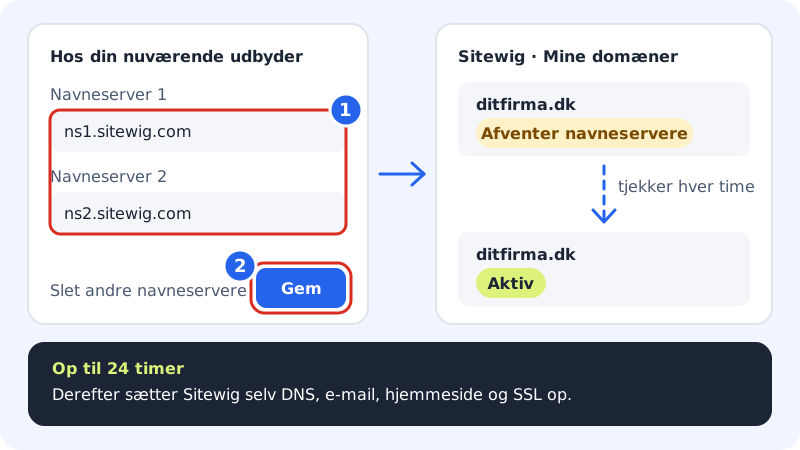
1: enter the name servers, 2: save, Sitewig does the rest Step 6: Wait for Sitewig to see the change
Until the name servers point to Sitewig, the domain shows as Awaiting nameservers under My domains. Sitewig checks automatically every hour. It can take up to 24 hours for the change to take effect. After that we set up DNS, email, website and SSL, and the domain becomes Active.
Frequently asked questions
Who renews a linked domain?
The provider you bought the domain from. Sitewig doesn't send an invoice for the domain itself and can't renew or restore it. Keep an eye on the renewal with your provider, otherwise your website and mail will stop working when the domain expires.
Why does the domain still show Awaiting nameservers?
Check with your provider that only ns1.sitewig.com and ns2.sitewig.com are listed, and that the change has been saved. Open the domain at Sitewig: the Point the domain to Sitewig box shows exactly what should be entered. If you've only just changed it, wait up to a day.
Can I link a domain without changing the name servers?
No, not with this feature. Sitewig needs to manage the domain's DNS in order to set up the website, mail and SSL automatically.