You change images in the Choose image window. You can upload from your computer or phone, pick a free photo from the builder, or paste the address of an image that is already online.
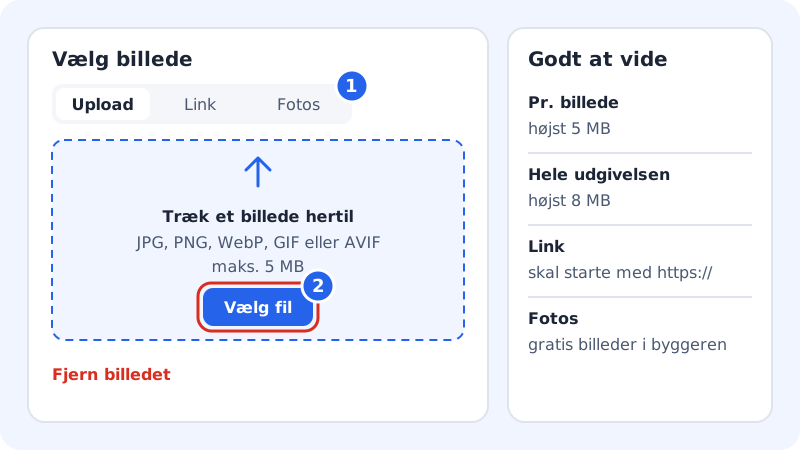
Change an image
Step 1: Open the image picker
Click the image in the preview. You can also select the section in the Sections tab and click the image field under Content. It says Add image if the field is empty, and Change image when you point at an image.
Step 2: Upload your image
On the Upload tab, drag the image into the field Drag an image here, or click Choose file. The image must be JPG, PNG, WebP, GIF or AVIF and no larger than 5 MB. Once it has uploaded, it is put in straight away.
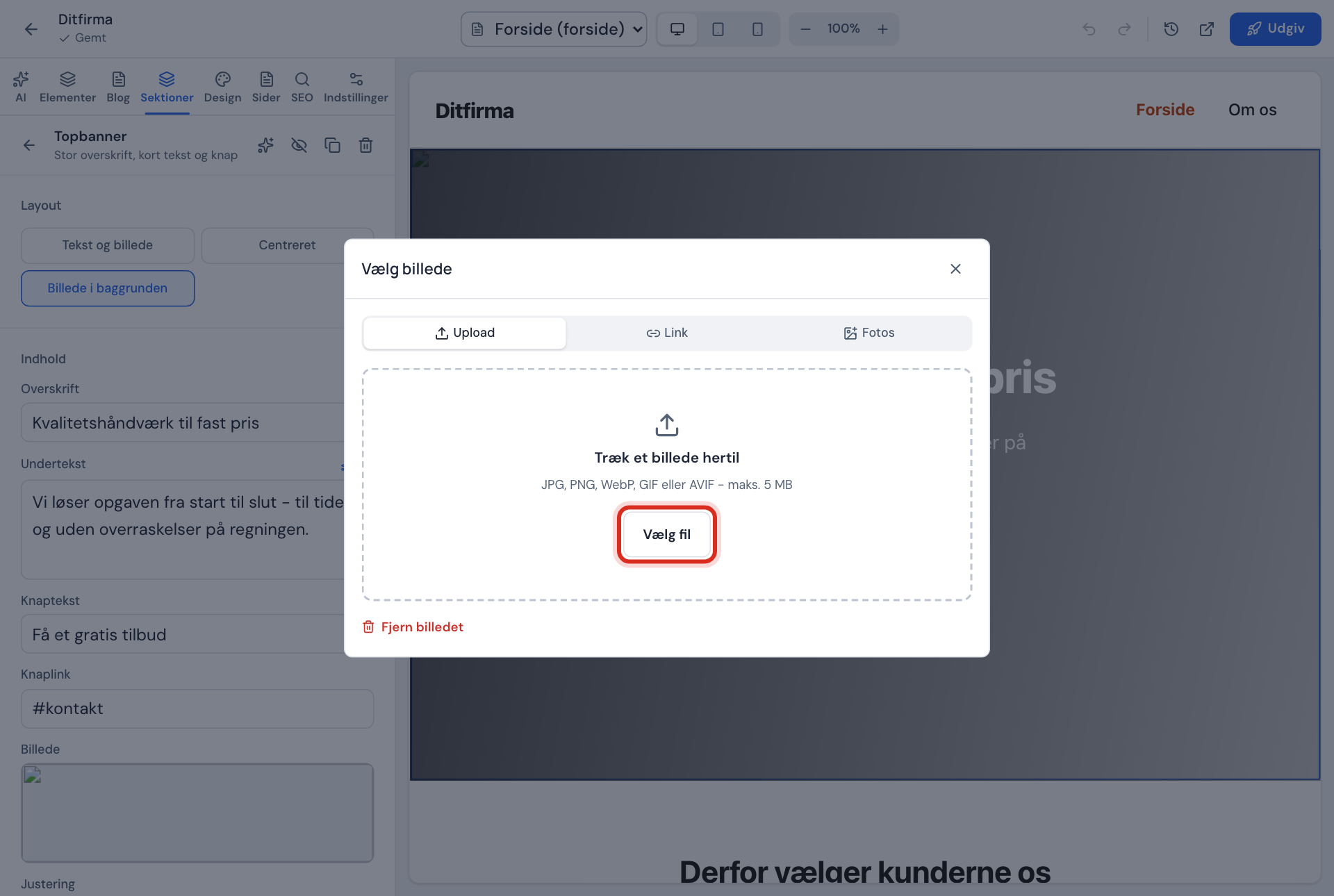
The Choose image window Step 3: Or choose a photo
On the Photos tab you can choose from the images that come with the builder. Click a photo to use it.
Step 4: Or paste a link
On the Link tab, type the address in the Image address (https) field and click Use the image. The address must start with
https://. Only use images you have the right to use.Step 5: Check the result
Look at the image on Computer and Mobile in the top bar. The image is cropped to fit the shape of the section, so choose an image where the most important part is in the middle.
Remove an image
Open the image picker for the image and click Remove the image at the bottom of the window.
Write alt text
Alt text is a short description of the image. It is read aloud to blind and partially sighted visitors, and it helps Google understand the image. In the Gallery section, each image has a Description (alt text) field.
Formats and sizes
Images in the website builder
- Formats
- JPG, PNG, WebP, GIF or AVIF
- Per image
- Max 5 MB
- Whole publication
- Max 8 MB
- Link
- Must start with
https://
Frequently asked questions
Why does it say "Choose an image in JPG, PNG, WebP, GIF or AVIF format"?
The file is in a different format, e.g. HEIC from an iPhone, or PDF. Save the image as a JPG first. On an iPhone you can choose Most Compatible under Camera → Formats.
Why does it say "The image is too large (max. 5 MB)"?
The image is larger than 5 MB. Make it smaller in an image editor, or send it to yourself at a smaller size, and try again.
Can I upload video?
Not as a file. The Video section isn't open yet.
Can I crop or lighten an image in the builder?
Not yet. Crop and adjust the image before you upload it.