If you need more websites, more space, an online shop or other features, you can upgrade your web hosting straight away. The new limits and features work as soon as you have confirmed, and you only pay the difference for the rest of the period you have already paid for.
Upgrade in the control panel
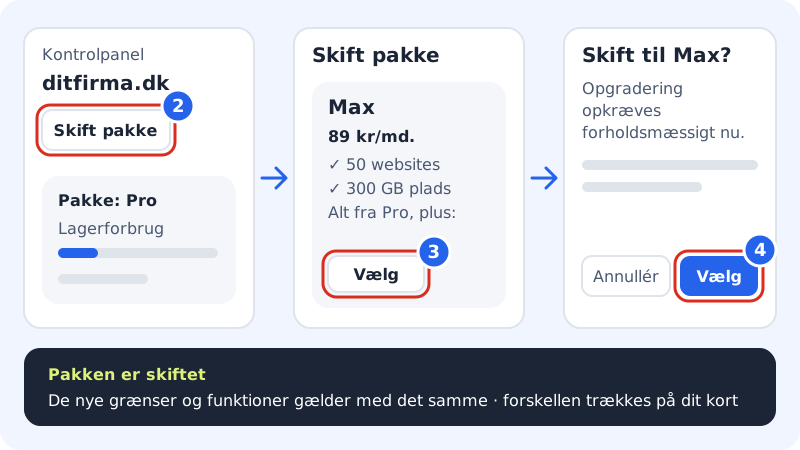
Step 1: Choose the web hosting
Log in to the control panel. If the web hosting selector at the top shows a different web hosting than the one you want to upgrade, click the selector and choose the right one.
Step 2: Click Change plan
The Change plan button is in the top right corner of the control panel's front page. You will also find a link with the same name in the web hosting selector, right next to the name of your current plan.
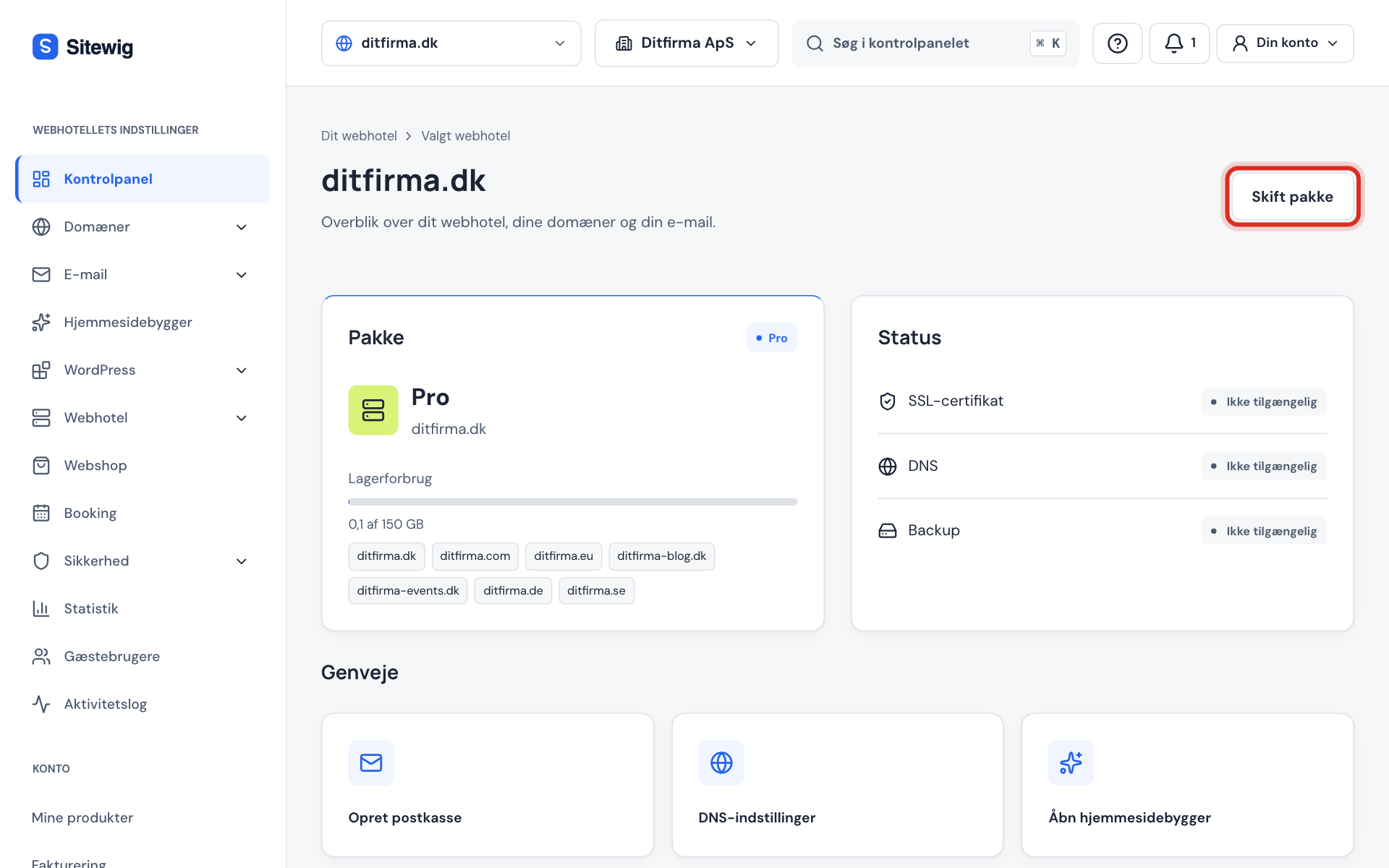
Change plan at the top of the control panel's front page Step 3: Choose the new plan
The Change plan page shows your storage use, the date of the next renewal and all plans. Your current plan is marked Current. Each card shows the price per month and per year, and what the plan gives you on top of the previous one. Click Select on the plan you want.
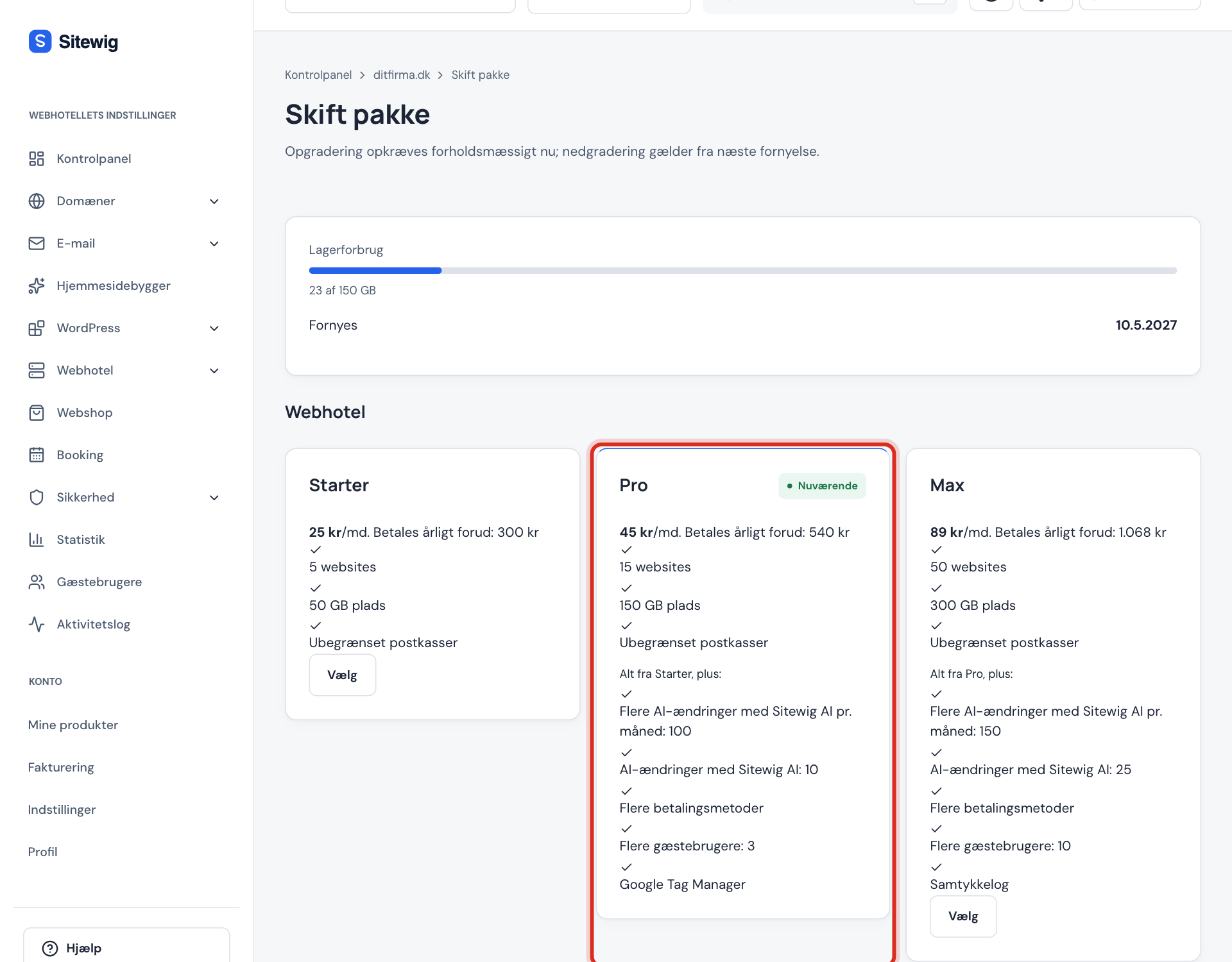
All plans with price and limits Step 4: Confirm the switch
A window asks, for example, Switch to Business?, and reminds you of the rule: an upgrade is charged proportionally now. Click Select to confirm – or Cancel if you change your mind.
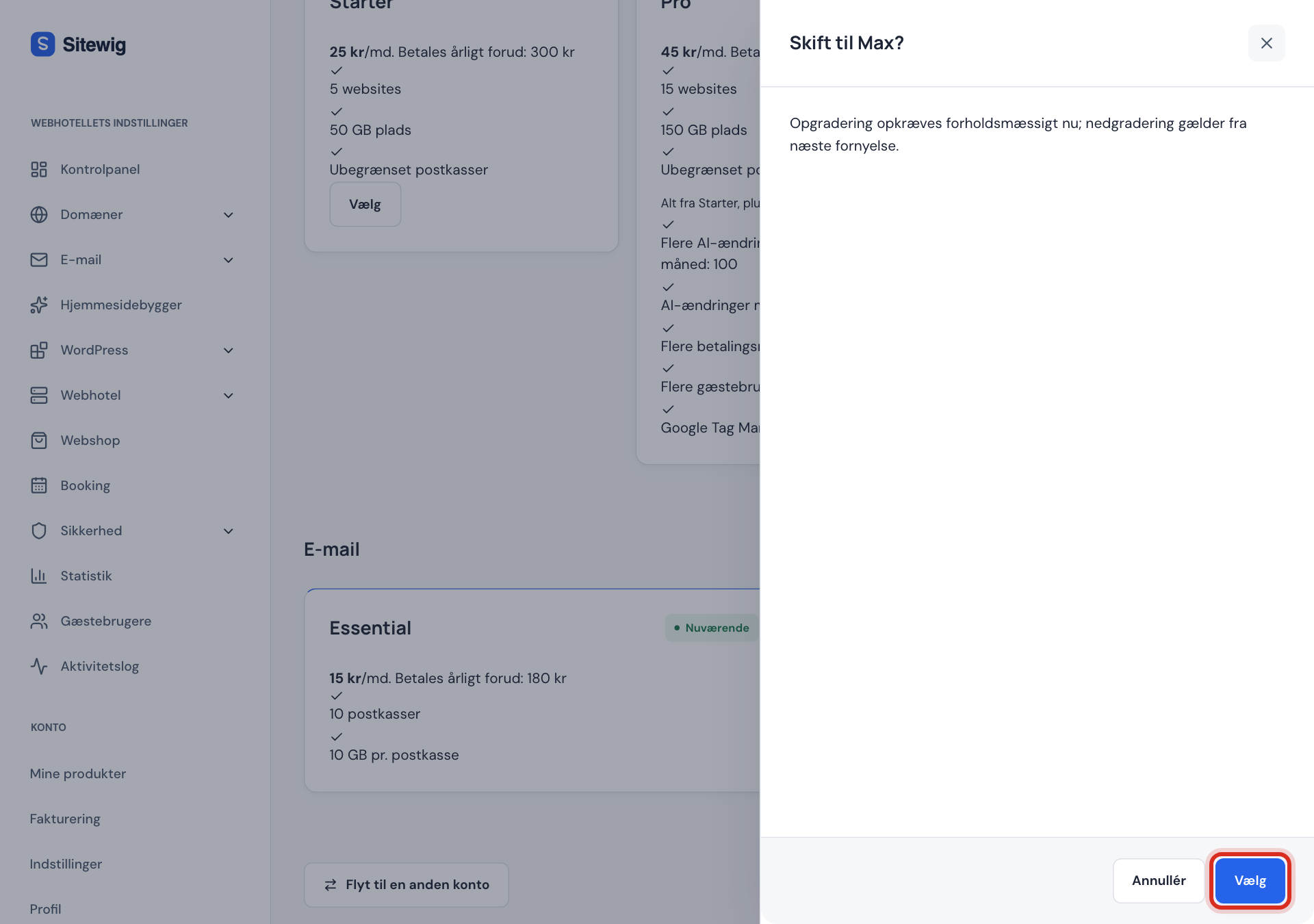
Confirm the switch in the window Step 5: Done – the plan has been changed
You see the message Your plan has been changed at the top of the page. The new limits and features apply immediately, and the amount is charged to the card the subscription is paid with. You will find the invoice under Billing.
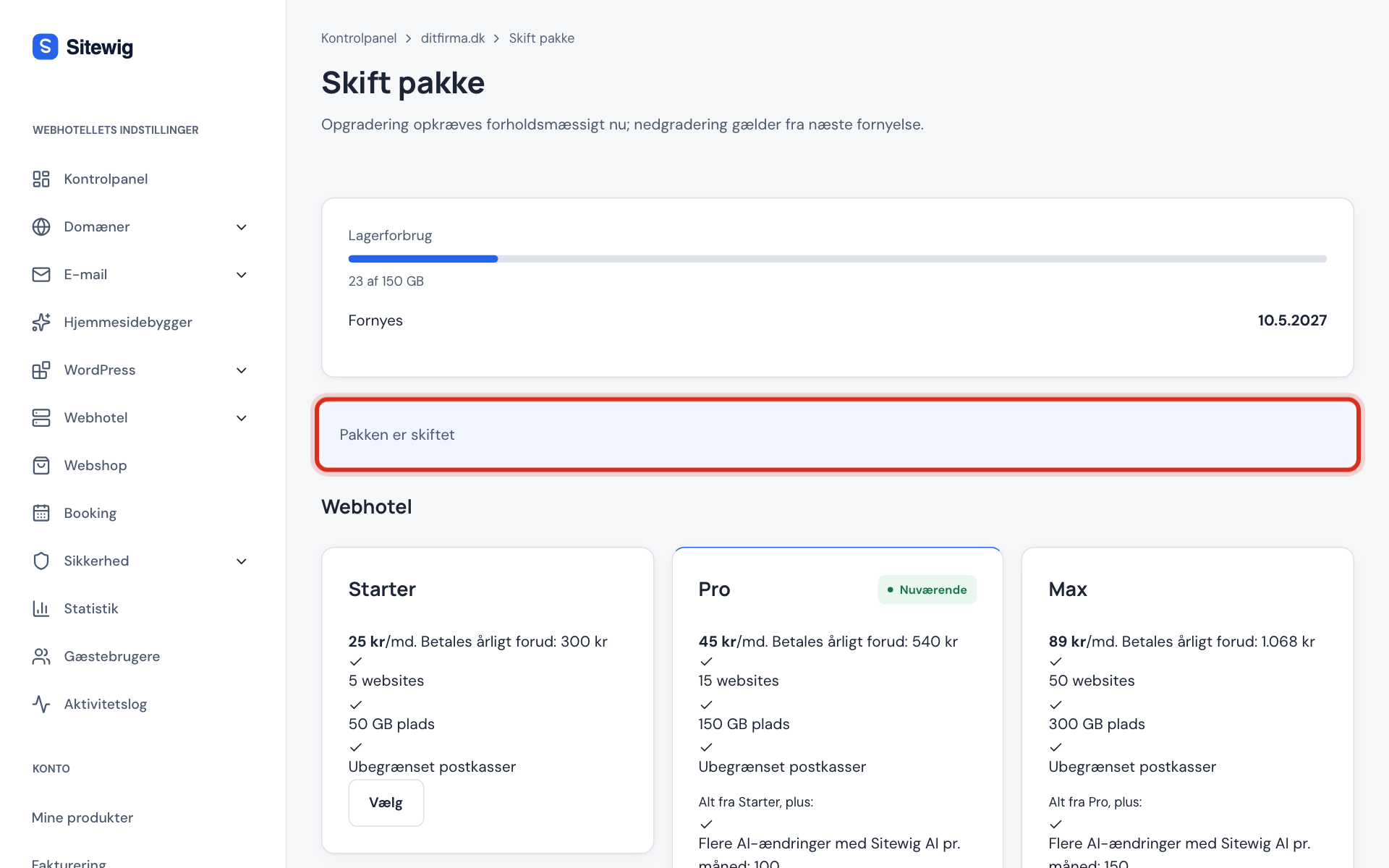
The confirmation after a switch
What does it cost to upgrade in the middle of a period?
You have already paid for your current plan up to the next renewal. When you upgrade, we calculate it proportionally for the days that are left:
- You pay the new plan's price for the rest of the period.
- The unused part of your current plan is deducted.
- The difference is charged to your card immediately.
At the next renewal you pay the new plan's ordinary yearly price.
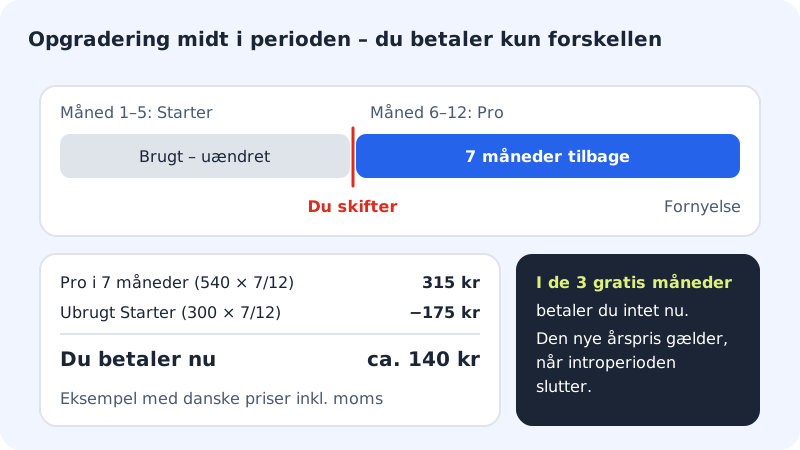
Example: Starter to Pro after 5 months
- Pro for 7 months
- Pro's yearly price × 7/12
- Unused Starter
- Starter's yearly price × 7/12
- You pay now
- the difference between the two amounts
- At the next renewal
- Pro's ordinary yearly price
The amount is calculated on the day, so the exact figure is shown in the window before you confirm. You can see the plan prices for your market on the prices page. VAT is added according to the rules that apply to you.
Frequently asked questions
Do I need to move my website when I upgrade?
No. Websites, files, databases, email and domains stay on the web hosting. Only the limits and features change.
Is there any downtime when I change plan?
No. The web hosting keeps running while the new limits are set up in the background.
Can I go down to a smaller plan later?
Yes, but downgrading follows different rules – among other things, the web hosting must fit within the smaller plan. See Downgrading.
I want to upgrade to Max. Why can I not choose it?
Max is only shown on the Change plan page when it has been opened for your account. Contact us, and we will help you move to Max.
I have a free website. Can I upgrade it here?
The Change plan page is for web hosting accounts with a paid subscription. See From Free to a paid plan.