A plan always belongs to one web hosting, not to your whole account. A web hosting is the place where your websites, files, databases and mailboxes live, and the plan decides how much room there is. Pro, for example, gives room for 5 websites, 5 domains and 50 GB for website and email on that one web hosting.
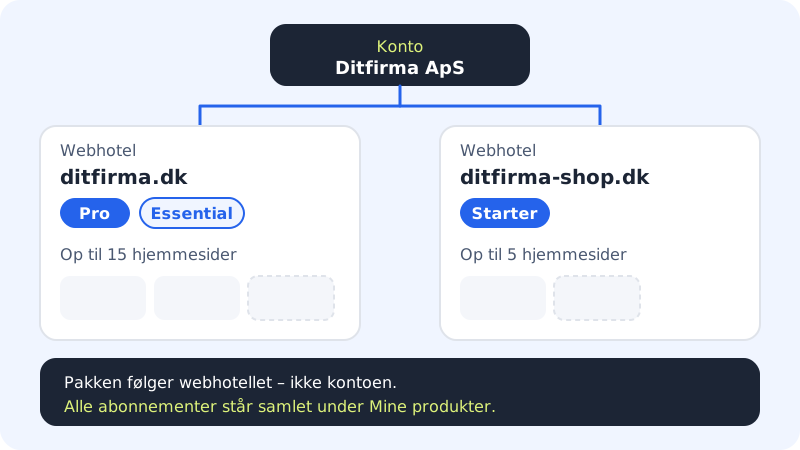
One or several web hostings?
- One web hosting is enough for most people. You can have several websites on the same web hosting, up to the plan's limit, and the websites and mailboxes share the plan's storage.
- Several web hostings make sense if the websites need to be kept completely separate – for example because they belong to different clients, need to be invoiced separately or need different plans.
Each web hosting has its own plan and, if applicable, its own email plan, its own limits and its own renewal date.
Switch between web hostings
At the top of the control panel is the web hosting selector showing the selected web hosting. Click it to see all your web hostings. The name of the plan is shown next to each domain, and domains without a web hosting are grouped under Domain only. You can also search in the Search web hosting or domain field.
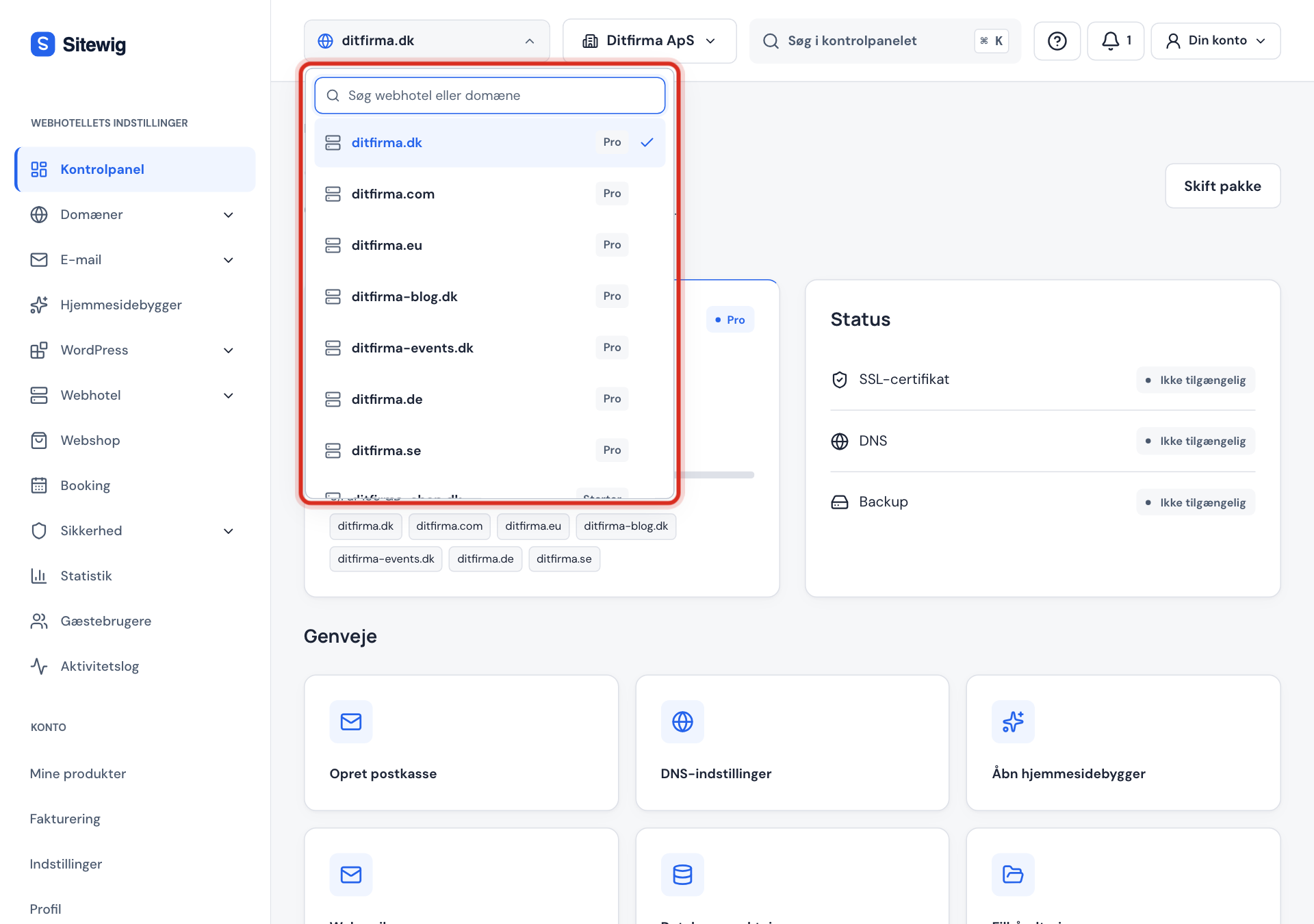
Below the selector you will see the name of the selected plan, a Change plan link and a bar showing storage use.
Upgrade a specific web hosting
Step 1: Choose the web hosting
Click the web hosting selector and choose the web hosting that should have a different plan.
Step 2: Click Change plan
Use the Change plan link below the selector or the button at the top of the control panel's front page. The path at the top of the page shows which web hosting you are working on.
Step 3: Select and confirm
Click Select on the new plan and confirm. Only the chosen web hosting changes plan. See How to upgrade.
Buy one more web hosting
Choose a plan on the pricing page and add it to your basket. Every time you buy a web hosting plan, you get a new web hosting. From My products you can reach the pricing page with the Buy more button.
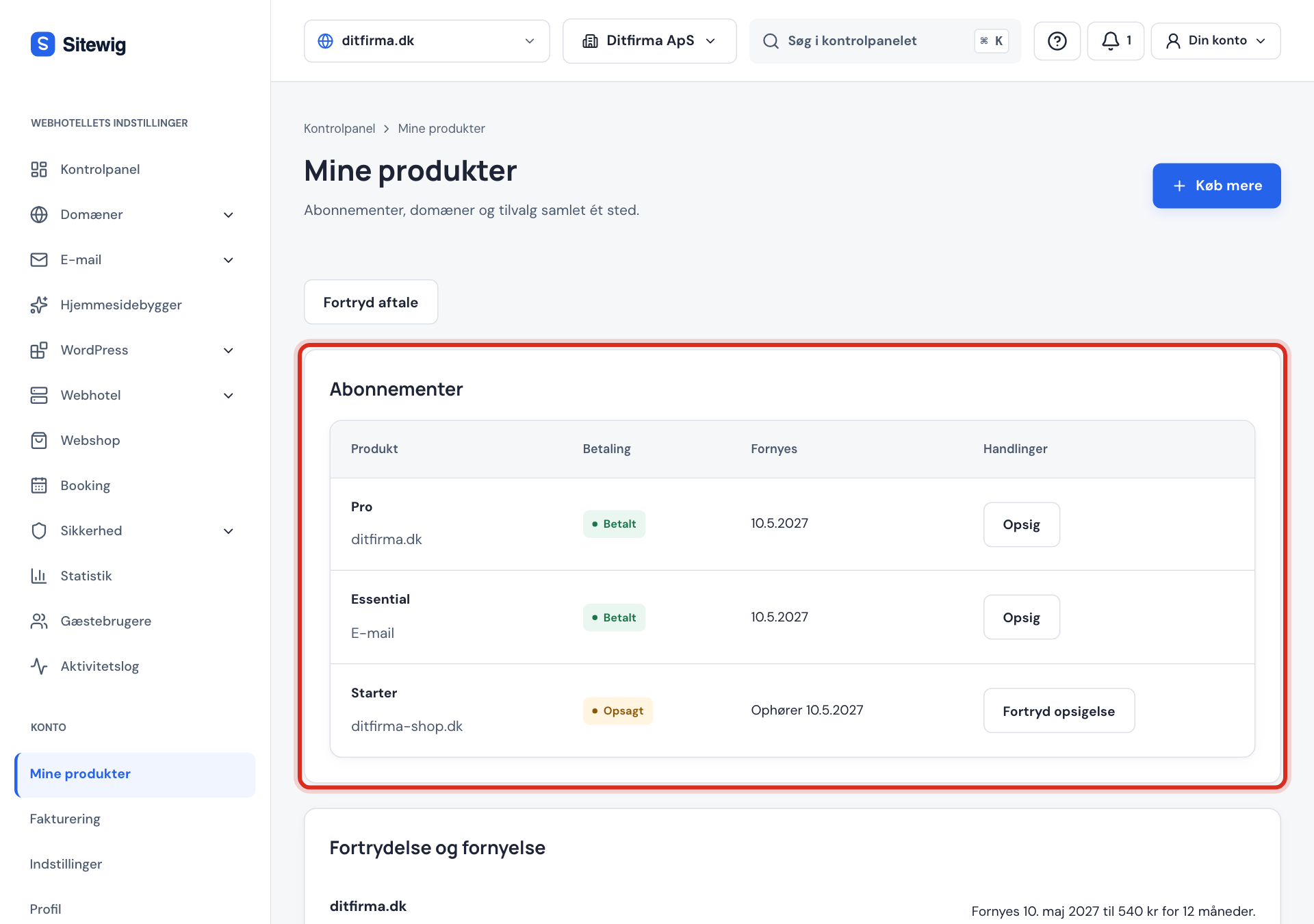
Overview of all subscriptions
Under My products in the menu at the top, all your subscriptions are gathered in the Subscriptions table. Under each plan you can see the web hosting it belongs to, so you can see what renews when.
Move a web hosting to another account
If you are the owner or an administrator, you will find the Move to another account button at the bottom of the Change plan page. The web hosting is moved, with all its domains, mailboxes and subscription, to the account you choose under To account. This is useful if a web hosting was created under the wrong business. See also Several businesses and switching account.
Agencies and freelancers
If you build websites for clients, Max has agency mode with client folders and hand-over of finished sites to the client's own account. See Agency mode.
Frequently asked questions
Do my web hostings share storage?
No. Each web hosting has its own storage according to its plan. Free space on one web hosting cannot be used on another.
Can I move a website from one web hosting to another?
You cannot do that yourself in the control panel at the moment. Contact support and we will help you.
Do the AI limits apply per web hosting?
Yes, the monthly AI limits are counted per web hosting according to its plan. See AI limits per plan.
Can each web hosting be paid for with its own card?
By default, all subscriptions are charged to your default card. For some accounts you can choose a card for each subscription under My products, in the Payment method per subscription section. See Change payment card.