Each plan has fixed limits for how much you can have on your web hosting. The limits apply per web hosting: if you have several web hostings, each has its own set.
Where to see your usage
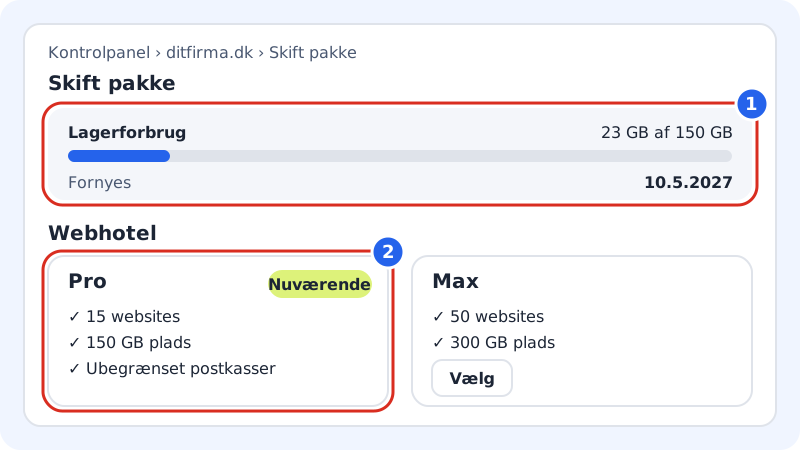
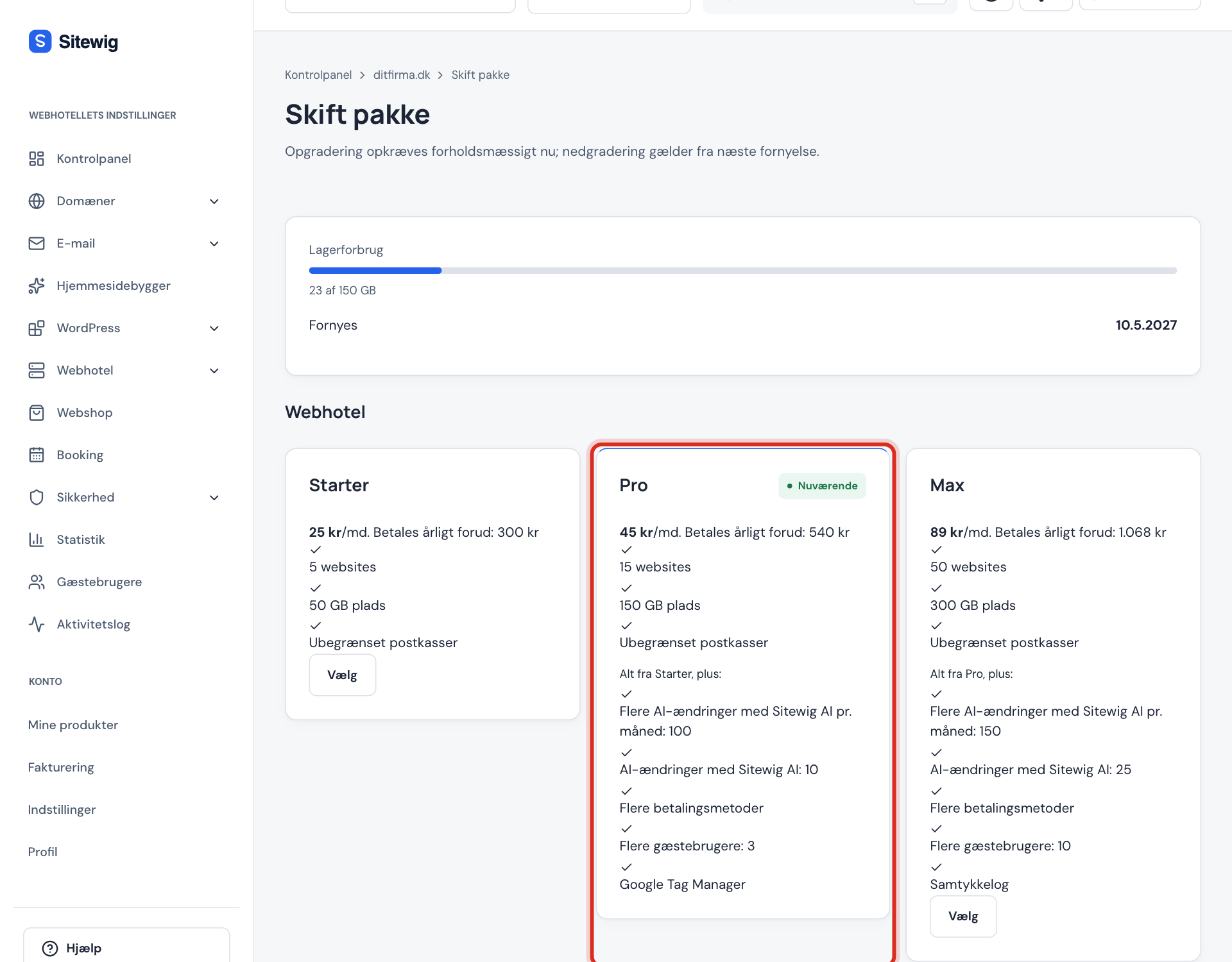
- The Change plan page shows Storage use at the top as a bar with used and total space, and the date under Renews. The plan card marked Current shows your limits for websites, space and mailboxes.
- The control panel's front page has the Plan card with the name of the plan, the storage use and the domains on the web hosting.
- The web hosting selector shows the name of the plan and a small bar with the storage use.
The most important limits
The web hosting
| Limit | Free | Starter | Pro | Business | Max |
|---|---|---|---|---|---|
| Websites | 1 | 1 | 5 | 10 | 25 |
| Domains on the web hosting | 0 | 1 | 5 | 10 | 25 |
| Storage (website and email) | 1 GB | 15 GB | 50 GB | 100 GB | 200 GB |
| Databases | - | 10 | 30 | 100 | 200 |
| FTP accounts | - | 10 | 30 | 100 | 200 |
| Mailboxes | 0 | 3 | 10 | 25 | Unlimited |
| Space per mailbox | - | 3 GB | 5 GB | 10 GB | 25 GB |
| Guest users | 0 | 1 | 3 | 10 | Unlimited |
| Backup kept for | - | 30 days | 30 days | 30 days | 90 days |
The website builder (per website)
| Limit | Free | Starter | Pro | Business | Max |
|---|---|---|---|---|---|
| Pages | 5 | Unlimited | Unlimited | Unlimited | Unlimited |
| Languages | 1 | 2 | 5 | Unlimited | Unlimited |
| Redirects (301) | 0 | 50 | 500 | Unlimited | Unlimited |
| Forms | 1 | Unlimited | Unlimited | Unlimited | Unlimited |
| Form messages per month | 50 | Unlimited | Unlimited | Unlimited | Unlimited |
| Version history | 10 | 50 | 100 | 250 | 500 |
Online shop and booking (per website)
| Limit | Free | Starter | Pro | Business | Max |
|---|---|---|---|---|---|
| Products in the online shop | - | - | 100 | Unlimited | Unlimited |
| Bookings per month | - | 25 | 200 | Unlimited | Unlimited |
| Staff in booking | - | 1 | 3 | Unlimited | Unlimited |
| Commission on sales | - | - | 0% | 0% | 0% |
The Free website is on a Sitewig address, so Free has no domains on the web hosting. Domains count the main domain, aliases and domains that point to the web hosting. Domains are paid for separately – they are never free.
The storage is one shared pool for the website's files, databases and email. Each mailbox also has a fixed size that depends on the plan.
AI has its own monthly limits, which reset on the 1st of every month. See AI limits per plan.
When you reach a limit
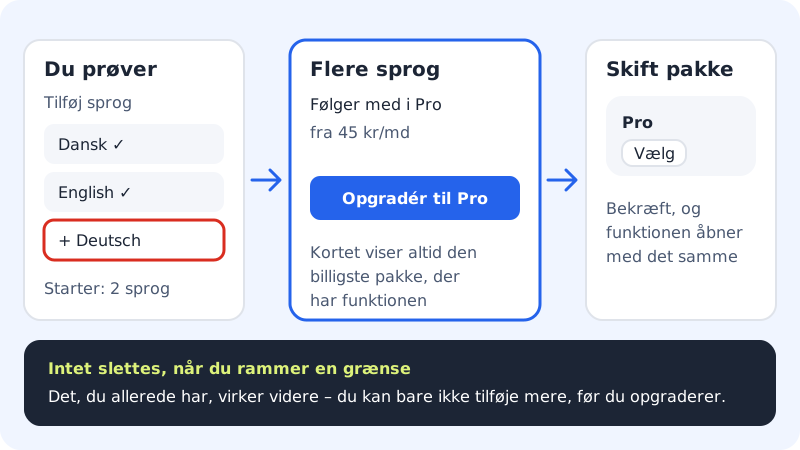
Nothing is deleted when you reach a limit. What you already have keeps working – you just cannot add more. If your web hosting already has more websites or domains than the plan gives, you keep them all. The control panel shows what you can do:
- In the website builder you get a card with the name of the feature, for example More languages, the text Included in Pro, the price and the Upgrade to Pro button. The card always suggests the cheapest plan that has the feature.
- Under Email → Mailboxes it says, for example, You have used the 10 accounts included in your plan, with the link This feature requires a bigger plan.
- When the storage is 95% used, you cannot create new mailboxes, give more space or upload more files. Mail to the mailboxes you have still arrives, and nothing is deleted.
- On the pages for websites, databases and FTP accounts there is a link to Change plan when you have used the number your plan gives.
All the links lead to the Change plan page. See How to upgrade.
How to free up space
If the storage is nearly full but you do not want to upgrade, you can tidy up:
- Delete old files you do not use in File manager, for example old zip files and copies of websites.
- Delete databases that no website uses any more. Export them first if you want to keep them.
- Clear out large mailboxes, for example old emails with large attachments. See Storage and quota.
- Click Refresh usage under Email → Mailboxes if the figures for the mailboxes have not been updated.
Frequently asked questions
Does email count towards the storage?
Yes. Mailboxes on a web hosting use the same storage as the website. Each mailbox can be at most the fixed size your plan gives, for example 3 GB in Starter. If you buy Larger mailbox 25 GB for a mailbox, it does not count towards the shared space. If you have an email plan, its space applies: 10 GB per mailbox in Essential or 250 GB shared in Unlimited.
What counts towards the domain limit?
All domains that belong to the web hosting: the main domain, aliases and domains that point to the web hosting from another provider.
Can I buy more space without changing plan?
No. The shared storage, websites, domains, databases and mailboxes cannot be bought separately. Upgrade to a bigger plan instead. The only email add-on is Larger mailbox 25 GB for a single mailbox. See Add-ons and extras.