When you log in with FTP or the file manager, you land in your home folder. Here all your websites are kept in separate folders, so they do not mix with each other.
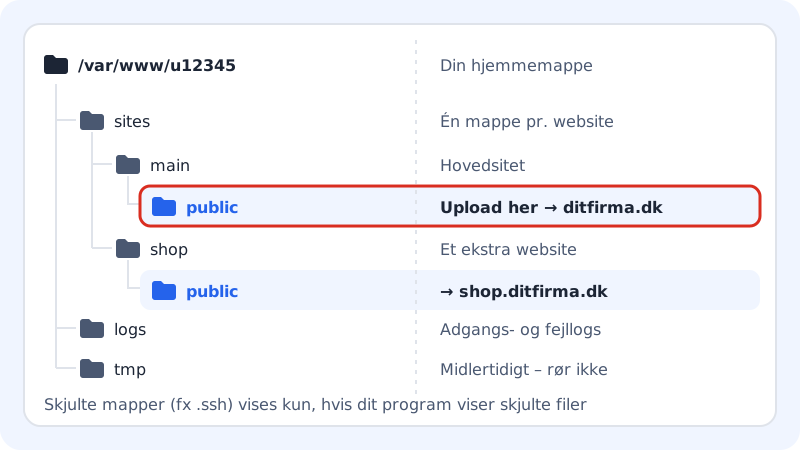
The folders in brief
| Folder | What it is for |
|---|---|
sites/main/public | The main site's files. This is what visitors see on your domain. |
sites/<name>/public | The files for an extra website, for example sites/shop/public. |
logs | Access and error logs from the web server and PHP. |
tmp | Temporary files, for example uploads in progress. Leave it alone. |
A main user who logs in with access to the Entire account sees all the folders. For security reasons, new FTP users always get access to the whole web hosting and land in the root folder.
The public folder is the web root
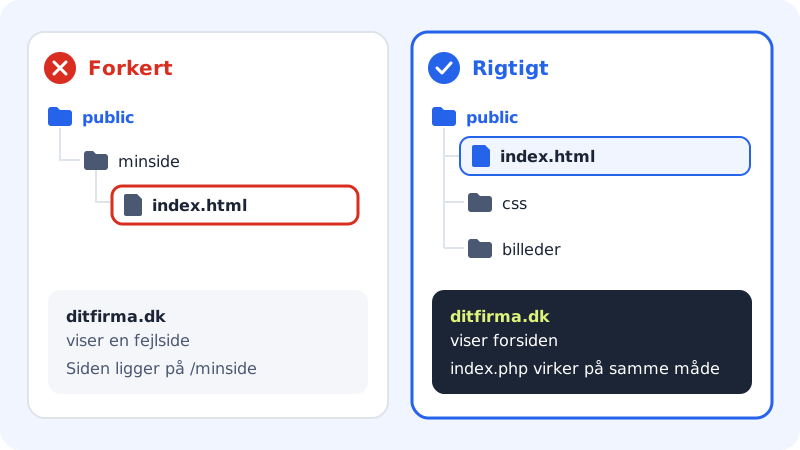
Only what is in public can be seen on the web. The web server looks for a front page in this order: index.php, index.html, index.htm. The file must be directly in public – not in a subfolder.
Create another website with its own folder
If you need an extra website on the same web hosting – for example a shop or a campaign page – it gets its own folder.
Step 1: Open Websites
Choose WordPress → Overview in the control panel menu. The page is called Websites.
Step 2: Create a website
Click Create website, and enter a short name under Name, for example
shop. Below the field you can see the folder the website gets, for example/var/www/u12345/sites/shop/public.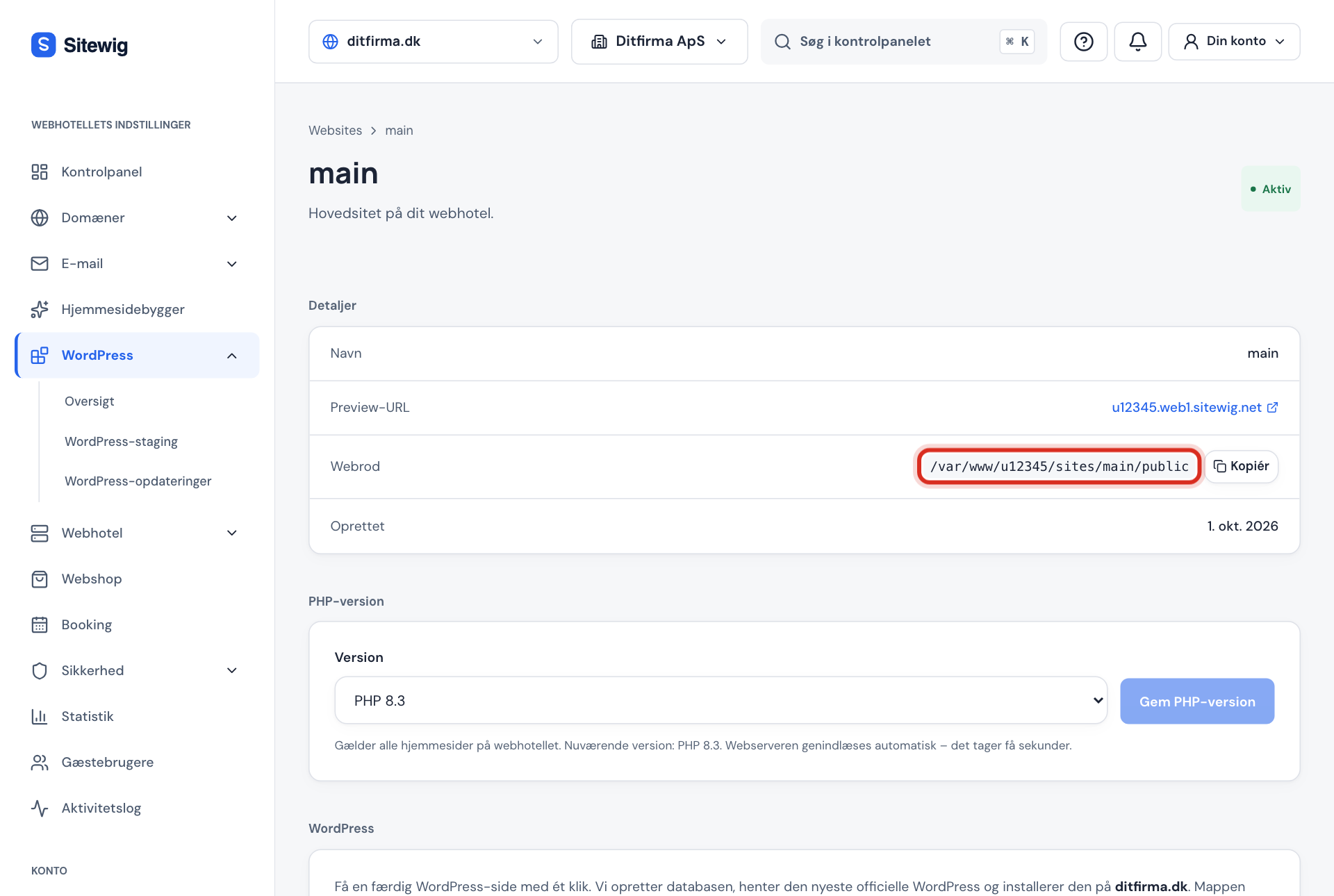
Step 3: Find the web root
When the website has been created, you can click it. Under Details it says Web root – the exact folder you should upload to. Next to it is a button so you can copy the path.
Step 4: Connect a domain
Click Add domain on the website's page, so visitors can find it. Only the main site has a preview address.
How many websites you can create depends on your plan: Starter gives 1, Pro 5, Business 10 and Max 25. The page shows, for example, 1 of 5 websites in your plan.
Frequently asked questions
Why can no one see the files I have put in my home folder?
Because only the contents of public are shown on the web. Files directly in the home folder or in sites/main outside public cannot be opened in a browser. Move them into sites/<name>/public.
What are the folders that start with a dot?
Folders such as .ssh and .sitewig are hidden system folders. .ssh holds your SSH keys. Do not edit the others – they are used by the web hosting.
Can I delete the main folder?
No. The main site main cannot be deleted, because it carries the web hosting's preview address. You can, however, empty public and put new files in.
How do I find errors in the logs?
Open the logs folder in your FTP program or in the file manager. The web server's logs are named after the website, for example main.error.log, and PHP errors are in logs/php.