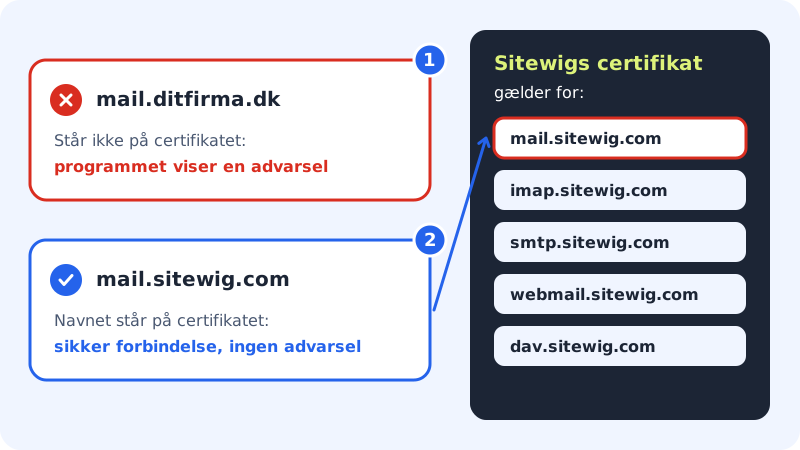
Your email program checks every time that the server is who it claims to be. It does this with a certificate that is only valid for specific server names. If the program contains a different name from the one the certificate was issued to, it shows a warning, for example "The identity of the server cannot be verified" or "The certificate is not valid".
The most common cause: the wrong server name
Sitewig's certificate is valid for Sitewig's own server names, not for names on your own domain. If you have entered, for example, mail.yourcompany.com, imap.yourcompany.com or yourcompany.com as the server, the name does not match, and the warning appears every time.
Step 1: Find the server in the program
Open the account's server settings in your email program, for both the incoming and the outgoing server.
Step 2: Correct the server name
Enter
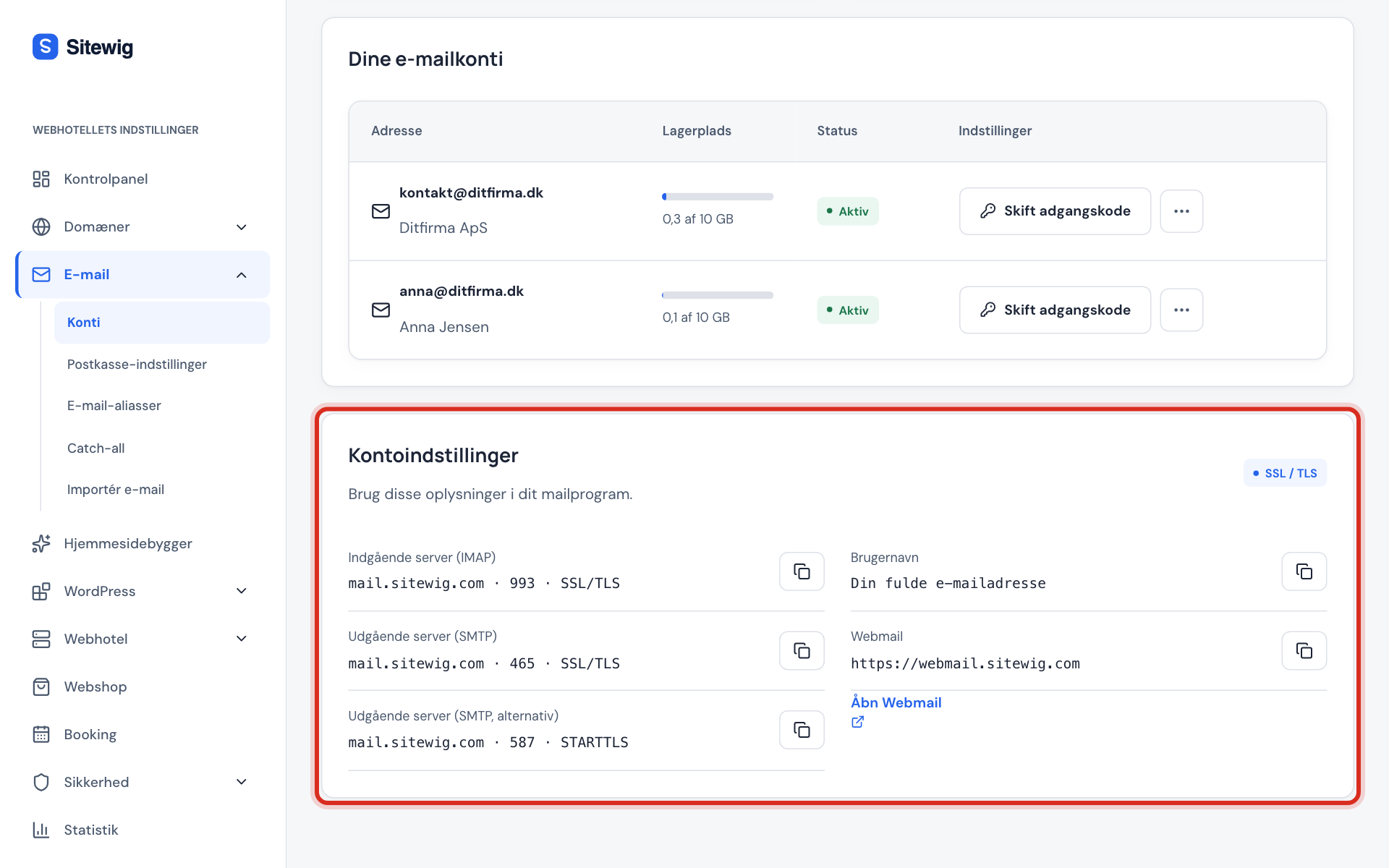
mail.sitewig.comas the server in both places. Use exactly that name, with nowww.in front and no spaces.Step 3: Check the port and security
The port and the security setting must go together. See the table below.
Step 4: Save and test
Save the settings, close the program and open it again. The warning should now be gone.
The port and security must go together
A wrong combination often causes a certificate error, or a connection that never completes.
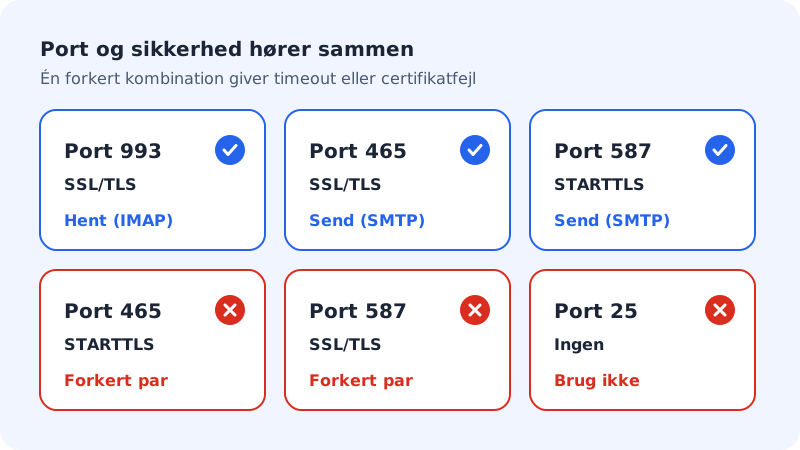
| Port | Security | Used for |
|---|---|---|
| 993 | SSL/TLS | Receiving mail (IMAP) |
| 465 | SSL/TLS | Sending mail (SMTP) |
| 587 | STARTTLS | Sending mail (SMTP), alternative |
Other causes
- Wrong date and time on the computer or phone. A certificate is only valid for a certain period. If the clock is wrong, every certificate looks invalid. Turn on automatic time.
- Antivirus or firewall that "scans" encrypted email. Some security programs insert their own certificate into the connection. Turn off email scanning in the program, or add an exception for
mail.sitewig.com. - Public or company network with a filter. Try another network, such as mobile data, to see whether the warning disappears.
Frequently asked questions
Why can't I use mail.yourcompany.com as the server?
Because Sitewig's mail server serves many domains with one shared certificate for Sitewig's own names. Use mail.sitewig.com: your address and your emails are still on your own domain.
My old devices use mail.ayamail.net or mail.fiktomail.dk. Do I need to change that?
Old setups with those names point to the same mail server and still work. If you get a certificate warning with one of them, switch to mail.sitewig.com.
The warning still appears even though I am using mail.sitewig.com. What now?
Check the date and time, and try another network. If that does not help, write to support with the name and version of the program and a screenshot of the warning.