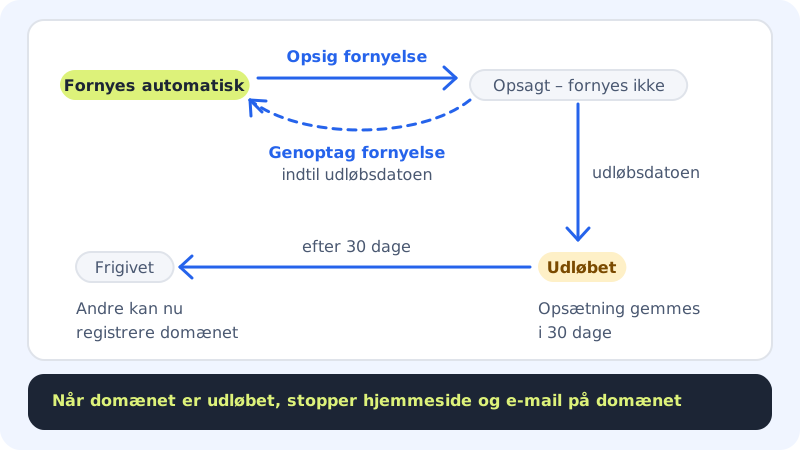
Domains at Sitewig renew automatically every year until you cancel them. If you no longer need a domain, you switch off renewal. The domain then works until the expiry date and isn't renewed afterwards.
Cancel the renewal
Step 1: Open the domain
Go to Domains → My domains and click the domain.
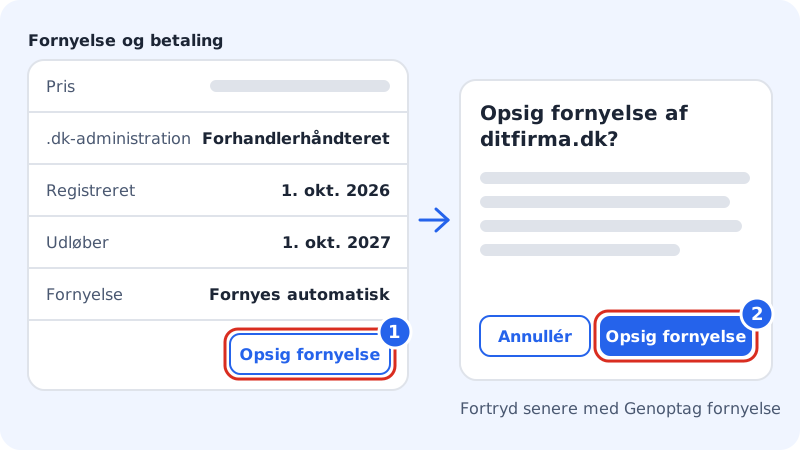
Step 2: Find the Renewal and payment card
The card is on the right of the domain page. Here you see Registered, Expires and Renewal, which is set to Renews automatically.
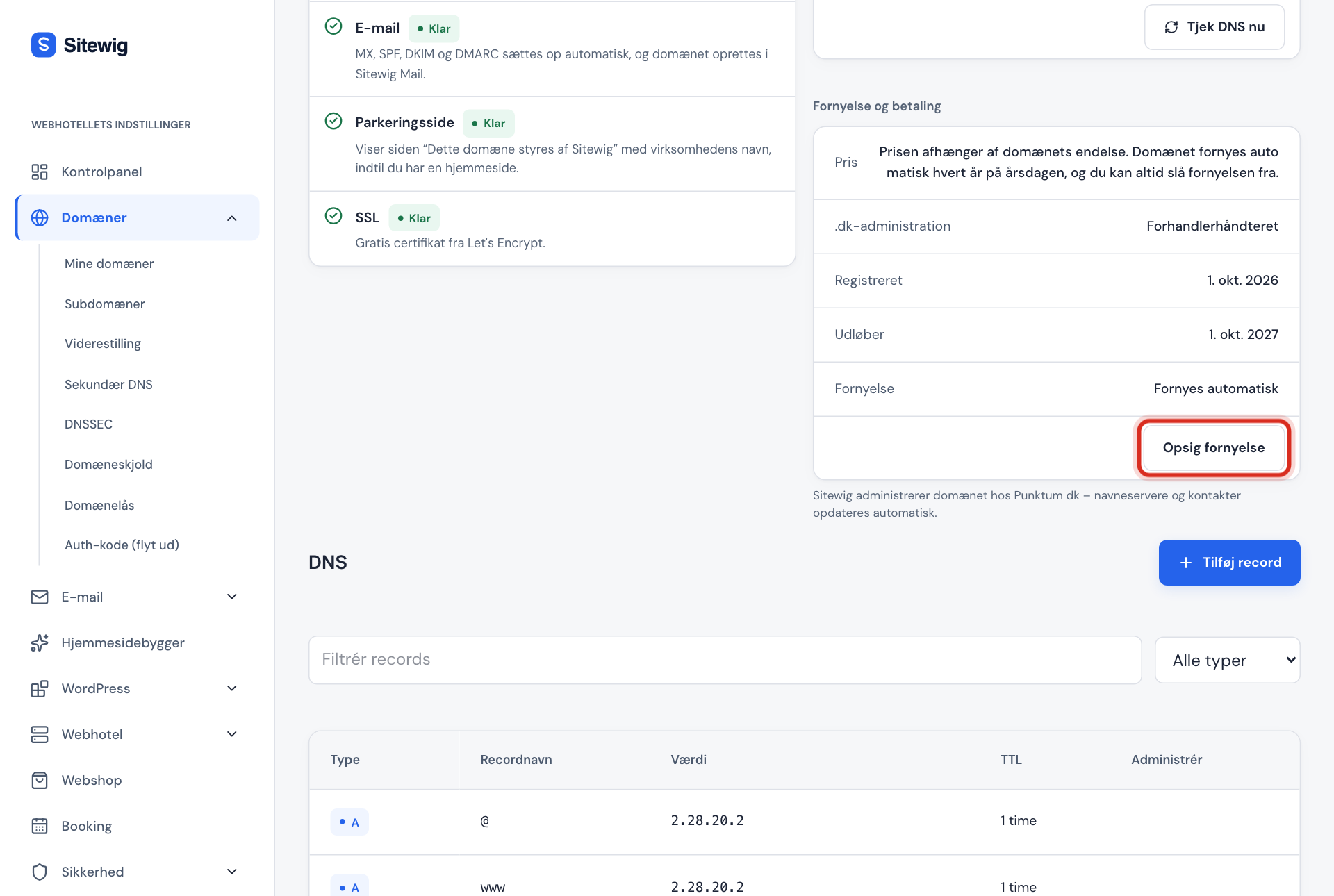
Cancel renewal is at the bottom of the card Step 3: Click Cancel renewal
Click Cancel renewal. The window Cancel renewal of yourcompany.com? tells you when the domain expires and what happens afterwards.
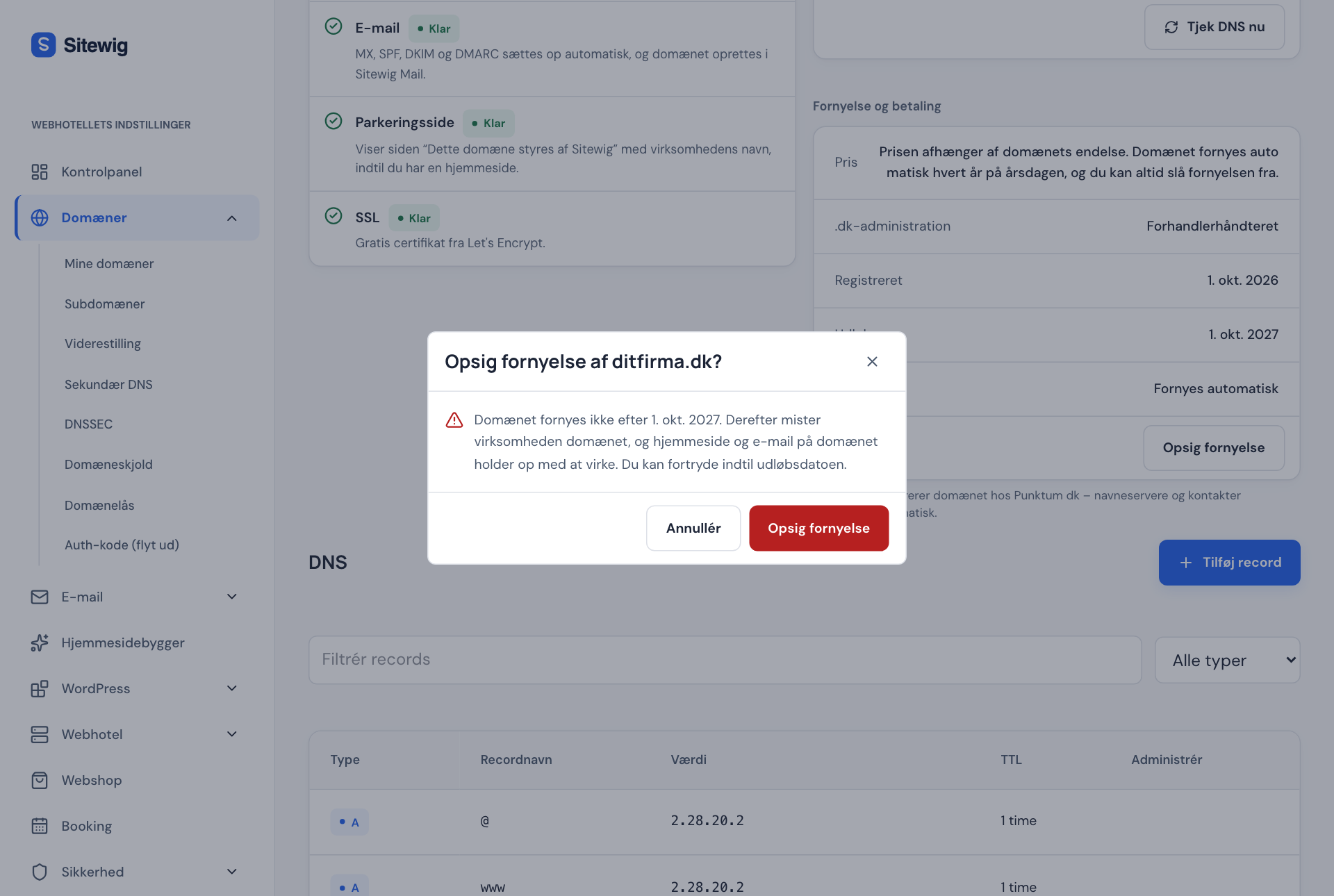
Read the consequences before you confirm Step 4: Confirm
Click Cancel renewal in the window to confirm, or Cancel if you change your mind. You'll see the message The renewal has been cancelled, and Renewal changes to Cancelled – will not renew.
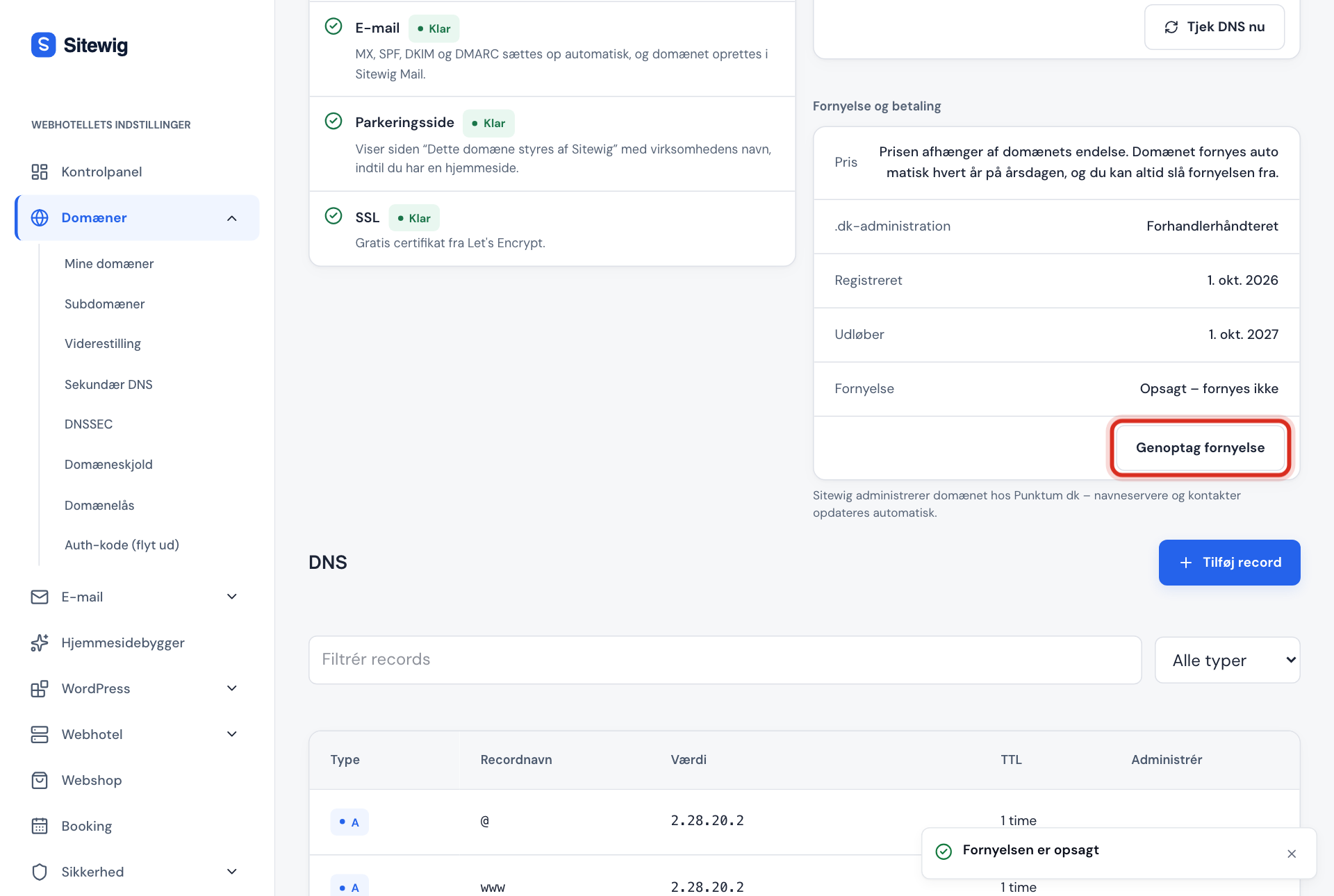
After cancelling, you can still change your mind
Change your mind about cancelling
If you've changed your mind, you can resume renewal right up to the expiry date:
- Open the domain under Domains → My domains.
- Click Resume renewal in the Renewal and payment card.
- You'll see the message The domain renews again, and Renewal is set to Renews automatically again.
If the expiry date has passed, the button is gone. The domain then has to be restored instead, see My domain has expired: can I get it back?
Frequently asked questions
Do I get money back for the rest of the year when I cancel?
No. The domain is paid for the whole domain year and works until the expiry date. Cancelling only means that it isn't renewed.
I can't see the Cancel renewal button. Why?
The Renewal and payment card is only shown for domains that have been bought or moved to Sitewig. A linked domain is renewed at the provider you bought it from. You also need to be an owner or administrator on the customer account to see the buttons.
Can I delete the domain straight away?
A registered domain can't be deleted before the expiry date in the control panel. Cancel the renewal, and it disappears when the period ends.