The online shop calculates VAT on every order based on your settings. VAT appears on the receipt and the invoice as Of which VAT. Danish shops use 25% as standard.
The basic settings
Step 1: Open Payments & VAT
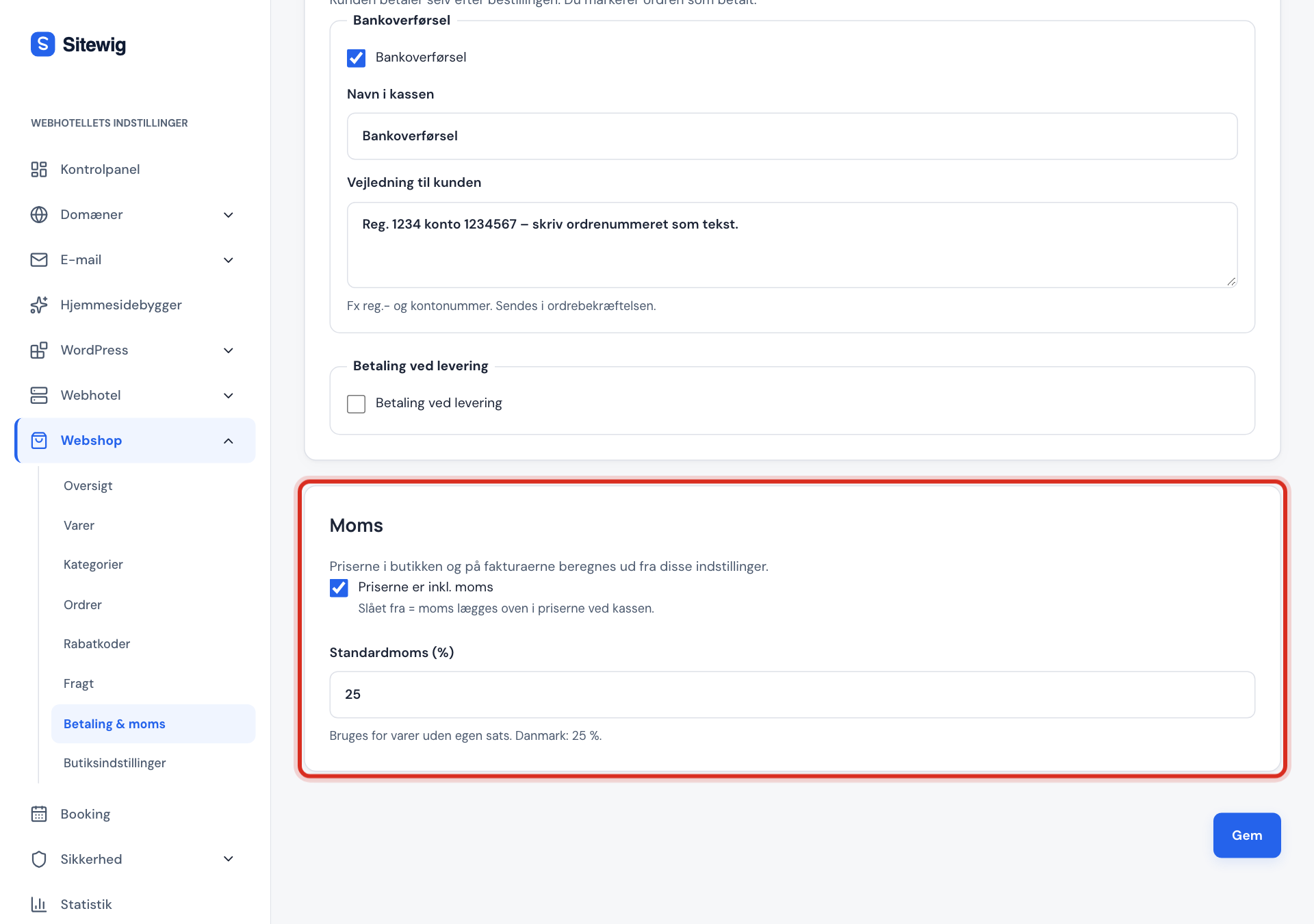
Go to Online shop → Payments & VAT and find the VAT card.
Step 2: Choose whether prices include VAT
Tick Prices include VAT if the prices you enter on your products are what the customer pays. That's the normal choice when you sell to consumers. If the field is turned off, VAT is added on top of the prices at checkout.
Step 3: Check the standard VAT
Standard VAT (%) is
25in Denmark. It's used for all products that don't have their own rate.Step 4: Save
Click Save.
A different rate for individual products
If a product has a different VAT rate, open the product under Online shop → Products and enter the rate in VAT (%), e.g. 0. An empty field means the shop's standard VAT.
Selling to other EU countries
With the VAT, OSS and business purchases card you can:
- Choose the Shop's country.
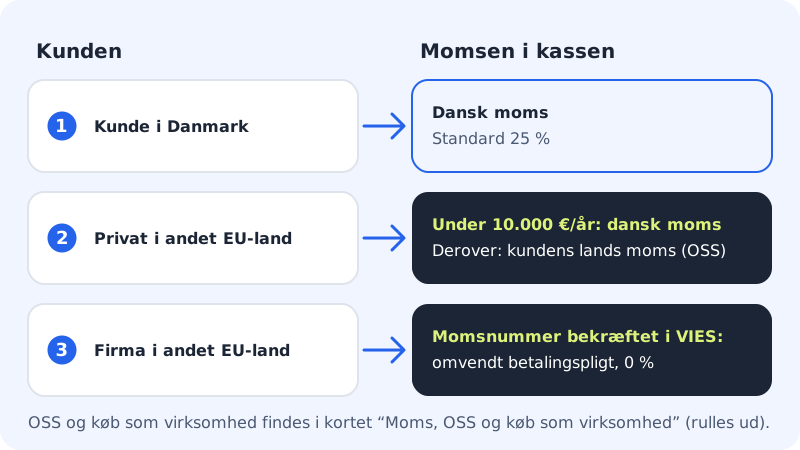
- Charge the customer's country VAT (OSS). Turn it on once you're registered for One Stop Shop – at the latest when your total sales to consumers in other EU countries exceed €10,000 a year. You need to have filled in the company/VAT number under Shop details.
- Prices with OSS. Choose Same price for everyone (VAT follows the country) or Same price before VAT (price follows the country's VAT).
- Offer purchases as a business. The customer can enter a company name and VAT number at checkout. If the EU's register (VIES) confirms that a VAT number from another EU country is valid, the sale is made under the reverse charge with 0% VAT. This is stated on the invoice.
- Set rates per category and country. For example, a reduced rate for books in Sweden and Germany.
The VAT report
The card also has a VAT report. Choose From and To, e.g. last quarter, and click Show report. The report shows VAT by scheme (Domestic VAT, OSS, Reverse charge), country and rate for the paid orders in the period – refunds are deducted. Use it for your VAT return and your OSS return.
Frequently asked questions
Should my prices include or exclude VAT?
If you sell to consumers, prices must be shown including VAT. Turn on Prices include VAT and enter the prices the customer should pay.
How do I sell a product without VAT?
Open the product and enter 0 in VAT (%). Check with your accountant that the product really is VAT-exempt.
What happens if a business enters an invalid VAT number?
If VIES can't confirm the number, the purchase is treated as an ordinary purchase with VAT.