You can use a domain you already own at Sitewig in two ways. Both give you your website, email and SSL at Sitewig – the difference is who registers and renews the domain.
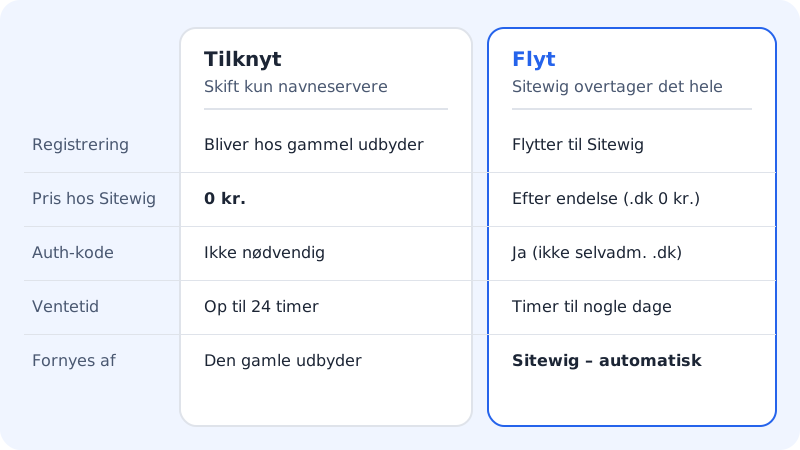
Connect: keep the registration
The domain stays registered with your current provider, and you still pay for renewal there. You only change the name servers to Sitewig's, so that DNS, email and website run with us.
- Price: It costs nothing to connect.
- Code: You do not need an auth code.
- Waiting time: Up to 24 hours after you have changed the name servers. Sitewig checks automatically every hour.
- Renewal: Still handled by the old provider.
Move: Sitewig takes over everything
Sitewig becomes the registrar for the domain. We renew it automatically and send the invoice together with your other Sitewig products.
- Price: The transfer itself is free. You pay the domain's yearly renewal – see How much does it cost to move a domain?
- Code: Requires an auth code from the old provider. Moving .dk domains is handled manually: contact support and we'll help you.
- Waiting time: From a few hours to a few days, depending on the extension and the old provider.
- Renewal: Sitewig renews automatically until you cancel the domain.
Which should I choose?
Choose Move if:
- you want to cancel everything with your old provider – otherwise the domain may expire when the subscription there ends
- you want one invoice and one control panel
Choose Connect if:
- you have paid for the domain a long way ahead at the old provider and want to wait before moving
- the domain cannot be moved right now (e.g. because it is less than 60 days old)
- you want to get started straight away without waiting for a transfer
- you use the domain with several providers and want to manage the registration yourself
How to connect a domain
Step 1: Open Add domain
Go to Domains → My domains and tap Add domain.
Step 2: Choose the Connect a domain you own tab
Enter the domain in the Domain field, and under What should the domain point to? choose what the domain should show and where email should be delivered.
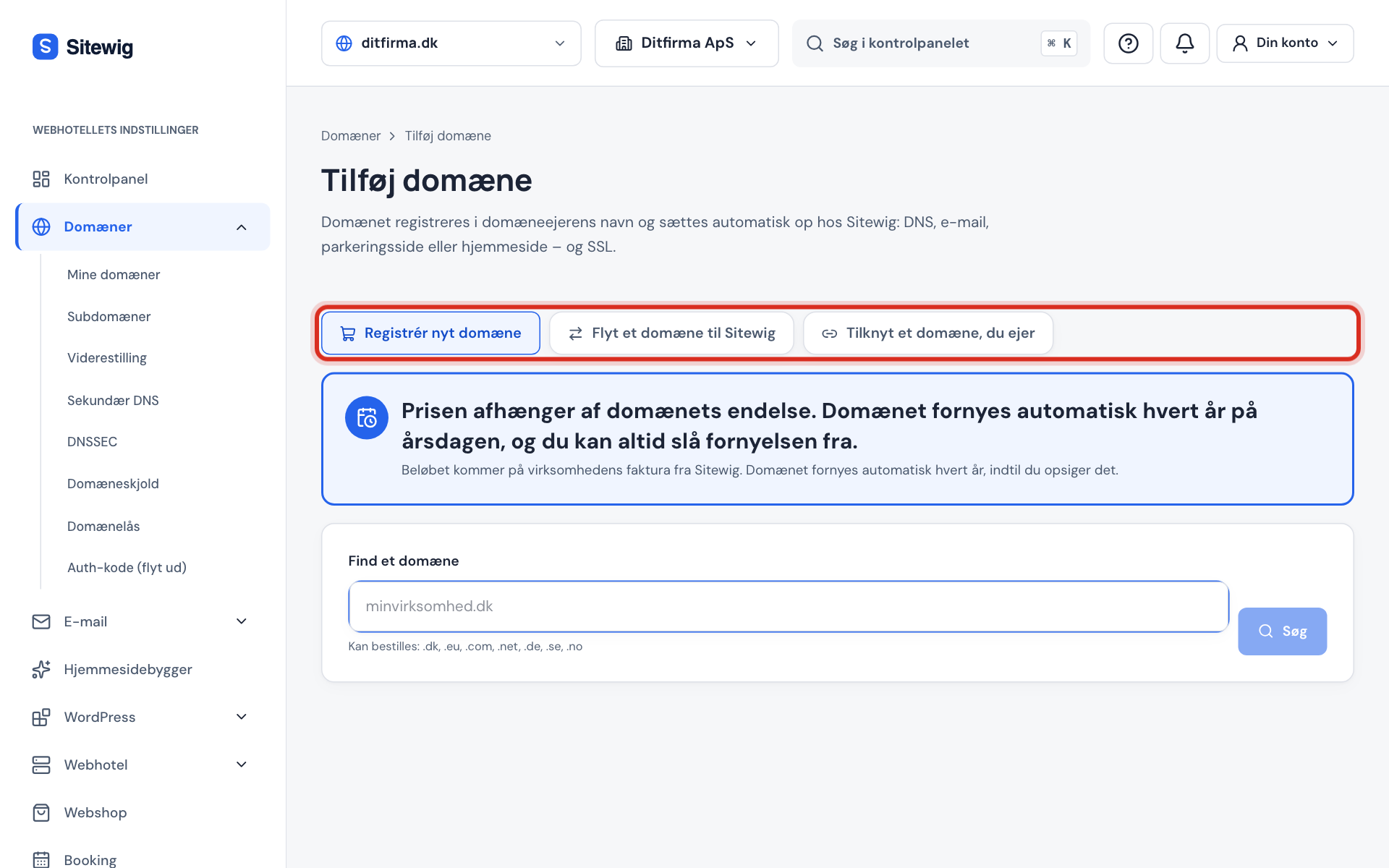
Step 3: Tap Connect domain
The control panel now shows the name servers the domain should have.
Step 4: Change name servers at the old provider
Sign in to the provider where the domain is registered and change the name servers to
ns1.sitewig.comandns2.sitewig.com. Sitewig checks automatically every hour and sets up the rest as soon as it works.
Frequently asked questions
Can I get the auth code and lock a connected domain in Sitewig?
No. When the domain is only connected, the registration is with the other provider. The transfer lock and auth code are therefore managed there.
Can I connect now and move later?
Yes, but the switch cannot yet be made by yourself in the control panel. Contact support when you want to move the registration. Your DNS records, mailboxes and website stay at Sitewig in the meantime.