PHP is the programming language that WordPress and many other websites run on. Newer versions are faster and receive security fixes for longer. At Sitewig you choose between PHP 8.2, 8.3 and 8.4 yourself. New web hosting accounts start on 8.3.
Before you switch
- Make a copy. Export the database, or check that there is a recent backup under Web hosting → Backup.
- Update WordPress, plugins and theme. Old plugins are the most common cause of errors after a switch.
- Check the requirements. If a plugin's page says which PHP versions it supports, compare them with the version you want to choose.
Change the version
Step 1: Open PHP
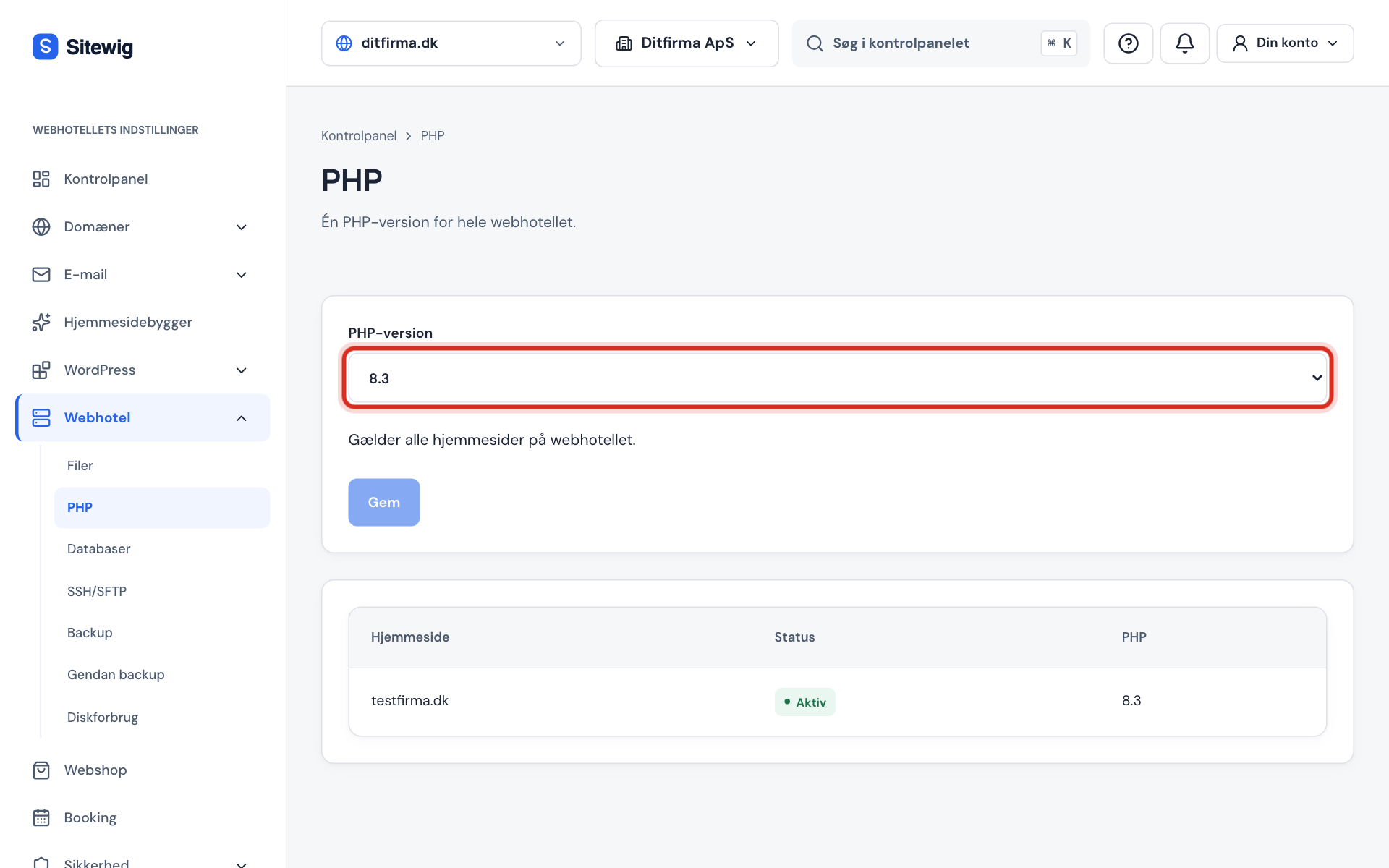
Go to Web hosting → PHP in the control panel. At the top it says One PHP version for the whole web hosting.
Step 2: See the current version
The PHP version drop-down shows the version you are running now. At the bottom of the page you can see your websites with their status and PHP version.
Step 3: Choose the new version
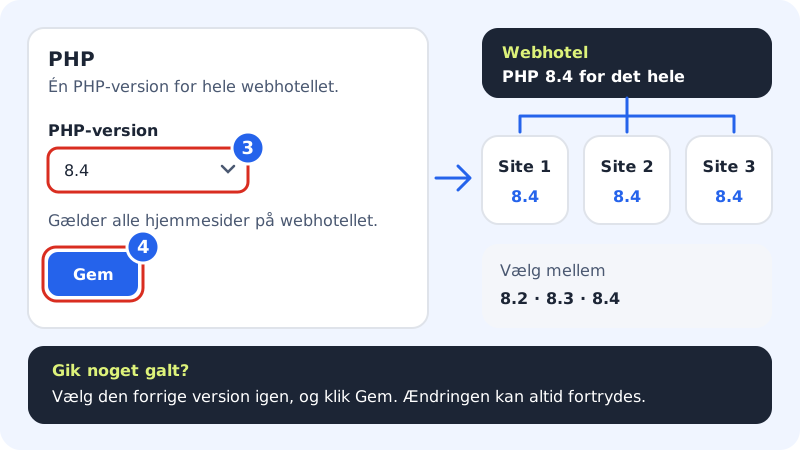
Choose 8.2, 8.3 or 8.4 in the PHP version drop-down.
Web hosting → PHP Step 4: Click Save
Click Save. You see the message Saved, and after a few seconds all websites run on the new version.
Step 5: Test your pages
Open the front page and a few subpages, and log in to the WordPress admin. If everything looks normal, you are done. If something goes wrong, choose the previous version again, and click Save.
If the button does not work
| Message or sign | What it means |
|---|---|
| Create a website before you can change the PHP version. | There is no website on the web hosting yet. Create a website first |
| The website is not ready yet. Try again when it is active. | A website is being set up. Wait until its status is active |
| Save is greyed out | You have chosen the version that is already running |
Frequently asked questions
Which version should I choose?
Choose the newest version your plugins and theme support. Today that is typically 8.3 or 8.4. PHP 8.2 only receives security fixes up to and including 31 December 2026 – see Why you should keep PHP up to date.
Can I have different PHP versions on each website?
No. The choice applies to the whole web hosting, so all websites on it run the same version.
Will I lose data when I change version?
No. Files and databases are not touched – only the program that runs your code changes.
Which PHP extensions are installed?
Among others mysqli, pdo_mysql, gd, imagick, intl, mbstring, xml, zip, curl, bcmath, soap and opcache – on all three versions. The Redis extension is not installed.