If you do not use everything your plan gives you, you can switch to a smaller and cheaper plan. You use the same page as for an upgrade, but the rules are slightly different: the web hosting must fit in the smaller plan, and the new price only applies from the next renewal.
Before you downgrade: does the web hosting fit in the new plan?
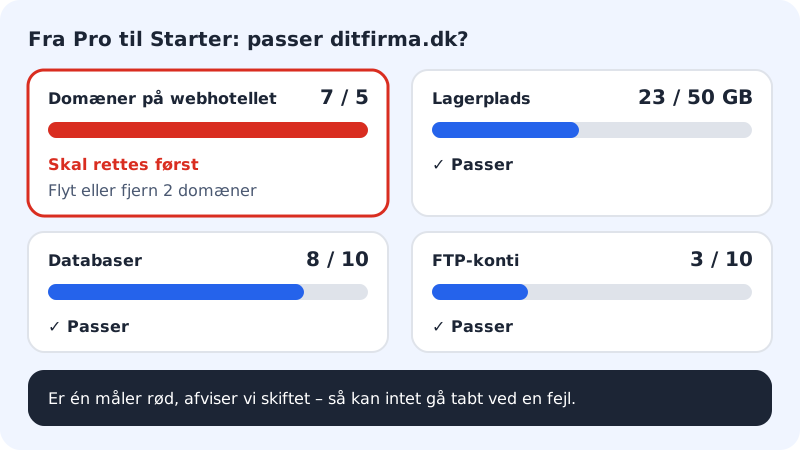
We reject a downgrade if the web hosting uses more than the smaller plan gives. That way you cannot lose anything by mistake. Check these figures first:
| Check | Starter | Pro | Business | Max |
|---|---|---|---|---|
| Websites | 1 | 5 | 10 | 25 |
| Domains on the web hosting | 1 | 5 | 10 | 25 |
| Storage (website and email) | 15 GB | 50 GB | 100 GB | 200 GB |
| Databases | 10 | 30 | 100 | 200 |
| FTP accounts | 10 | 30 | 100 | 200 |
If the web hosting also has an email plan, the number of mailboxes must fit the new combination of plans.
How to downgrade
Step 1: Tidy up if there is too much
Move or remove the domains, websites, databases or FTP accounts that are over the limit. Take a backup first if you are deleting anything.
Step 2: Open Change plan
Choose the right web hosting in the web hosting selector and click Change plan at the top of the control panel.
Step 3: Choose the smaller plan
Click Select on the plan you want to switch to.
Step 4: Confirm
Click Select in the window. If the web hosting does not fit in the plan, an error appears in the window, for example The web hosting has 3 domains. Starter allows 1. Move or remove domains first. Fix what it says and try again.
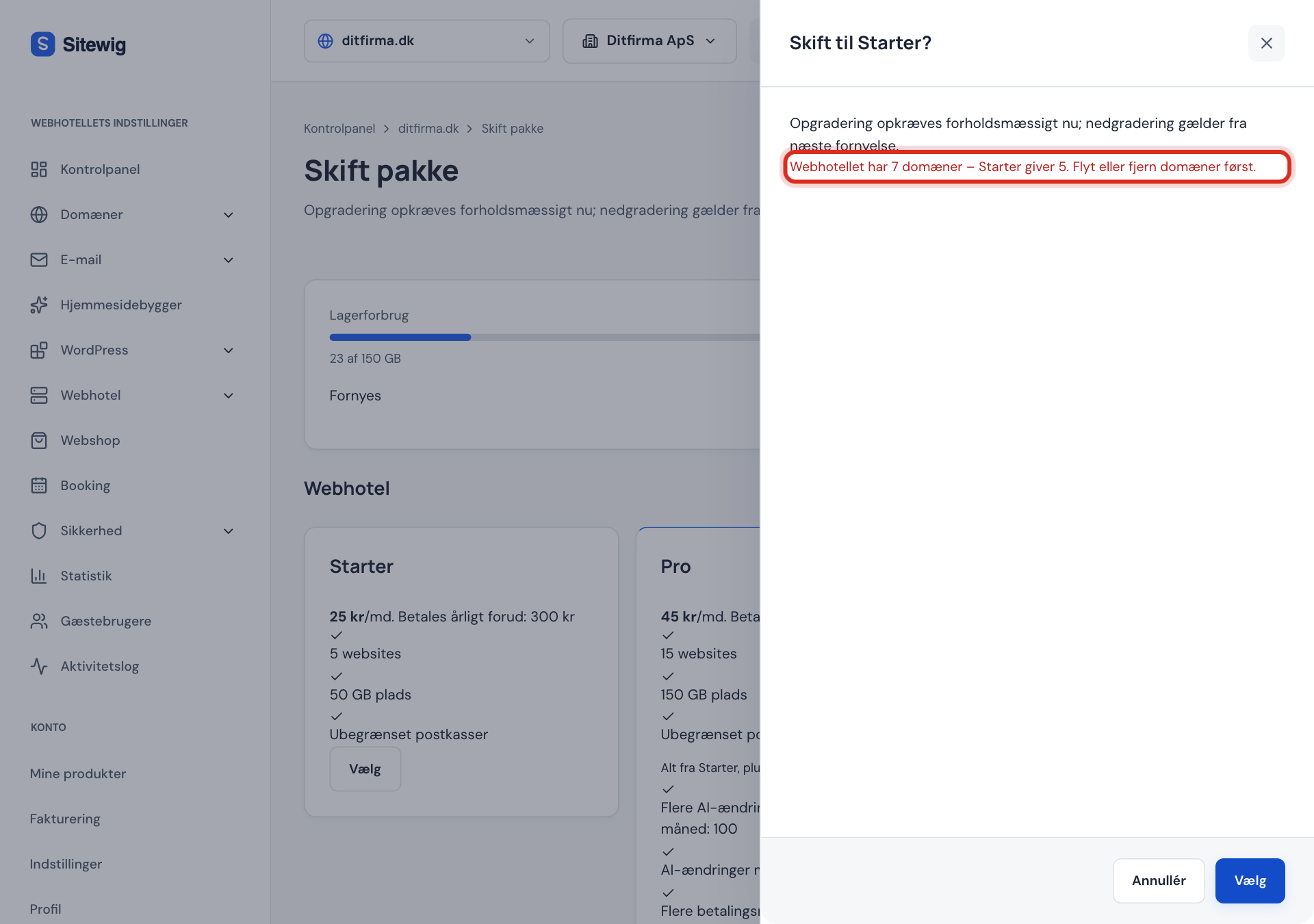
The switch is rejected if the web hosting does not fit in the smaller plan
What happens to the price?
- You have already paid for the current period. You do not get money back for the rest of it.
- The new, lower price applies from the next renewal. The date is shown under Renews at the top of the Change plan page.
- Nothing is charged to your card when you downgrade.
What happens to your websites?
No content is deleted. But the next time a website is published, it follows the smaller plan's rules, and anything that does not fit is not shown:
- Languages beyond the plan's number are unpublished. Starter gives 2 languages per website, Pro gives 5.
- Pages beyond the limit are unpublished if you go all the way down to Free (at most 5 pages).
- Settings such as Google Tag Manager, Google AdSense and your own code in
<head>and<body>are left out if the new plan does not include them. They are available from Pro. - Redirects beyond the plan's number no longer work. Starter gives 50, Pro gives 500.
- Password-protected pages are published without content if the plan does not include the feature.
- On Free, the Made with Sitewig badge is shown again.
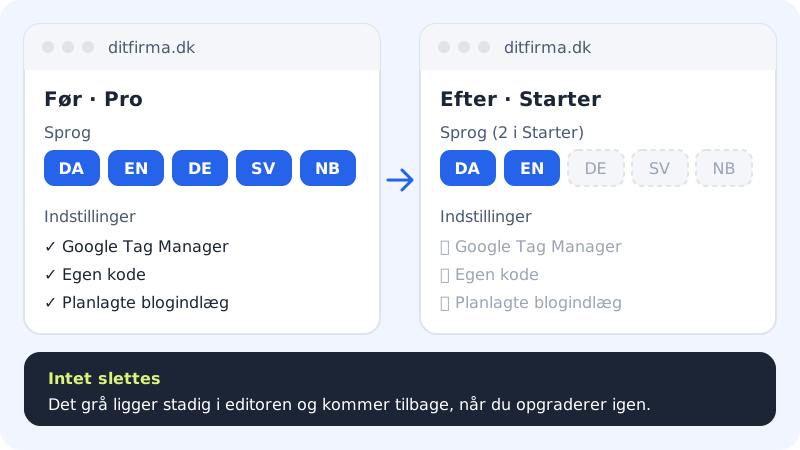
Everything is still in the website builder and comes back when you publish again after an upgrade. If we publish your websites again for you after a downgrade, you receive an email with an overview of what is hidden on each website.
Frequently asked questions
Can I undo a downgrade?
Yes. Upgrade again on the Change plan page. You then pay proportionally for the bigger plan for the rest of the period, and the hidden content is shown again when the website is published.
What happens to my backups if I go from Max to Business?
Max keeps backups for 90 days, the other paid plans for 30 days. If you need an older backup, download it before you downgrade. See Restore from backup.
Can I downgrade to Free?
The Change plan page only shows the paid plans. If you want to get rid of the paid web hosting entirely, you need to cancel it. See Cancel the web hosting and keep your domain.
Why does it say the account uses more than the plan allows?
That message appears when websites, databases, FTP accounts or storage exceed the new plan. The text tells you what is too much. Tidy up and try again.