The nightly backups cover most needs. But if you're about to update WordPress, change theme or move something big, it's good to have a fresh backup from right now. Take backup now does that.
Who can use it?
| Plan | Nightly backup | Backup on demand |
|---|---|---|
| Starter | Yes | No |
| Pro | Yes | No |
| Business | Yes | Yes |
| Max | Yes | Yes |
How to take a backup now
Step 1: Open Backup
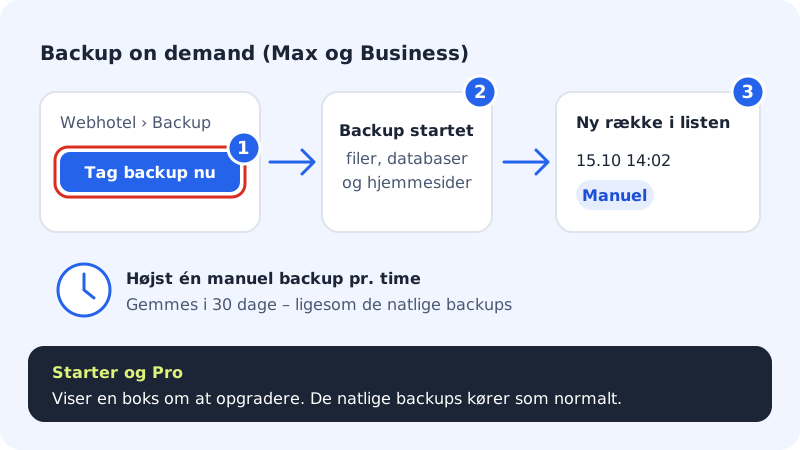
Click Web hosting in the left-hand menu and choose Backup.
Step 2: Press Take backup now
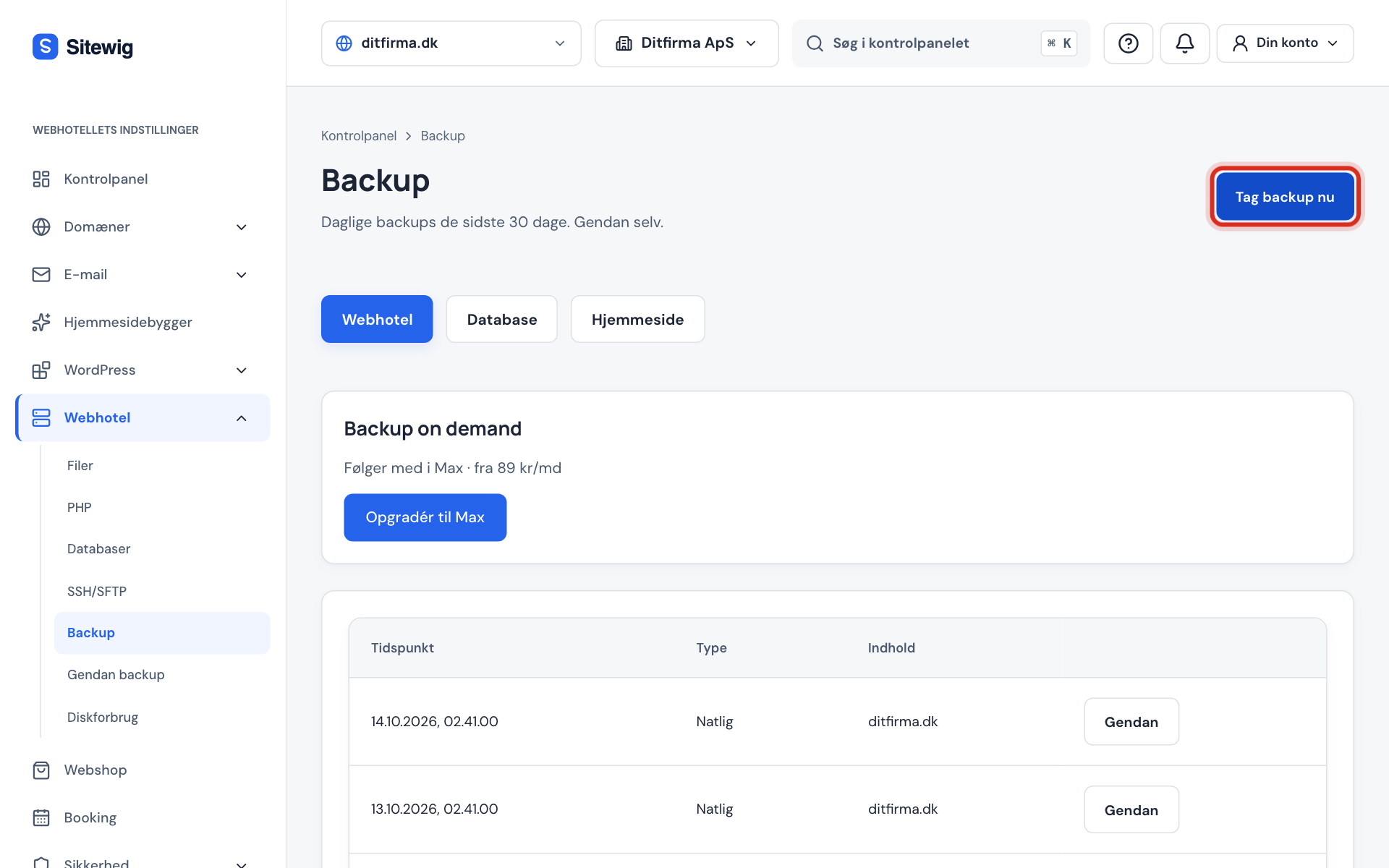
The button is at the top right of the page. You see the message Backup started.
Step 3: Find your backup
When the backup is finished, it appears in the list with the type Manual. It contains files, databases and websites from the builder, and it's kept for 30 days, just like the nightly backups.
If you have Starter or Pro
If you press Take backup now on Starter or Pro, the page shows an upgrade box, because Backup on demand is part of Business and Max. Your nightly backups still run as normal, and you can restore from them.
Frequently asked questions
How long is a manual backup kept?
For 30 days – exactly like the nightly backups. After that it's deleted automatically.
Can I back up just the database?
No. Take backup now always backs up files, databases and websites from the builder together.