A transfer can stop in two places: right when you order it, or later, when the registry processes it. Find the message you have received below and follow the advice.
Errors after ordering
These messages appear at the top of the domain's page under Domains → My domains.
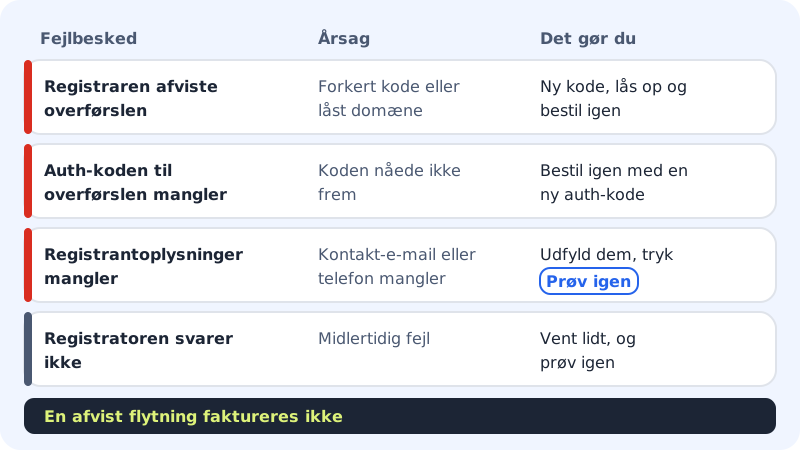
The registrar rejected the transfer
The full message is The registrar rejected the transfer (e.g. wrong auth code, or the domain is locked). Typical causes and solutions:
- Wrong or expired auth code: Get a new code from the old provider.
- The domain is locked: Turn off the transfer lock at the old provider.
- The old provider rejected the transfer: Contact them and ask why.
Then order the transfer again under Add domain → Transfer a domain to Sitewig.
The auth code for the transfer is missing
The code did not arrive. Order the transfer again with a new auth code.
The registrant details are missing
If it says that the company's contact email and phone number are missing, fill them in on the domain's page under Registrant (the company). Then tap Try again in the red box.
The company is not active in the CVR register
Domains are registered under the company's CVR number. If the company has closed down or is not active in the CVR register, the domain cannot be moved.
.dk domains
A .dk domain cannot be moved automatically. Moving .dk domains is handled manually: contact support and we'll help you.
Errors when ordering
These messages appear in the transfer form, before you get to payment.
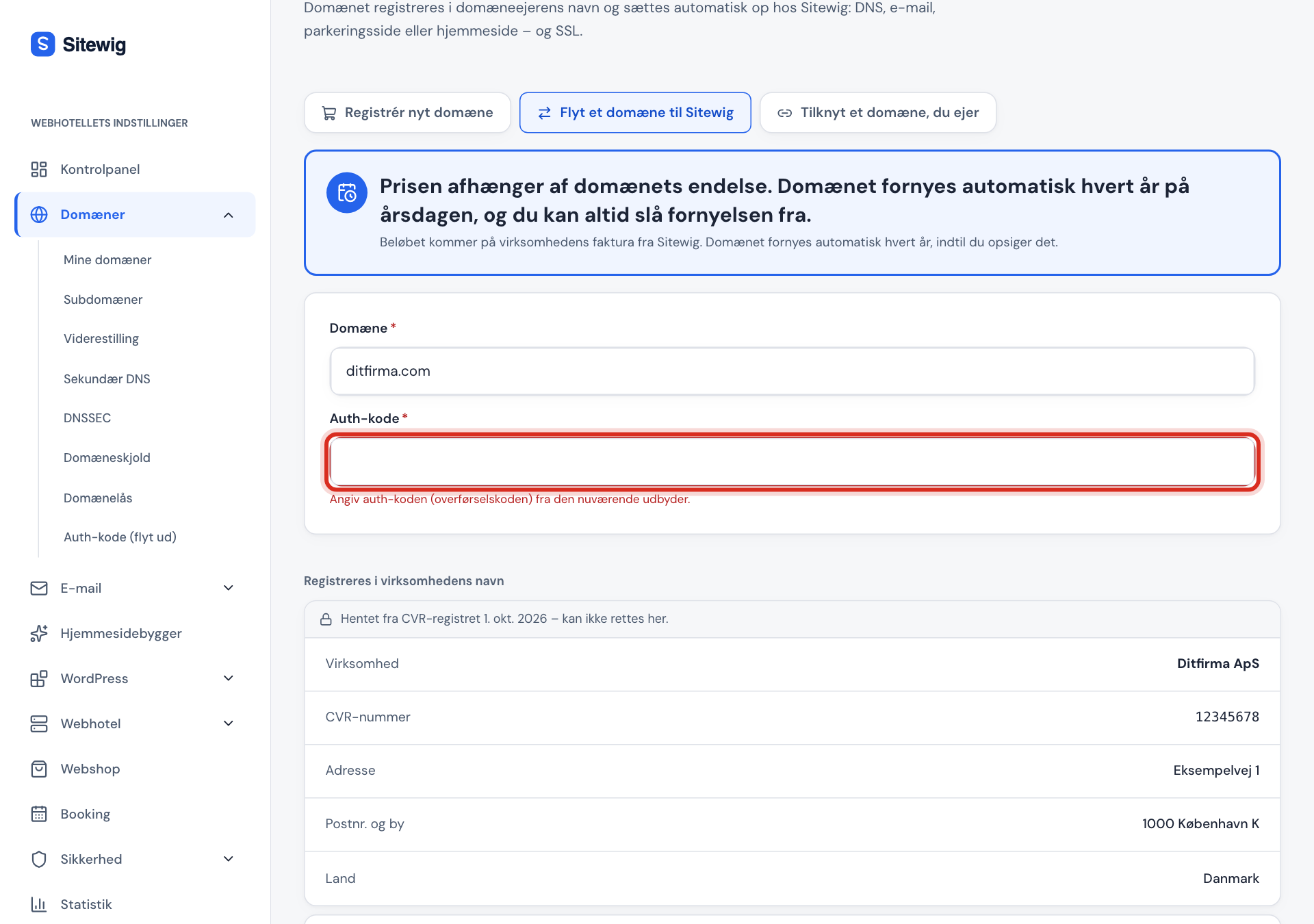
Enter the auth code from the current provider
The Auth code field is empty. It must always be filled in.
The domain is not registered yet
The domain does not exist in the registry and so cannot be moved. Buy it instead on the Register a new domain tab.
The domain is already connected to Sitewig
The domain is already in a Sitewig control panel. If you have connected it and want to move the registration, contact support.
The domain registrar is not responding
There is a temporary fault at the registrar. Wait a few minutes and try again.
The price has changed
If the price changed while you were filling in the form, the tick next to the price is removed. Read the new price, tick the box again and tap Transfer domain.
The error keeps happening
If you have tried the advice above and the transfer still fails, contact Sitewig support. Include the domain name and the exact error message, but never send the auth code itself in an email.
Frequently asked questions
What does "We're working on it" mean?
A step failed temporarily, and Sitewig is automatically trying again. You do not need to do anything.
Will I lose my website or email if a transfer fails?
No. As long as the transfer has not been completed, the domain stays unchanged with the old provider and everything works as before.