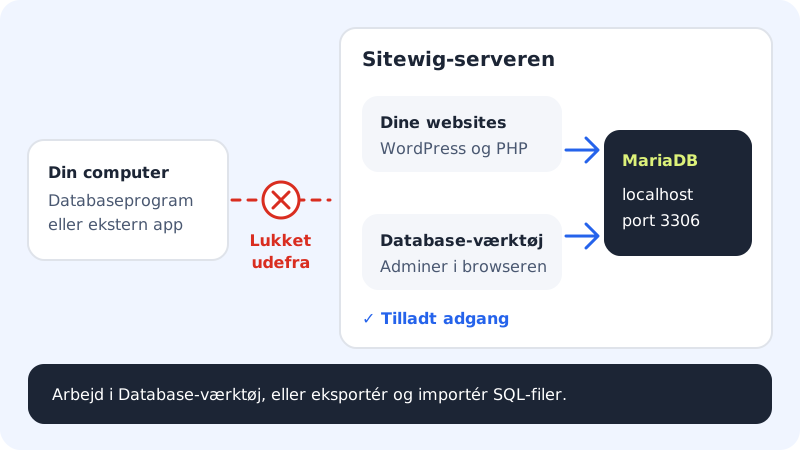
Short answer: No, not at the moment. Databases at Sitewig only accept connections from the server your website runs on. A database program on your own computer, or an app at another provider, therefore can't connect directly to port 3306.
Why is it closed?
A database that can be reached from the whole internet quickly becomes a target for automated attacks that guess passwords. By only opening up to localhost, nobody from outside can try to sign in – even if the password were to leak.
What you can do instead
| You want to … | Use |
|---|---|
| View tables, edit data, run SQL | Database tool in the browser – see Open Database tool |
| Work with data in a program on your computer | Export a copy, work locally and import again – see Export and Import |
| Let an external system read or write data | Build a small PHP script or API on your website that talks to the database via localhost, and protect it with a secret key |
| Take regular copies | The automatic daily backups under Web hosting → Backup |
Frequently asked questions
Can you open access for my IP address?
No, that isn't possible at the moment. All databases are only open to websites on the same server and to Database tool.
Which values should my website use then?
The host is always localhost and the port 3306. See Find the host name, port and username.
Can an app on another server use my database?
Not directly. Let the app call a small script on your Sitewig website instead, which fetches or saves data for it.