A database that no website uses any more takes up one of the slots in your plan. You can delete it in under a minute. The database and all its data disappear immediately and can't be recovered with a button.
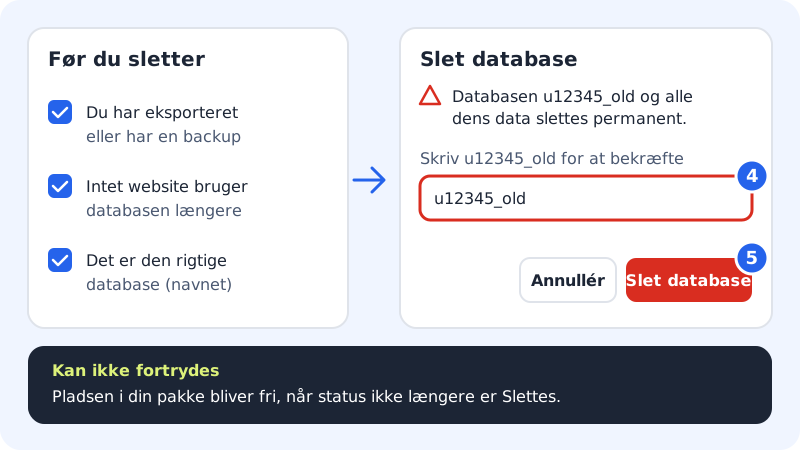
Check before you delete
- Do you have a copy? Export the database in Database tool if there is the slightest chance you'll need the data again. See Export your database.
- Is a website still using it? Search for the database name, e.g.
u12345_old, inwp-config.phpor in your scripts' configuration. - Is it the right one? The names look alike. Check the whole name before you confirm.
Delete the database
Step 1: Open Databases
Go to Web hosting → Databases in the control panel.
Step 2: Make a copy
Click Open next to the database and export it as an SQL file if you don't already have a copy.
Step 3: Click Delete
Click Delete on the right of the database's line.
Step 4: Type the name to confirm
The Delete database window asks you to type the database's full name, e.g.
u12345_old. This is to avoid deleting the wrong one.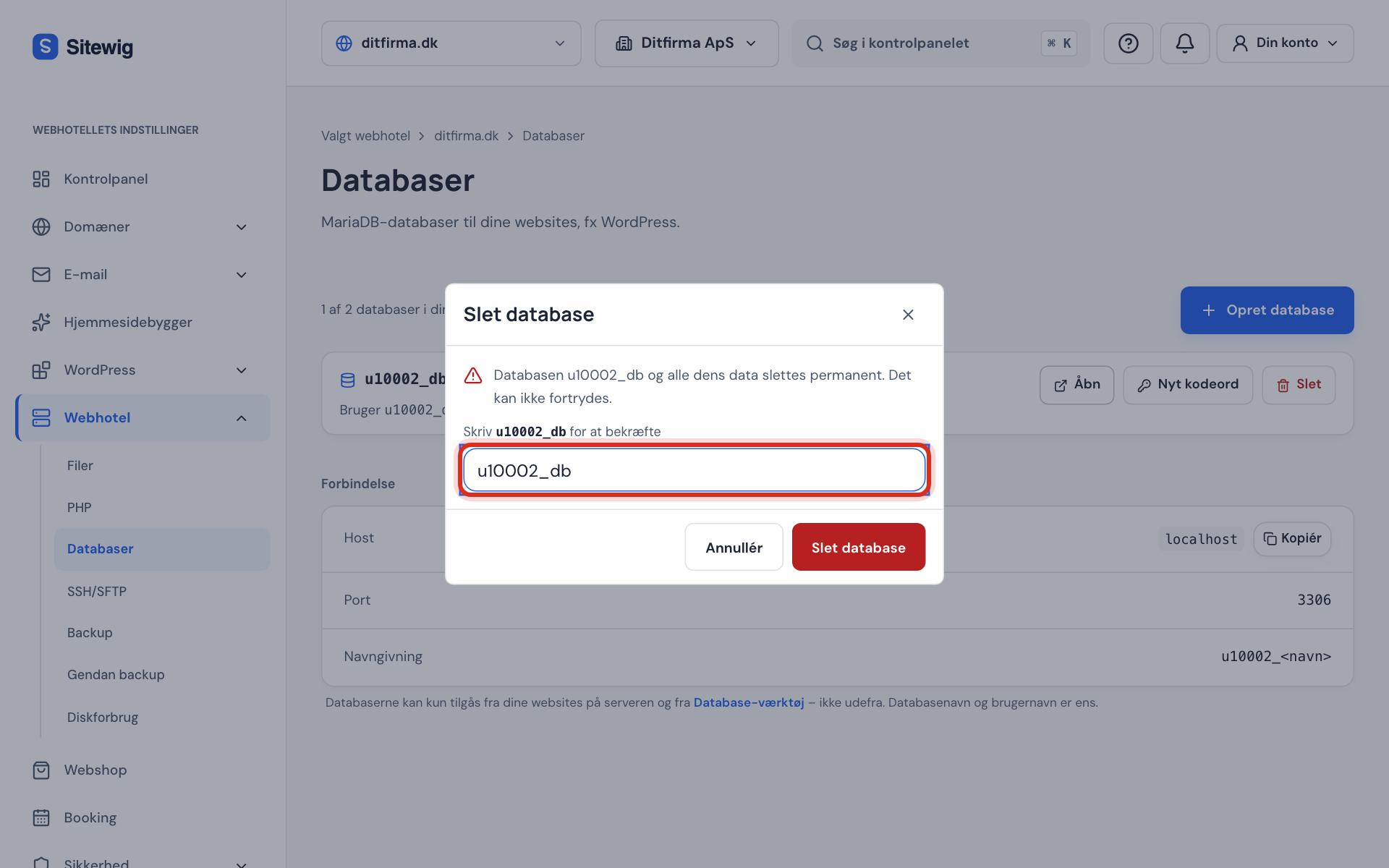
Type the full name to confirm Step 5: Confirm the deletion
Click Delete database. You see the message The database is being deleted, and the line shows the status Deleting until it is gone. After that, the slot in your plan is free again.
Frequently asked questions
Can I undo a deletion?
Not from the control panel. If you don't have a copy yourself, create a database with exactly the same name and try to restore it from the daily backups – see Restore a database from a backup. Contact support if that doesn't work.
What happens to the database's user?
It is deleted along with the database. A website that still tries to use it shows a database error.
Will I pay less if I delete a database?
No. The price depends on your plan, not on how many databases you use. You simply get a free slot for a new database.