In the app builder you always write in the same chat field. Behind the chat field, Sitewig assesses how big your task is and sends it to the model that suits it best. That also decides which of your limits the message counts towards.
Small and large tasks
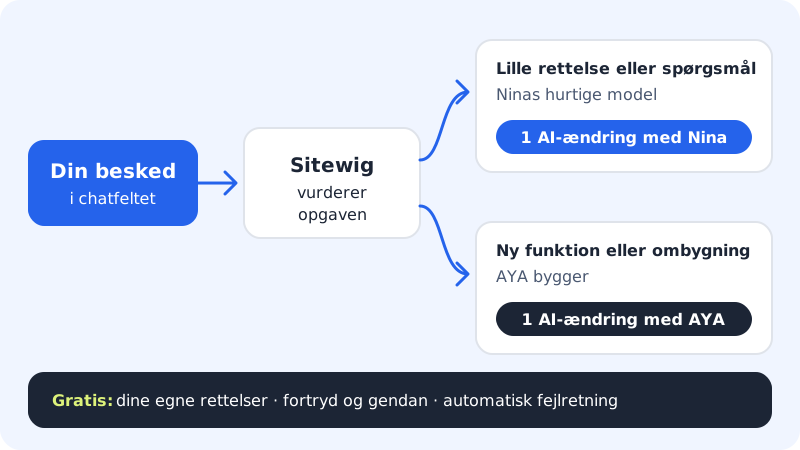
Step 1: You send a message
Every message you send to the AI in the app builder counts as one AI edit, no matter how many files are changed.
Step 2: Sitewig assesses the task
If it is a question or a small fix (for example a new heading, a different colour or an extra line of text), it is handled by NinaAI's fast model. It counts as an AI edit with NinaAI.
Step 3: Larger tasks are built by AYAAI
If a new feature or a new page needs to be built, or several parts of the app need to be changed, the task goes to AYAAI. It uses your Energy (100 Energy a month, Max only). If you have another plan, Sitewig replies that AYAAI requires Max.
If you have selected an element in the preview with Ask Sitewig AI about this, the message is always a limited fix and counts as an AI edit with NinaAI.
Step 4: A new app is counted separately
When AYAAI builds a completely new app from your description on the Create new app page, it also uses your Energy (Max only). If you click Create empty app without a description, it does not count.
What is free
- Your own edits: Click Edit above the preview, and edit text and images directly on the page. It never counts.
- Automatic error fixing: If a build of your app fails, the AI tries to fix the error itself: up to twice per build. The fixes are free, up to a maximum of six per day. After that they count as ordinary AI edits.
- Undo and restore: Undoing a change or restoring an older version uses no AI.
- Errors on Sitewig's side: If a task does not start, or fails on Sitewig's side or at the AI provider, you get the AI edit back.
When AYAAI uses a faster model
Every plan has a ceiling for how much AI it can use in total in a month. If your plan is close to the ceiling, you see a yellow message:
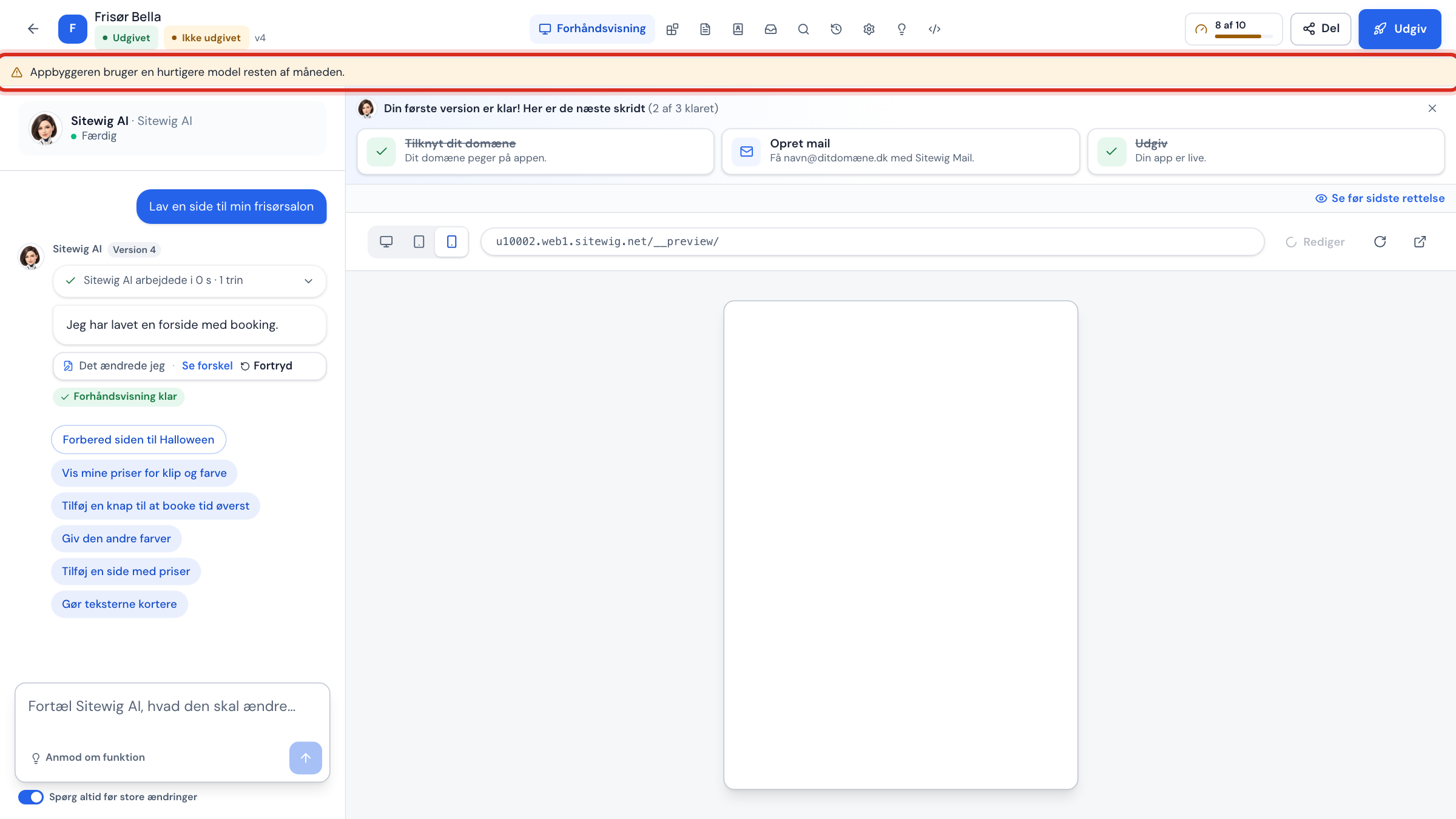
- The app builder uses a faster model for the rest of the month.
- or, with the names switched on: AYAAI uses NinaAI's fast model for the rest of the month.
For as long as the message is shown, NinaAI's fast model also handles the larger tasks, and they count as AI edits with NinaAI. You can still work, but very large rebuilds may be less precise. On the 1st of next month everything is back to normal.
When AI is paused
If the ceiling is completely used up, you see the red message AI is paused until … with the date of the 1st of next month. Until then the AI cannot be used. Buying the add-on does not help: you can wait or upgrade your plan under Change plan (/pakke).
Frequently asked questions
Why does my question to AYAAI count as an AI edit with NinaAI?
Because questions and small fixes are handled by NinaAI's fast model. That saves your Energy for the tasks where AYAAI makes a difference.
What happens if my Energy is used up and the message requires AYAAI?
Then AYAAI does not build, and you are told in the chat. NinaAI can still help, and on the 1st you get 100 Energy again. See This month's AI limit is reached. What now?.
Can I choose myself whether a message goes to NinaAI or AYAAI?
No. Sitewig chooses automatically. If you want to be sure what will happen before anything is built, switch on Always ask before big changes.