When you have used all of this month's AI edits of one kind, the AI pauses for that kind of task. Your website and your apps are still online and work as normal for your visitors. You can also still edit text and images yourself.
How to tell
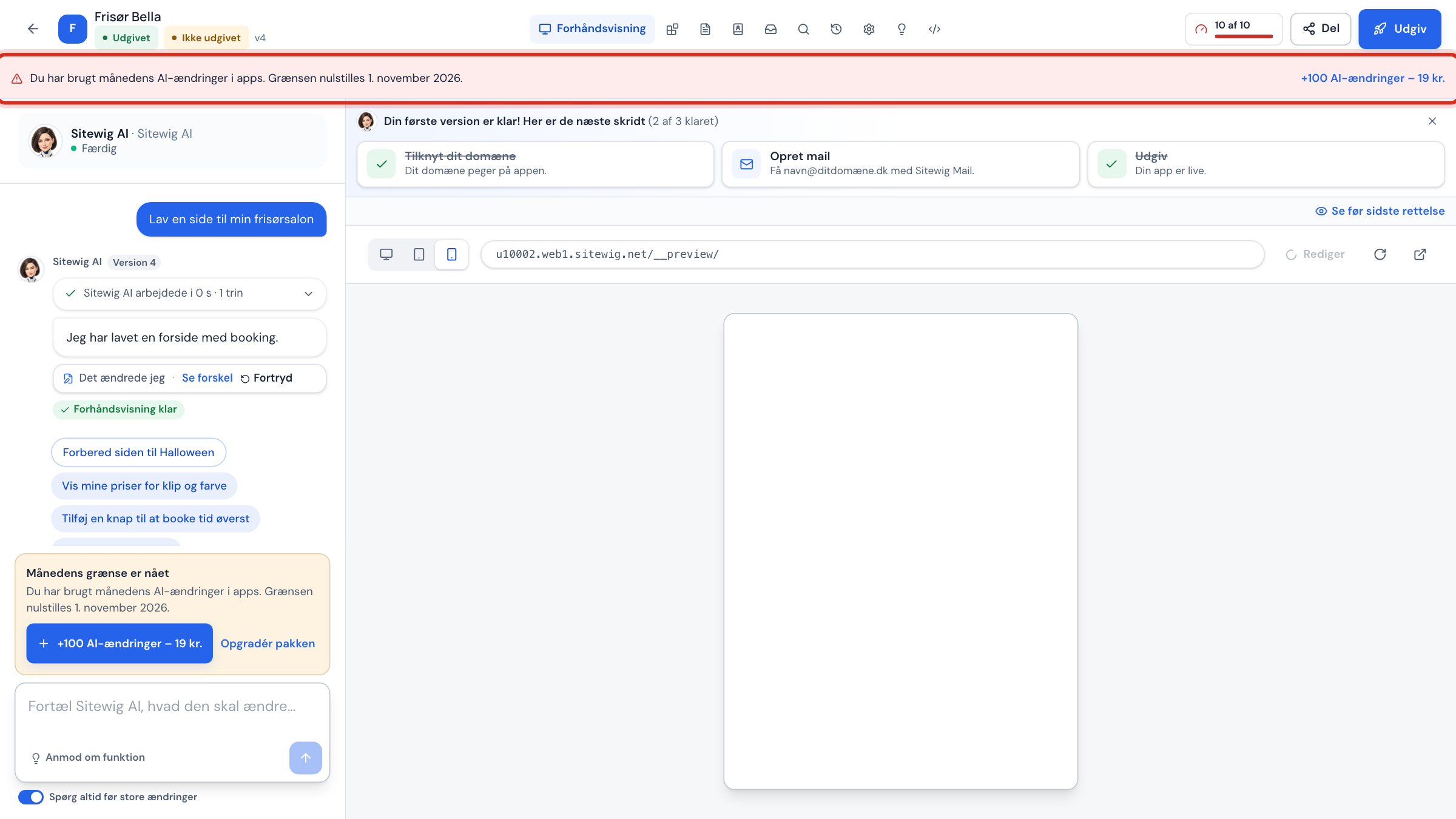
In the app builder you see it in three places:
- A red banner at the top of the app: You have used this month's AI edits in apps. The limit resets on 1 November 2026. (with the names switched on, it says AI edits with AYAAI).
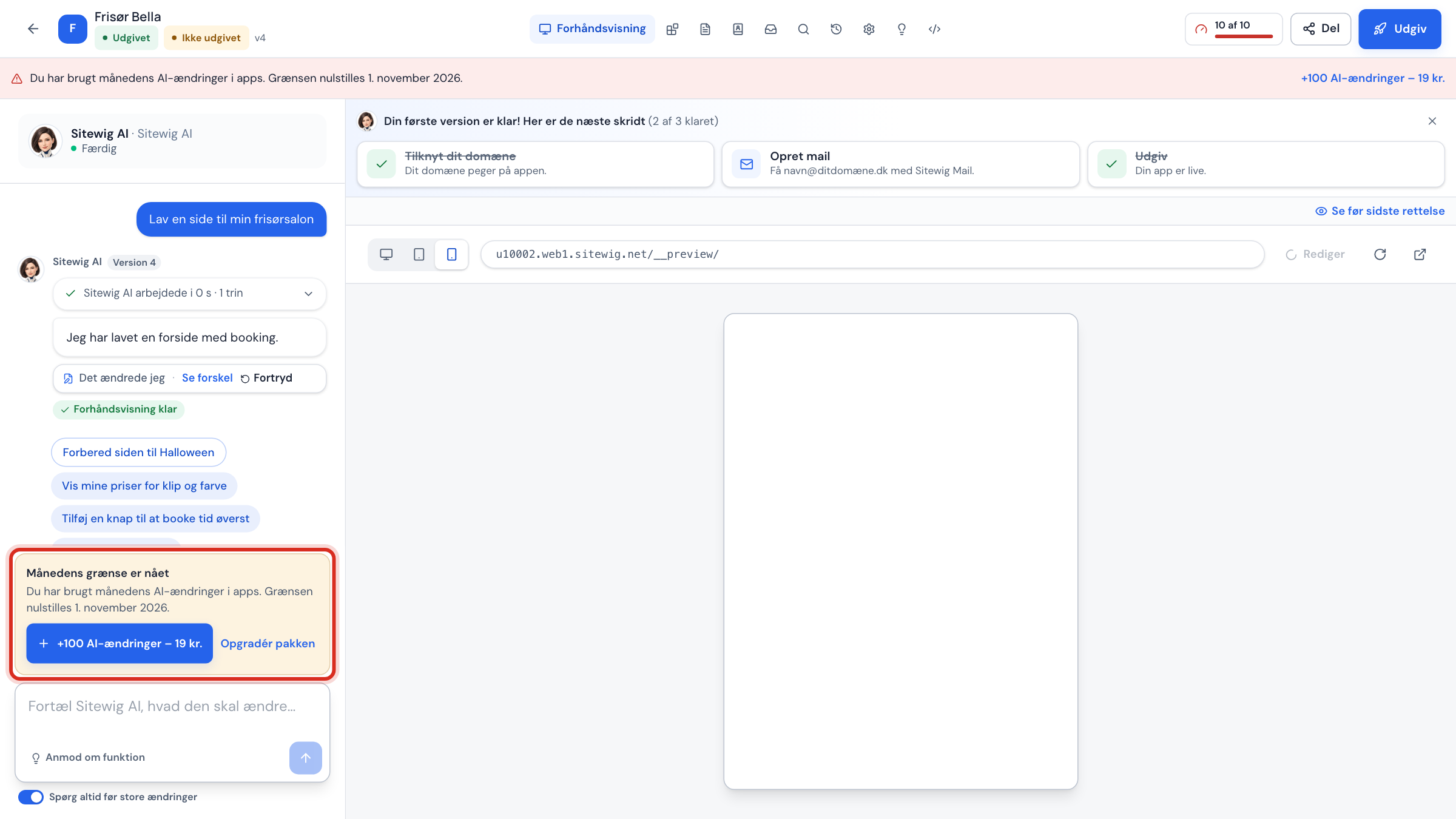
- A box above the chat field with the heading This month's limit is reached and buttons to buy more or upgrade.
- The chat field is locked, so you cannot send more messages until you have AI edits again.
In the website builder, NinaAI replies with an error message on the AI tab, for example You have used this month's 100 AI edits with NinaAI. The limit resets on 1 November 2026. Below the message is a link to buy more.
Your three options
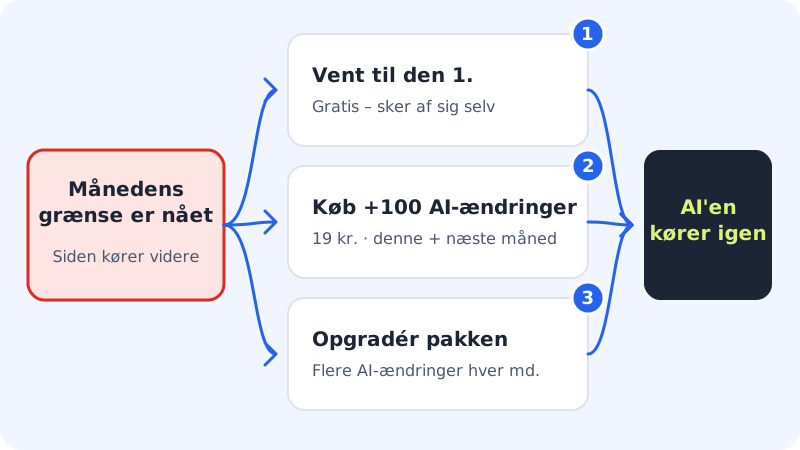
Step 1: Wait until the 1st of next month
All limits start again on the 1st at midnight UTC. It costs nothing, and you do not need to do anything.
Step 2: Buy +100 AI edits
Click +100 AI edits in the banner, in the box above the chat field or in the AI this month card. You get 100 AI edits with NinaAI, valid for the rest of the month and all of next month. See Buy +100 extra AI edits.
Step 3: Upgrade your plan
Click Upgrade your plan in the box above the chat field, or go to Change plan (
/pakke) in the control panel. A larger plan gives you more AI edits every month. If you already have the largest plan, the link is not shown.
When your Energy is used up
AYAAI is only included in Max, and Max comes with 100 Energy for AYAAI a month. Once your Energy is used up, AYAAI cannot build any more in the app builder until you get new Energy on the 1st of next month. NinaAI's website builder still works as normal, because it uses your limit for AI edits with NinaAI.
When it concerns a new app
New apps with AYAAI are only included in Max. If you have another plan, AYAAI cannot build a new app from a description. You can build your website with NinaAI or switch to Max under Change plan (/pakke).
Frequently asked questions
Will my website be switched off when the limit is reached?
No. The limits only apply to the AI help. Everything that is already published keeps running.
Can I buy the add-on if the AI is paused?
No. If it says AI is paused, it is not your limit for AI edits but your plan's total AI usage that has been used up. An add-on does not solve that: you can wait until the 1st or upgrade your plan. Read more in AI error messages and what they mean.
Why does the message use the names NinaAI and AYAAI when the panel says Sitewig AI?
The message comes straight from Sitewig's server and always uses the names NinaAI and AYAAI. They are the same assistants that the panel calls Sitewig AI.