If your website or email does not work after a DNS change, it is almost always down to one of five things. Go through them in order.
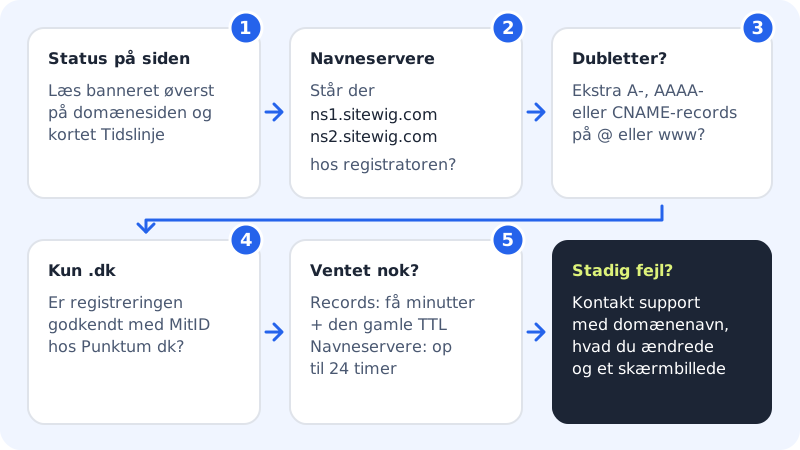
Step 1: Read the status on the domain page
Choose Domains → My domains and click the domain. If there is a banner at the top, it tells you what is missing – see the table below. The Setup card shows the status of Email, Web and SSL, and Timeline shows what happened when.
Step 2: Check the name servers
Under The domain points to, Name servers should show
ns1.sitewig.com, ns2.sitewig.com. If the banner Point the domain to Sitewig is still showing, log in at the provider where the domain is registered and check that only the two name servers are listed – spelled correctly and with no old ones alongside. See Change name servers to Sitewig.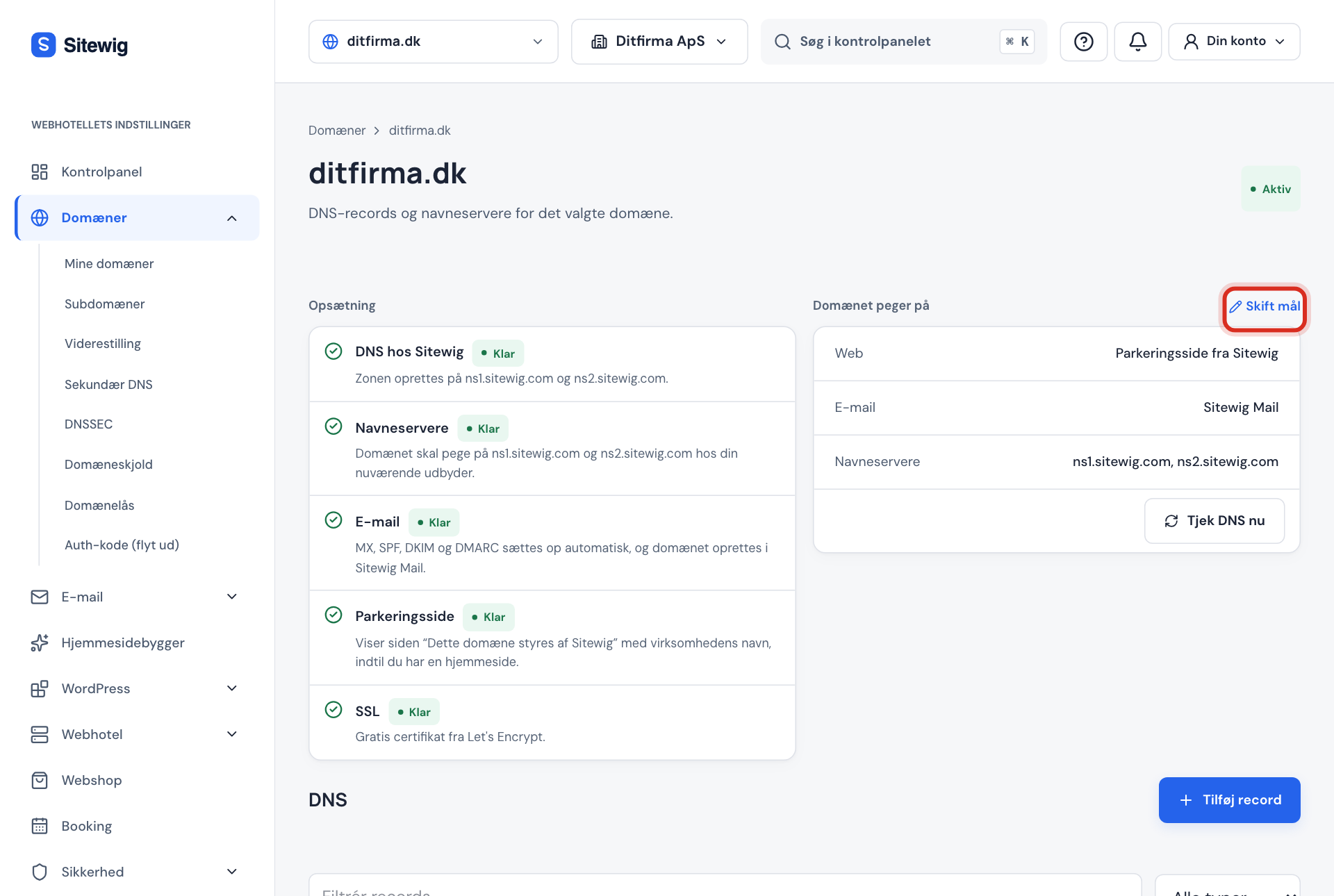
Check the Web, Email and Name servers lines Step 3: Look for duplicates and old records
Scroll down to DNS. If you have created A, AAAA or CNAME records on
@orwwwyourself, or MX records while Sitewig Mail is selected, delete them and use Change target instead. Duplicates give two different answers, so the site or email only works now and then.
Use All types to show, for example, only A or MX records Step 4: .dk only: has the registration been approved?
If it says The domain is awaiting validation, Punktum dk has sent an email to the domain's contact email address. Follow the instructions in the email and approve with MitID. Until then the domain will not work.
Step 5: Have you waited long enough?
Changed records reach Sitewig's name servers after a few minutes, but others may remember the old answer for up to the old TTL (normally 1 hour). Name server changes can take up to 24 hours. See TTL and waiting time.
Banners on the domain page
| Banner | Means | What to do |
|---|---|---|
| Point the domain to Sitewig | The domain is not yet using Sitewig's name servers | Change the name servers at your provider. We check every hour |
| The domain is awaiting validation | The registry (e.g. Punktum dk) is waiting for your approval | Follow the email from the registry |
| We are working on it | A step failed temporarily | Nothing – we automatically try again |
| The domain could not be set up | The setup stopped | Tap Try again. If that does not help, contact support |
| The domain has expired | The domain was not renewed | Restore it with Restore domain if the button is shown |
Common errors and solutions
The website shows a certificate error. Why?
The SSL certificate is issued when the domain points to Sitewig's name servers and the website is hosted with Sitewig. Wait until SSL in the Setup card is green. If the domain points to your own server or another service, it is they who must issue the certificate.
Email is not arriving – what should I check?
Check the Email line under The domain points to. If email should go to Sitewig, it must say Sitewig Mail. If it says No email, the domain rejects all email. If you use another email provider, check the mail servers under Change target. See MX records.
My emails end up in spam. Why?
If you use another email provider, you must create SPF, DKIM and DMARC yourself. If the domain has two SPF records, SPF is invalid. See TXT records.
I cannot save a record – what does Conflict with existing records mean?
The name already has a CNAME, or you are trying to create a CNAME on a name with other records. See CNAME.
Contact support
If you have been through the checks and it still does not work, contact support. Include:
- the domain name,
- what you changed and when,
- what is happening (e.g. an error message or a screenshot of the domain page).