The checklist in the SEO tab looks at one page at a time. SEO check of the whole website goes through all pages at once and shows exactly what needs fixing and where. The check looks at the page that is published, not just the fields in the editor.
What is checked
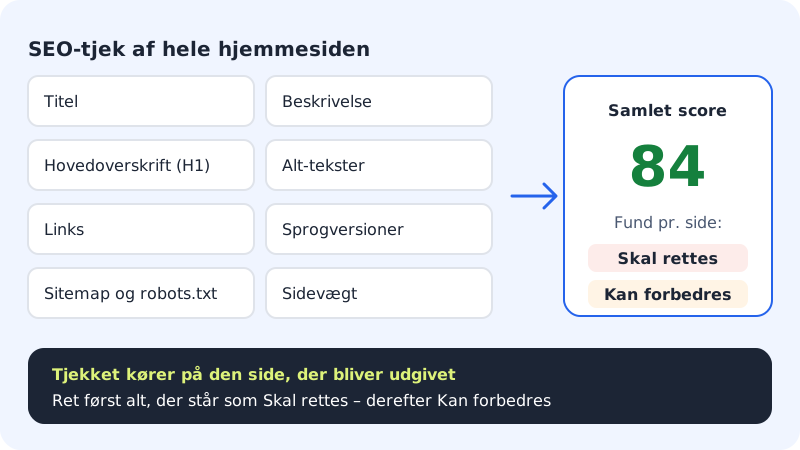
| Area | Examples of findings |
|---|---|
| Title | missing, too short, too long, same title on several pages |
| Description | missing, under 50 or over 160 characters, duplicates |
| Main heading (H1) | none, more than one, empty |
| Alt texts | images without descriptive text |
| Links | links to pages or sections that don't exist, empty links, http:// |
| Language versions (hreflang) | language versions that don't link to each other |
| Sitemap and robots.txt | the page is missing from the sitemap, or robots.txt blocks it |
| Page weight | lots of HTML, many images or heavy embeds |
Run the check and fix the errors
Step 1: Open the SEO tab
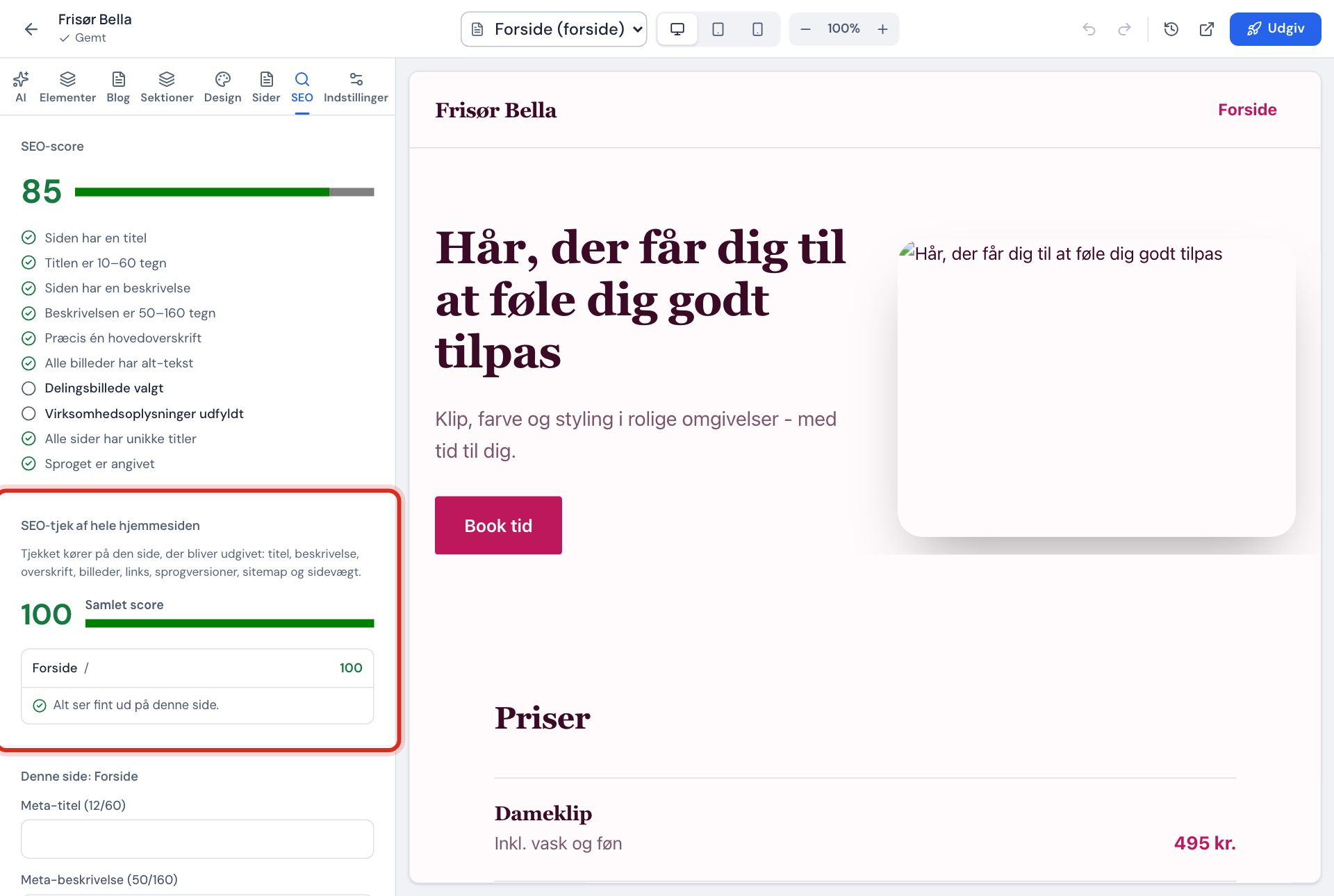
Go to Website builder, press Open editor, and choose the SEO tab. The SEO check of the whole website section is below the SEO score.
Step 2: Read the overall score
At the top you'll see the Overall score. Below it is a list of Pages, each with its findings. If it says Everything looks fine on this page., the page is in good shape.
Step 3: Fix the most important first
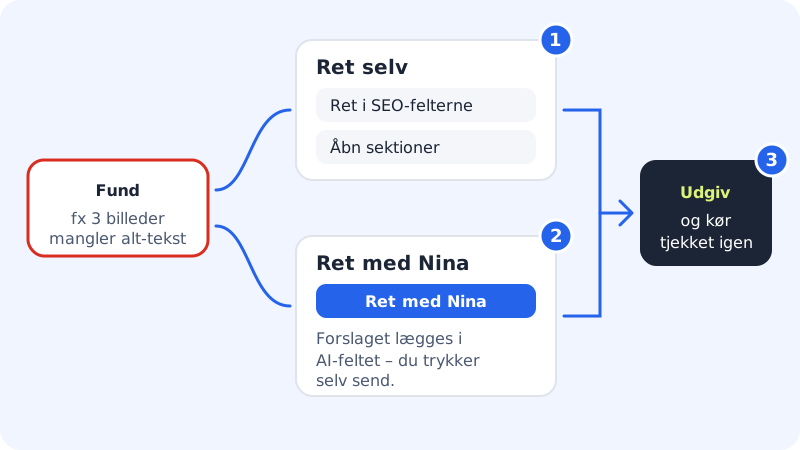
Each finding is marked Must fix or Can be improved. Start with Must fix – these are errors that can harm your visibility.
Step 4: Fix it yourself
Each finding has a button that takes you to the right place: Fix in the SEO fields, Open sections, Open language versions or Open settings.
Step 5: Or fix it with NinaAI
For findings that NinaAI can solve (for example missing alt texts, several main headings or broken links), you'll see the Fix with NinaAI button. The suggestion is placed in the AI field. You read it and press send yourself. Nothing is changed until you do.
Two ways to fix a finding Step 6: Publish and check again
Press Publish. The check runs on the published version, so findings only disappear once the fixes have been published.
Get title and description suggestions with SEO with NinaAI
If you have the SEO with NinaAI section in the SEO tab, NinaAI can suggest texts based on the search terms your customers use:
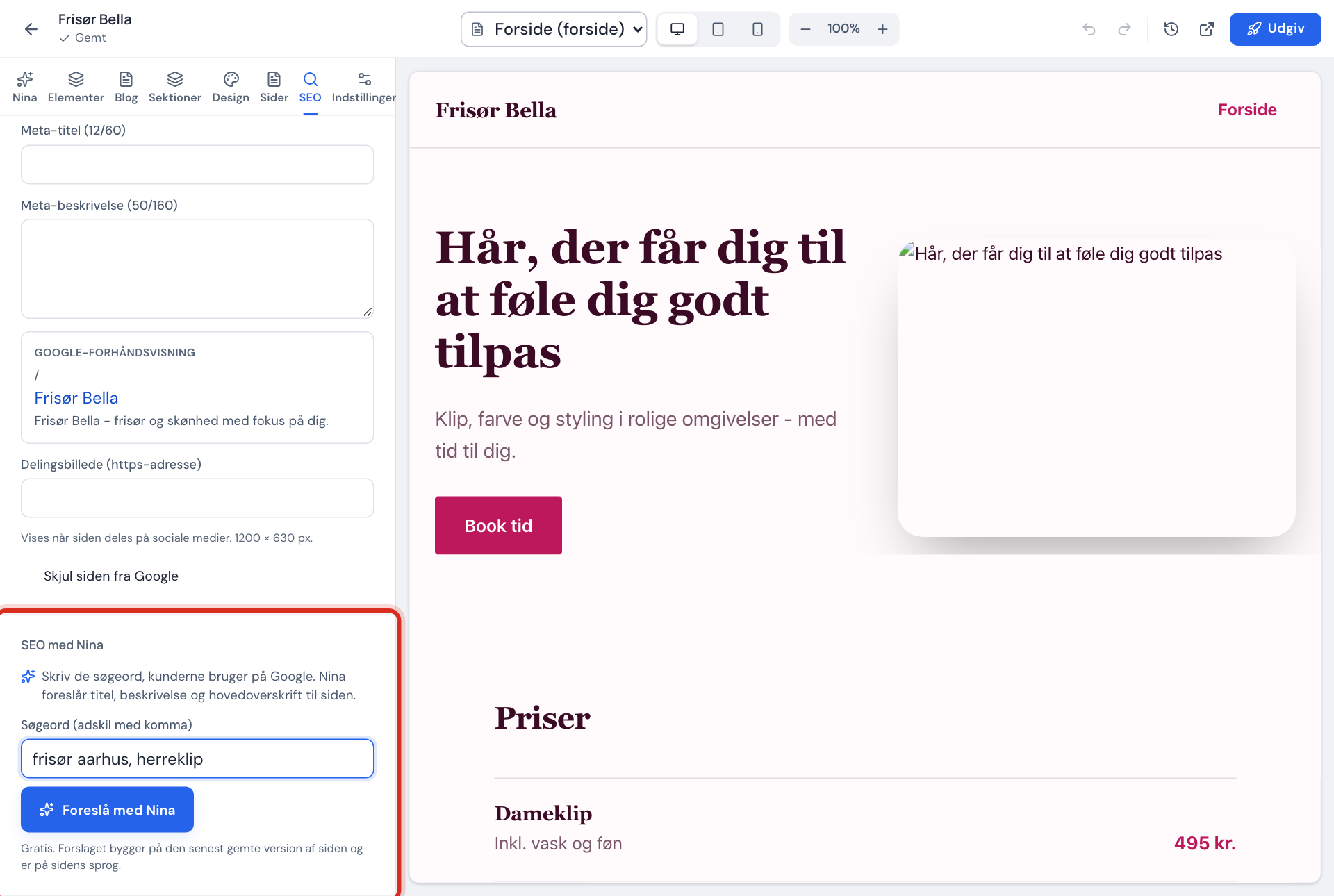
- Choose the page in the page selector.
- Enter keywords in the Keywords (separate with commas) field, e.g.
plumber manchester, new boiler. - Press Suggest with NinaAI. You get suggestions for Meta title, Meta description and Main heading (H1), and you can see which keywords each suggestion contains.
- Press Use next to the suggestion you want, or Use all. Remember to publish.
The suggestions are based on the most recently saved version of the page and have a daily limit.
Frequently asked questions
Why can't I fix everything with NinaAI?
NinaAI can only change content on the page itself. Titles, descriptions, translations and the footer you fix yourself using the buttons next to the finding.
The finding is still there even though I've fixed it?
The check looks at the published page. Press Publish, and look at the list again.
Is "Can be improved" a problem?
Not necessarily. These are tips that can make the page better, for example fewer images to make it faster.