Most people only need A, CNAME, MX and TXT records. This guide is for when you need to set up a service that requires more. All the types are created with Add record in the DNS section on the domain page – see Add, edit and delete DNS records.
SRV: tell applications where a service runs
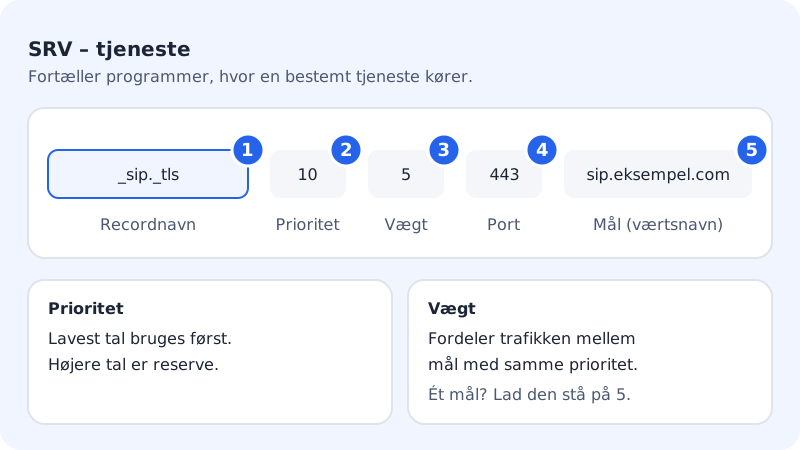
SRV records are used by things like IP telephony (SIP), chat and Microsoft Teams/Skype for Business to find the right server and port.
Step 1: Choose the SRV type
Tap Add record and choose Type SRV: service.
Step 2: Enter the name as _service._protocol
Record name must have the form
_service._protocol, e.g._sip._tlsor_sipfederationtls._tcp. The protocol is_tcp,_udpor_tls.Step 3: Fill in Priority, Weight, Port and Target
Priority is 10 and Weight 5 by default. Enter the Port and the host name in Target (host name) – everything comes from the service's guide.
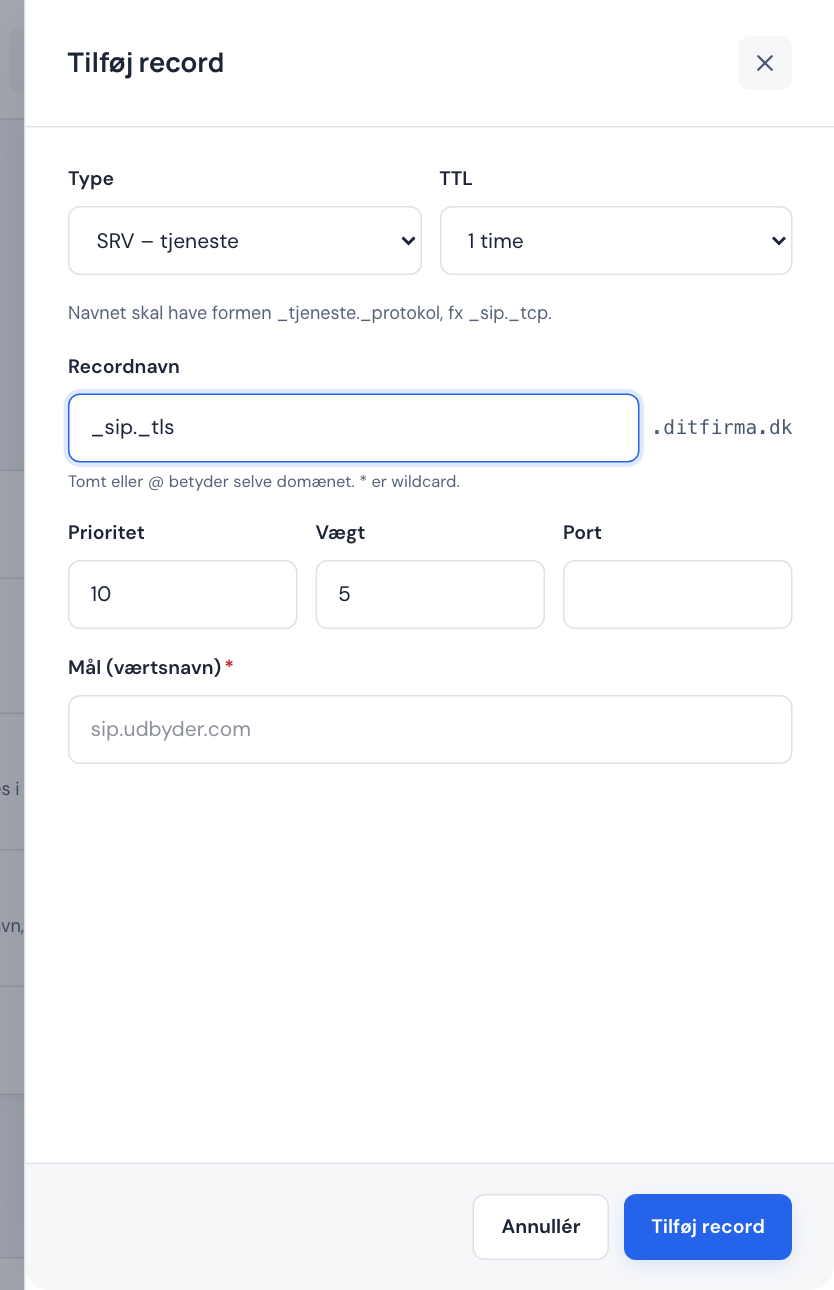
SRV record in the Add record panel Step 4: Save
Tap Add record.
Example: SRV for a SIP service
- Record name
_sip._tls- Priority
100- Weight
1- Port
443- Target (host name)
sip.example.com
CAA: who may issue SSL certificates?
A CAA record restricts which certificate issuers (CAs) may create SSL certificates for your domain.
- Website with Sitewig: Sitewig creates CAA records itself, so that only Let's Encrypt may issue certificates and no one may issue wildcard certificates.
- Website on your own server or with another service (Own server under Change target): Sitewig removes its CAA, so your server or service is free to choose the issuer.
If you want to add a CAA yourself, choose CAA: certificate issuers and fill in Tag and Flag:
| Field | Options |
|---|---|
| Tag | issue (ordinary certificates), issuewild (wildcard) or iodef (where errors should be reported) |
| Flag | 0 (normal) or 128 (critical) |
| Issuer / value | E.g. letsencrypt.org, without quotation marks. For iodef, a mailto: or https:// address |
NS: delegate a subdomain
With NS records you can let another provider manage DNS for a subdomain, e.g. dev.yourcompany.com, while the rest of the domain stays with Sitewig.
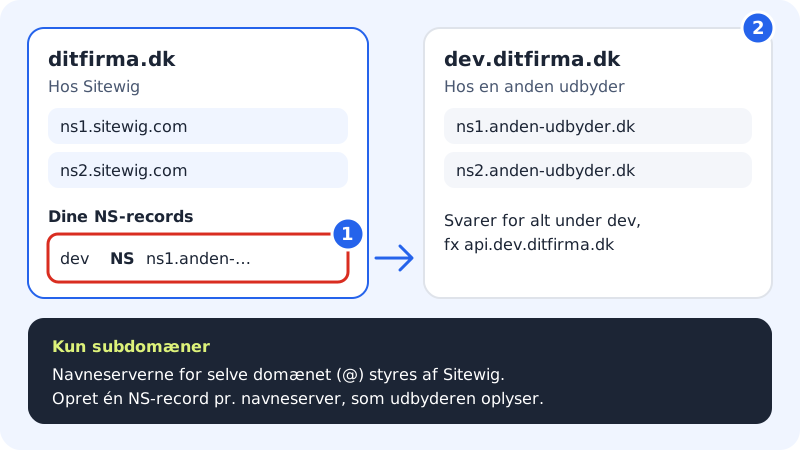
- Tap Add record and choose NS: delegate subdomain.
- Enter the subdomain in Record name, e.g.
dev, and the first name server in Name server. - Tap Add record and repeat for each name server the provider has given you.
The panel shows a warning when you choose NS – check the values. NS cannot be used on the domain itself: The domain's own name servers are managed by Sitewig. Enter a subdomain. If you want to move the whole domain's DNS, see Own name servers, secondary DNS and DNSSEC.
DS, TLSA and SSHFP (for technical users)
| Type | Used for | Format |
|---|---|---|
| DS | DNSSEC for a subdomain you have delegated | keytag algorithm 2|4 hex, not on @ (use the DNSSEC page) |
| TLSA | DANE: binds a certificate to a service | Name such as _25._tcp.mail, value usage selector matching hex |
| SSHFP | SSH key fingerprints | algorithm 1|2 hex |
Frequently asked questions
Why do I get the error The name must have the form _service._protocol?
The SRV name must start with an underscore and include the protocol, e.g. _sip._tcp. Do not include the domain.
Can I create a CNAME instead of NS for a subdomain?
They are two different things. A CNAME makes one name an alias. NS gives another provider responsibility for the whole subdomain and everything beneath it.