If you need a little more AI this month, you can buy the +100 AI edits add-on. It is a one-off purchase, no subscription is started, and your plan stays the same.
The +100 AI edits add-on
- Contents
- +100 AI edits with NinaAI
- Price
- shown in your currency before you pay
- Payment
- One-off purchase via Stripe, no subscription
- Validity
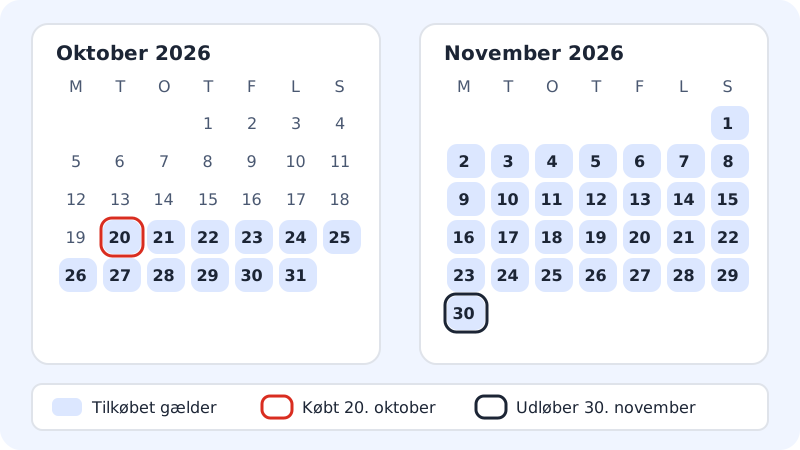
- The rest of the month you buy in, and all of the following month
- Does not apply to
- AYAAI (AYAAI uses Energy and is only included in Max), AI replies in webmail
How to buy
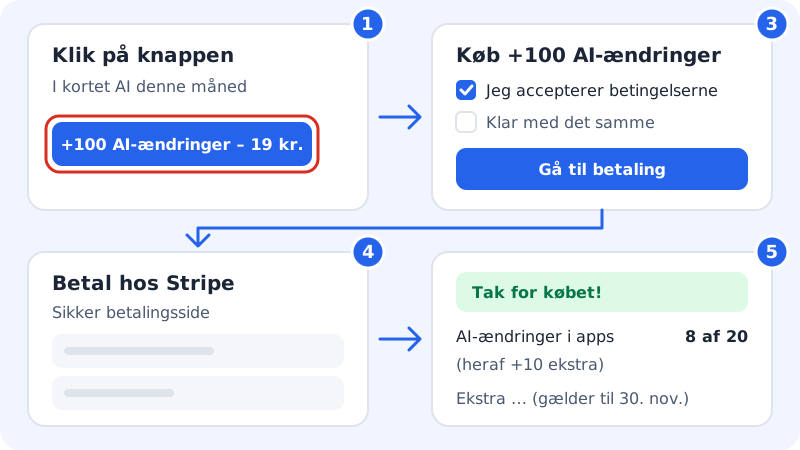
Step 1: Click the button
Open the app builder (
/apps) and click +100 AI edits at the bottom of the AI this month card. You will find the same button in the red banner and in the box above the chat field when a limit is reached. If you have received a link from NinaAI in the website builder, it also leads here.Step 2: Read what is included
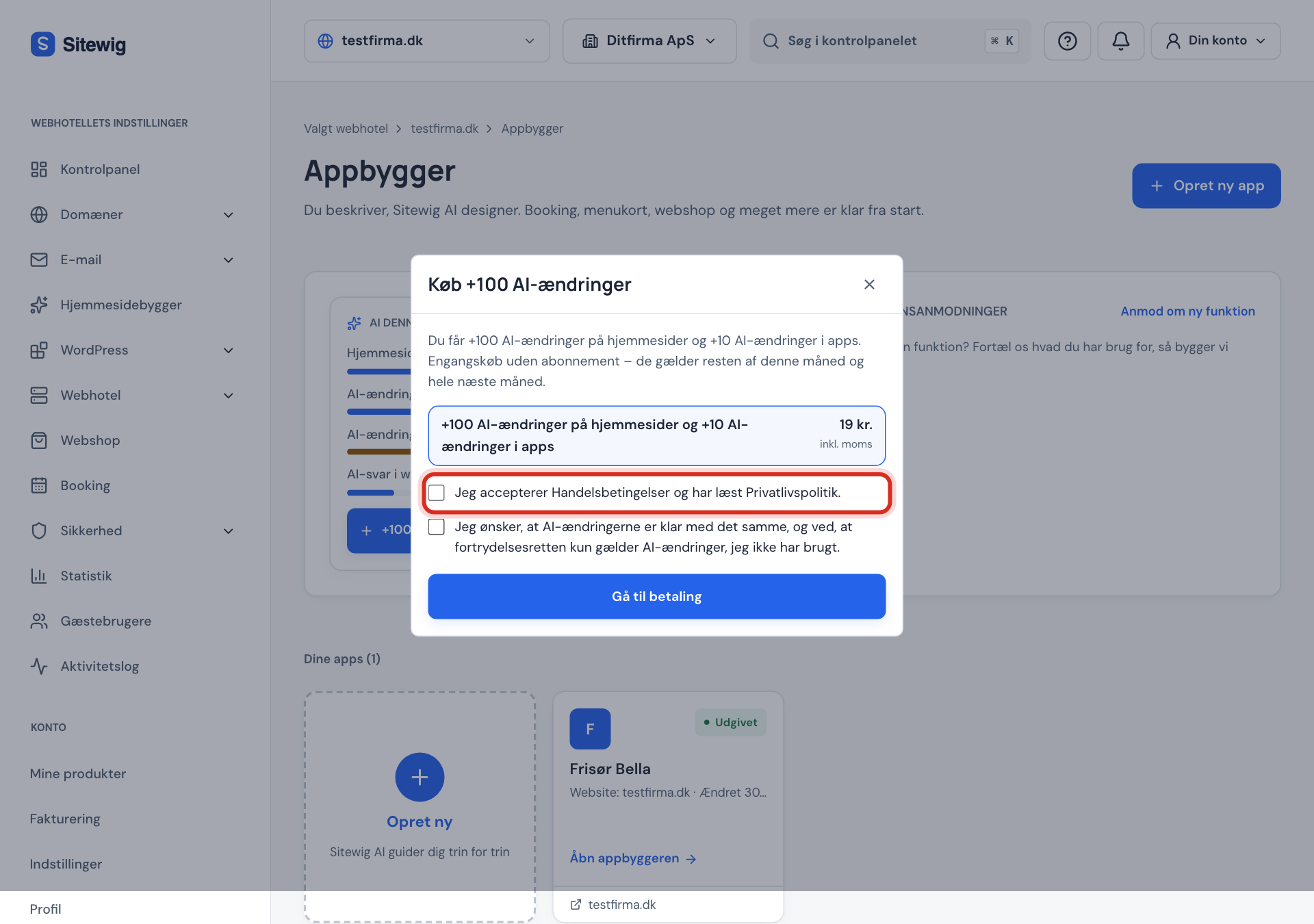
The Buy +100 AI edits window shows what you get and the total price. The price is fetched directly from Sitewig, so it always matches your country and your VAT status.
Step 3: Tick the boxes
Tick the box to say that you accept the terms and have read the privacy policy: this is required. If you want to be able to use the AI edits straight away, also tick the box I want the AI edits to be available immediately ….
Step 4: Go to payment
Click Go to payment. You are sent to Stripe, where you complete the payment.
Step 5: Back in the control panel
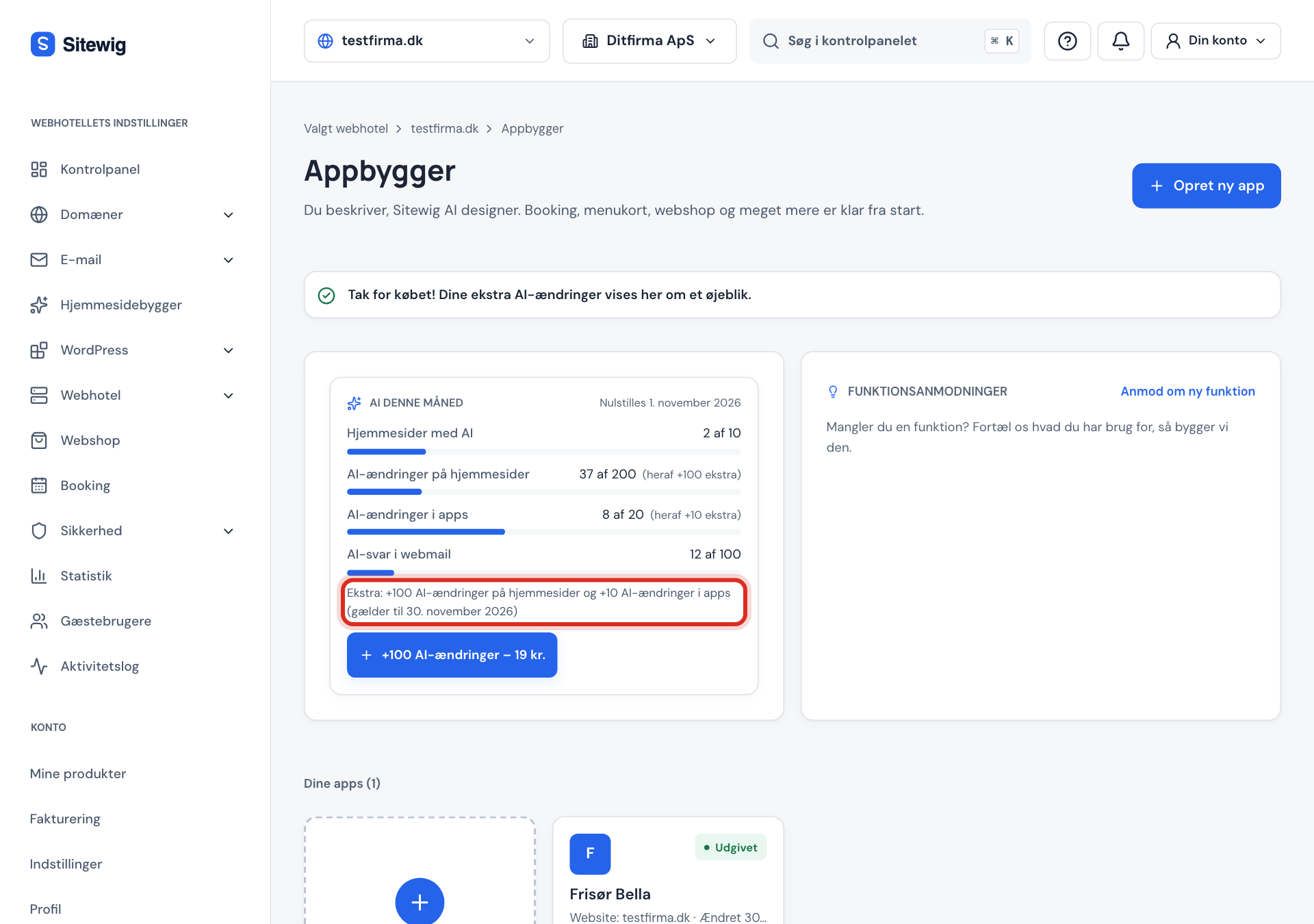
When the payment is complete, you return to the app builder and see the message Your purchase is complete. Your extra AI edits will appear here in a moment. After a few seconds the line Extra: … (valid until …) appears in the card, and the rows that have been raised show (incl. +100 extra).
If you cannot buy
- The button is not shown: If it says AI is paused, the add-on cannot help, and the button is hidden. Wait until the 1st, or upgrade your plan.
- Buying extra AI edits opens soon. The sale of the add-on has not opened for your account yet. You can upgrade your plan instead.
- Payment could not be started. Try again. Something went wrong before you reached Stripe. Try again in a little while. If it keeps happening, contact support.
Right of withdrawal
You have a 14-day right of withdrawal. If you have asked for the AI edits to be available immediately, the right of withdrawal only applies to the AI edits you have not used.
Frequently asked questions
Can I buy more than one add-on in the same month?
Yes. Each purchase adds 100 AI edits with NinaAI on top of your limits, and each purchase has its own expiry date.
What happens to unused extra AI edits?
They expire at the end of the month after the month of purchase. The date is shown in the line Extra: … (valid until …).
Does the add-on apply to the whole web hosting account?
Yes. Like the limits in the plan, the add-on belongs to the web hosting account, so everyone who works on it can use it.