The Design tab changes the look of the whole website at once – all pages and sections follow. You can experiment: changes show straight away in the preview, and you can always undo.
Change the design
Step 1: Open the Design tab
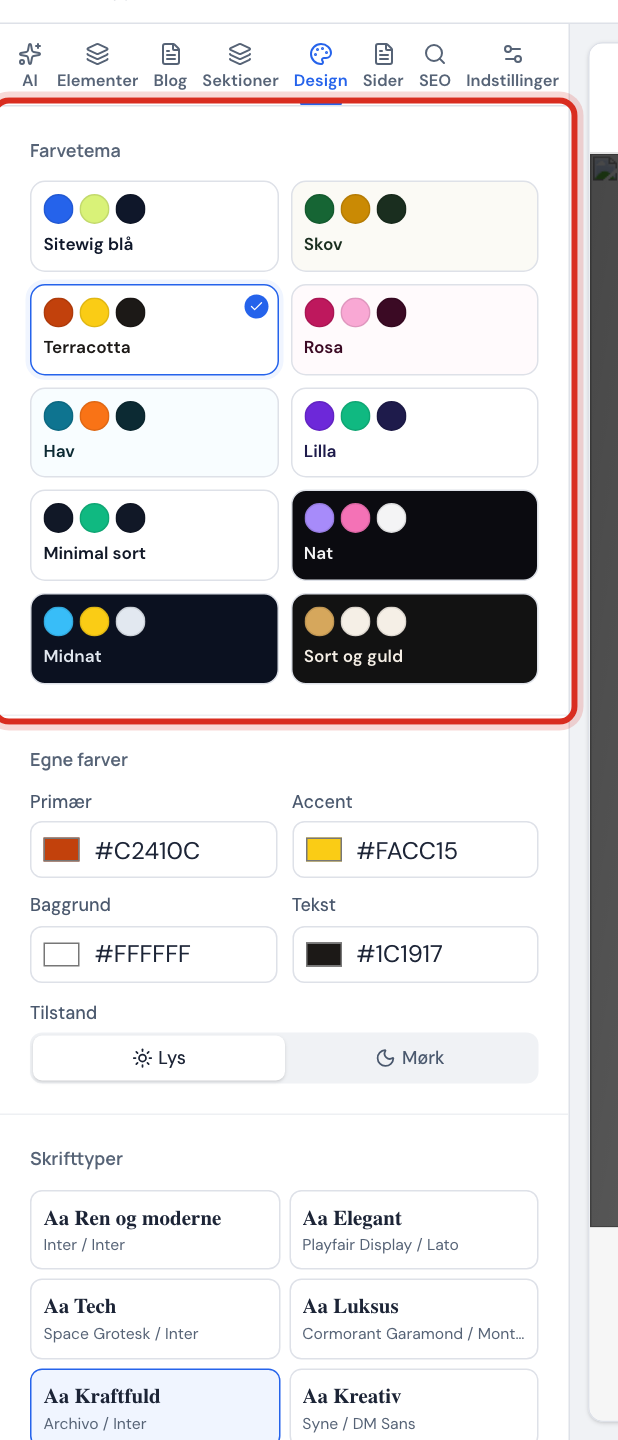
Open the website in the editor and click the Design tab in the side panel.
The Design tab Step 2: Choose a colour theme
Under Colour theme, click one of the ready-made themes, e.g. Sitewig blue, Forest, Terracotta, Ocean or the dark Night, Midnight and Black and gold. The selected theme gets a tick.
Step 3: Or choose your own colours
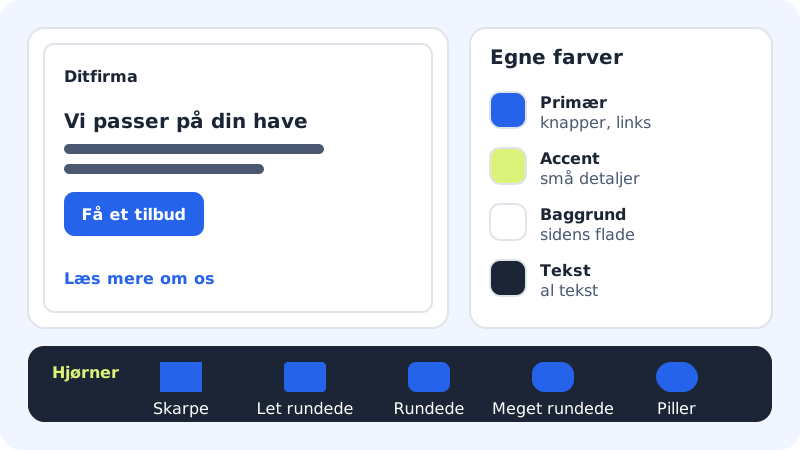
Under Your own colours you set four colours: Primary (buttons, links and highlighted areas), Accent (small details), Background and Text. Click the colour field to choose one, or type a colour code such as
#2563EB, e.g. from your logo.Step 4: Choose light or dark mode
Under Mode, choose Light or Dark. If the background and text colours don't suit the new mode, the editor changes them too.
Step 5: Choose fonts
Under Fonts, click a ready-made pair: Clean and modern, Elegant, Tech, Luxury, Bold, Creative, Editorial or Friendly. You can also choose the font for Headings and Body text separately.
Step 6: Choose corners
Under Corners you decide how rounded buttons, images and cards should be, from Sharp to Pill.
Let the AI suggest a new look
In the AI tab you can write, for example, Give the site a more modern and exclusive look. The AI makes a suggestion directly in the draft, and you can click Undo under the reply if you don't like it. It counts as one AI edit.
Frequently asked questions
Can I upload my own font?
No. You choose from the fonts in the list. They have been selected to look good on screen and be easy to read.
Can one page have different colours from the rest?
No, colours and fonts apply to the whole website. It gives a consistent look.
Can I get my old colours back?
Yes. Press Cmd+Z / Ctrl+Z, or restore an earlier version under Version history.
When do visitors see the new design?
When you click Publish again. Until then, the changes are only in the draft.