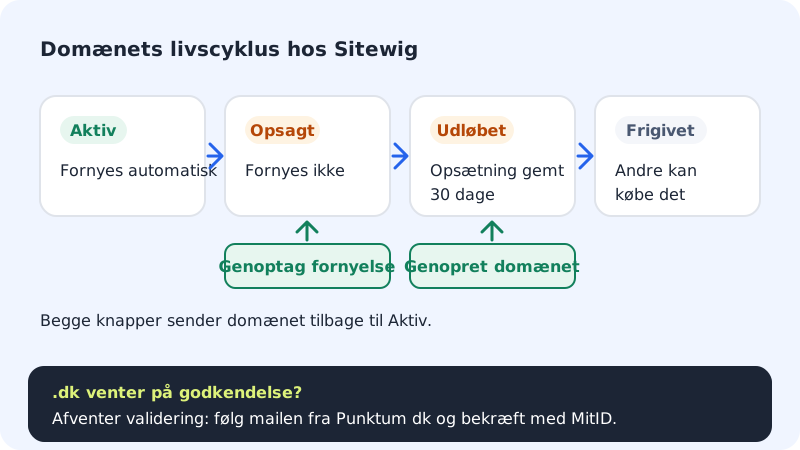
If your website and email stop at the same time, it's rarely two faults. Most often it's the domain that is no longer active: it has expired, renewal has been cancelled, or a new .dk domain is waiting for the owner to approve it.
See the domain's status
Go to Domains → My domains and click the domain. The badge next to the domain name and the box at the top of the page tell you what is wrong.
Step 1: Expired: Restore the domain
If it says The domain has expired, the domain wasn't renewed. The setup is kept for 30 days, after which the domain is released. As long as it can be restored, you'll see the Restore domain box. Press the Restore domain button. The domain is then renewed automatically and billed as a renewal.
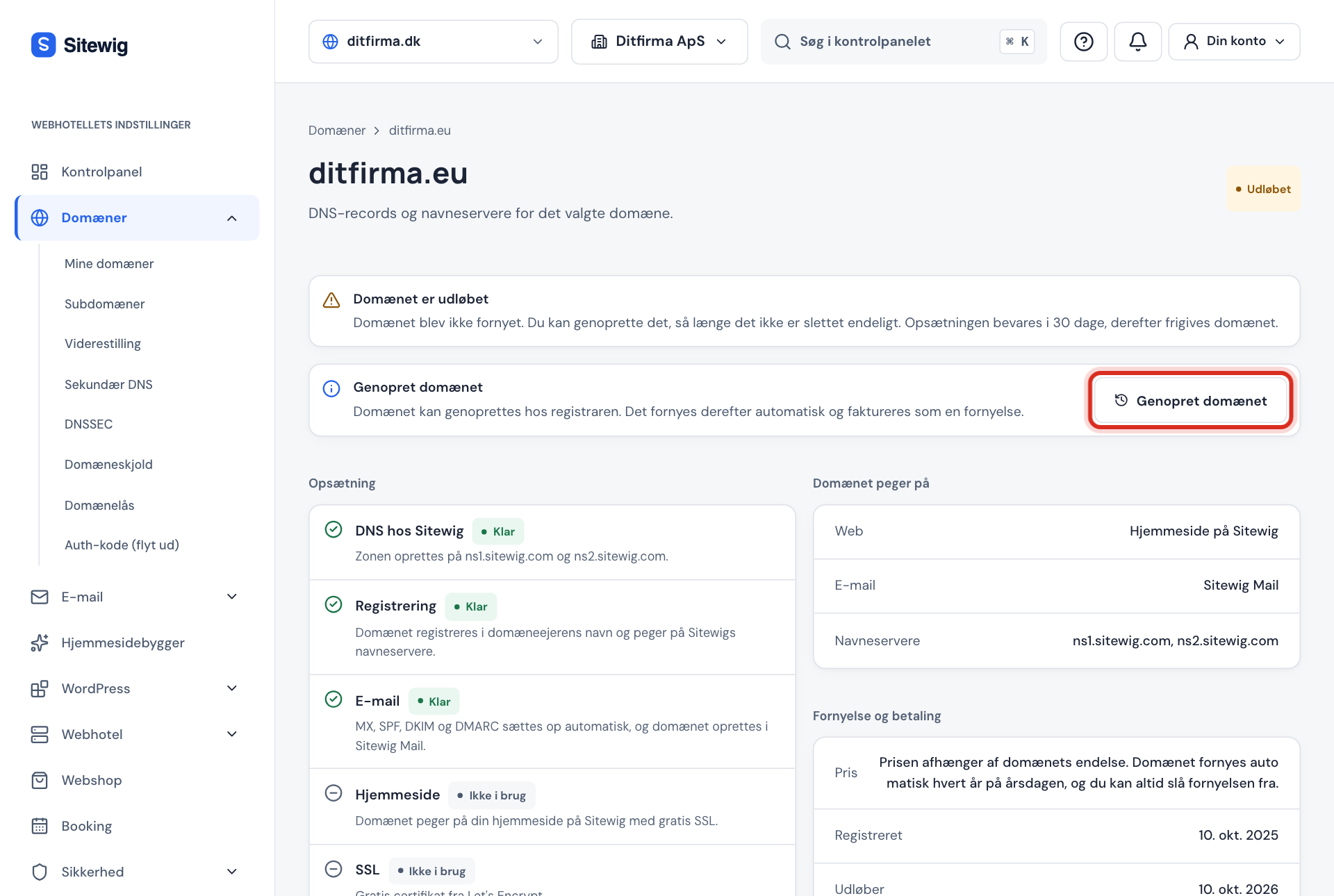
Restore the domain before it's released Step 2: Cancelled: Resume renewal
Under Renewal and payment it says Cancelled – will not renew if renewal has been turned off. Press Resume renewal before the expiry date and the domain carries on as normal, and it says Renews automatically again.
Step 3: Awaiting validation: Approve at Punktum dk
New
.dkdomains must be approved by the owner. If it says The domain is awaiting validation, Punktum dk has sent an email to the domain's contact email address. Follow the link in the email and confirm with MitID. You don't need to do anything more in the control panel – the domain is activated automatically once it has been approved. Read more in .dk domains, Punktum dk and MitID (in Danish).Step 4: Check the payment
Are renewals and subscriptions going through without problems? Go to Billing and see whether there's an unpaid invoice or an expired payment card. See Failed payment.
Other statuses
| Status | Means | What to do |
|---|---|---|
| Awaiting name servers | The domain doesn't point to Sitewig yet | I have changed DNS, but nothing has happened |
| Error | A step in the setup failed | Press Try again if the button is shown, otherwise contact support |
| Active | The domain is fine | The fault is elsewhere – see the checklist |
Frequently asked questions
What does it cost to renew a domain?
Sitewig renews domains at cost price with no mark-up. A .dk domain currently costs €9.83/yr incl. VAT to renew. See Domain prices and renewal for other endings.
Will I be notified before the domain expires?
Domains at Sitewig are renewed automatically as long as renewal hasn't been cancelled and the payment goes through. Keep an eye out for emails about failed payments, and keep your payment card up to date.
Do I lose my emails when the domain expires?
While the domain has expired, no new mail gets through, and senders may have their emails returned. Restore the domain as soon as possible, and contact support if you're unsure about your mailboxes.