When you can receive but not send, the connection to the server and your password are usually fine. The problem is almost always in the settings for the outgoing server (SMTP).
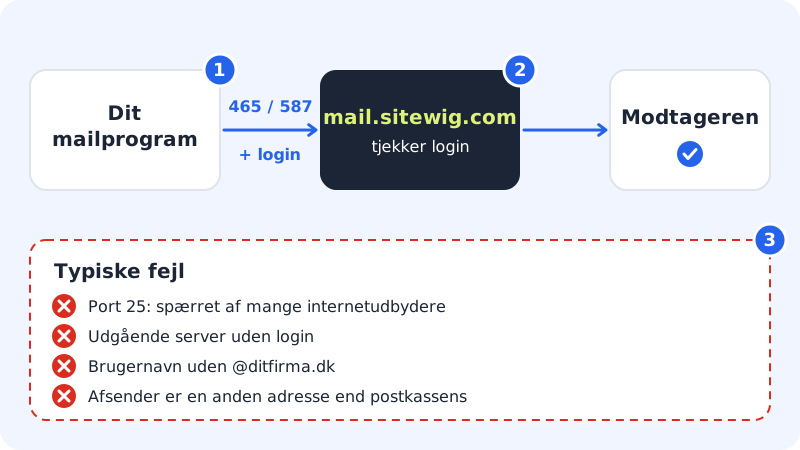
The correct values
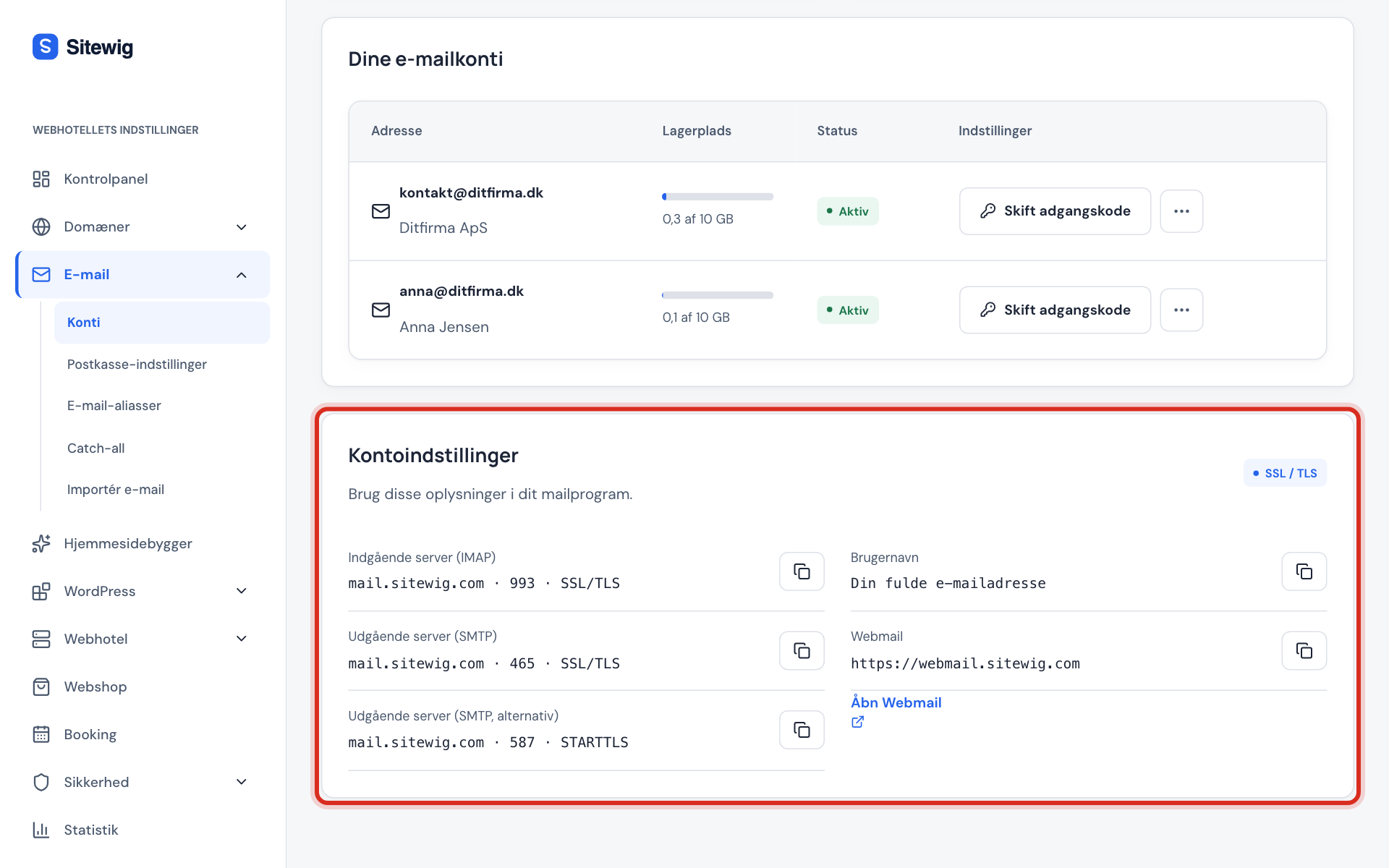
Outgoing server (SMTP)
- Server
mail.sitewig.com- Port
465with SSL/TLS – or587with STARTTLS- Authentication
- Yes, require login
- User name
- Your full email address
- Password
- The mailbox password – the same as for incoming
Go through the causes
Step 1: Turn on login for the outgoing server
Sitewig only sends email for you when the program logs in. Find the setting called something like Outgoing server requires authentication, Require login or Use same settings as incoming server, and turn it on. The user name is the full email address.
Step 2: Use port 465 or 587 – not 25
Port
465with SSL/TLS is the standard. If it does not work, try port587with STARTTLS. Port25is meant for traffic between mail servers, and many internet providers block it for ordinary customers – do not use it in your email program.Step 3: Check that port and security match
465goes with SSL/TLS, and587goes with STARTTLS. A wrong combination typically gives a timeout. See the correct pairs.Step 4: Try a different network
Some company, school and hotel networks block outgoing email. Try sending via mobile data or your home network. If it works there, the network is blocking it – use port
587, or ask the network administrator.Step 5: Check the sender address
Send from the mailbox's own address. If you have set the program to send with a different sender address than the one you log in with, the server may reject the message.
The message arrives, but in spam?
That is a different problem: the message has been sent, but the recipient's server does not fully trust it. The most common cause is that the domain's DNS is missing Sitewig's SPF and DKIM records. If your domain uses Sitewig's name servers, they are created automatically when email is set up for Sitewig Mail. If DNS is with another provider, the records must be created there. See My emails end up in the recipient's spam.
Frequently asked questions
The error says "relay access denied" or "authentication required". What does that mean?
That the program does not log in before sending. Turn on authentication for the outgoing server, and use the full email address and the mailbox password.
The message is stuck in the outbox and keeps retrying. What do I do?
Correct the settings as described above, and send the message again. If that does not help, delete it from the outbox and write it again – some programs remember the old settings for messages that are already queued.
Can I send from an alias?
That depends on your email program. Many programs let you add an extra sender address to the same account. If the message is rejected, send from the mailbox's own address.