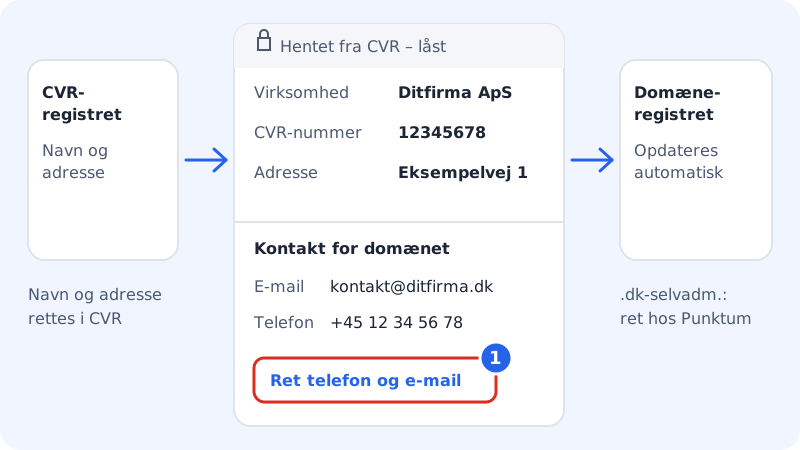
The person listed as the registrant is the legal owner of the domain. At Sitewig this is always the domain owner on the customer account, not Sitewig. For Danish businesses we fetch the name and address directly from the CVR register, so the domain is correct from the start.
Where do I see the domain owner?
- When you order: the Registered in the company's name section shows the owner before you pay.
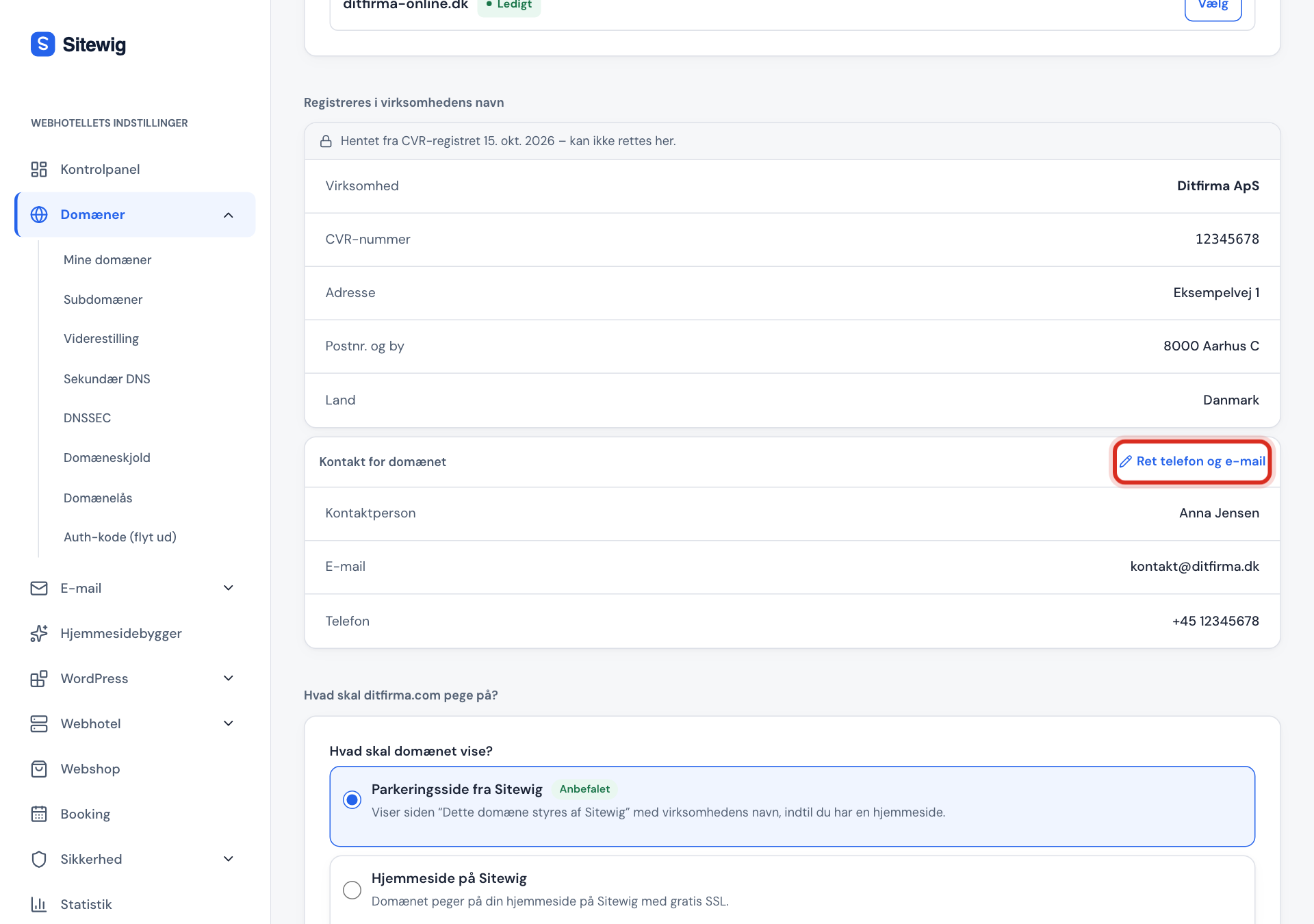
- On a domain you already have: open the domain under Domains → My domains and scroll down to Domain owner (registrant). The section is shown for domains that have been bought or moved to Sitewig.
The card has two parts:
| Part | Fields | Can it be changed? |
|---|---|---|
| The owner | Company (or Name), CVR number, Address, Postcode and town, Country | No, not here. Data from the CVR register is locked. |
| Contact for the domain | Contact person, Email, Phone | Yes, email and phone. |
Correct the contact's email and phone
The contact email is important: it's where the registry sends messages about the domain, e.g. when Punktum dk needs to approve a new .dk domain, or when you ask for an auth code.
Step 1: Click Edit phone and email
Click Edit phone and email in the Contact for the domain card.
Step 2: Enter the new details
Fill in Contact email and Contact phone. Enter the phone number in international format, e.g.
+45 12345678.Step 3: Save
Click Save. You'll see the message The contact has been saved, and Sitewig updates the domain registry automatically.
The name or address is wrong
- Danish business with a CVR number: correct the details in the CVR register (e.g. via virk.dk). Sitewig checks CVR again once a day and passes changes on to the domain registry automatically.
- Private individual or foreign business: the name and address come from your customer details. Correct them under Settings → Domain owner and customer details. New domains use the new details.
What you can't do yet
- Change the owner of an existing domain (transfer of ownership to another person or business) can't be done in the control panel yet. If you change the legal owner in the customer details, existing domains still show the previous owner's name. Contact Sitewig if a domain needs to change owner. If it's a self-managed .dk domain, the change of ownership happens at Punktum dk.
- Correct the name and address directly on the domain. They always follow the CVR register or the customer details.
Frequently asked questions
Can I own a domain as a private individual?
Yes. If the customer account was created as a Private individual, the domain is registered in your name with the address from your customer details. For .dk domains, Punktum dk may ask you to confirm your identity with MitID.
Why does it say "The domain owner's details could not be verified"?
Sitewig couldn't find the business as active in the CVR register. Without an active CVR number, you can't order domains for the business. Check the CVR number under Settings.
What happens if the business closes?
Sitewig detects this in the daily CVR check and adds a warning to the domain's timeline. The domain isn't deleted automatically, but you should move it to a new owner or cancel it.