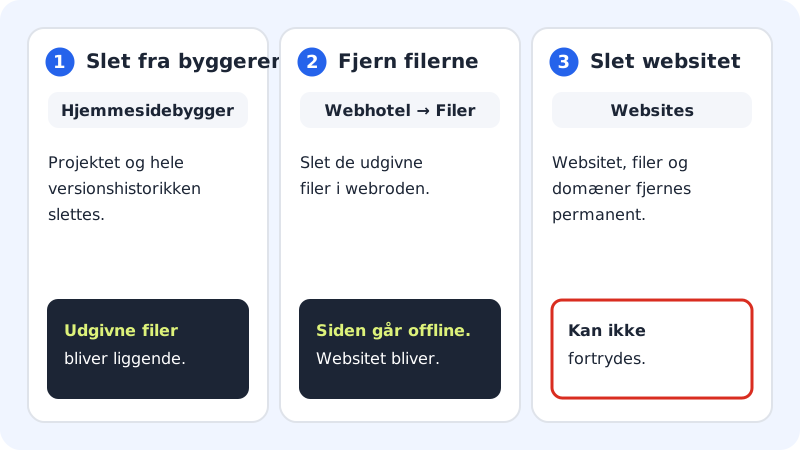
There's a difference between starting over, deleting the website from the builder and taking it offline. Read the overview before you delete anything, especially if the website has already been published.
Start over in the same website
If you just want a completely new draft, you don't need to delete anything:
- Open the website in the editor and click the AI tab.
- If you like, write a new description of the business in the field What do you want to change?.
- Click Start over, and confirm in the Rebuild the whole website? window.
The AI creates a new website. Your current texts and pages are replaced, but you can undo afterwards or restore the old version from Version history. It counts as one AI website in the month's AI limit.
Delete the website from the builder
Step 1: Open Website builder
Choose Website builder in the menu. Find the website under Your websites.
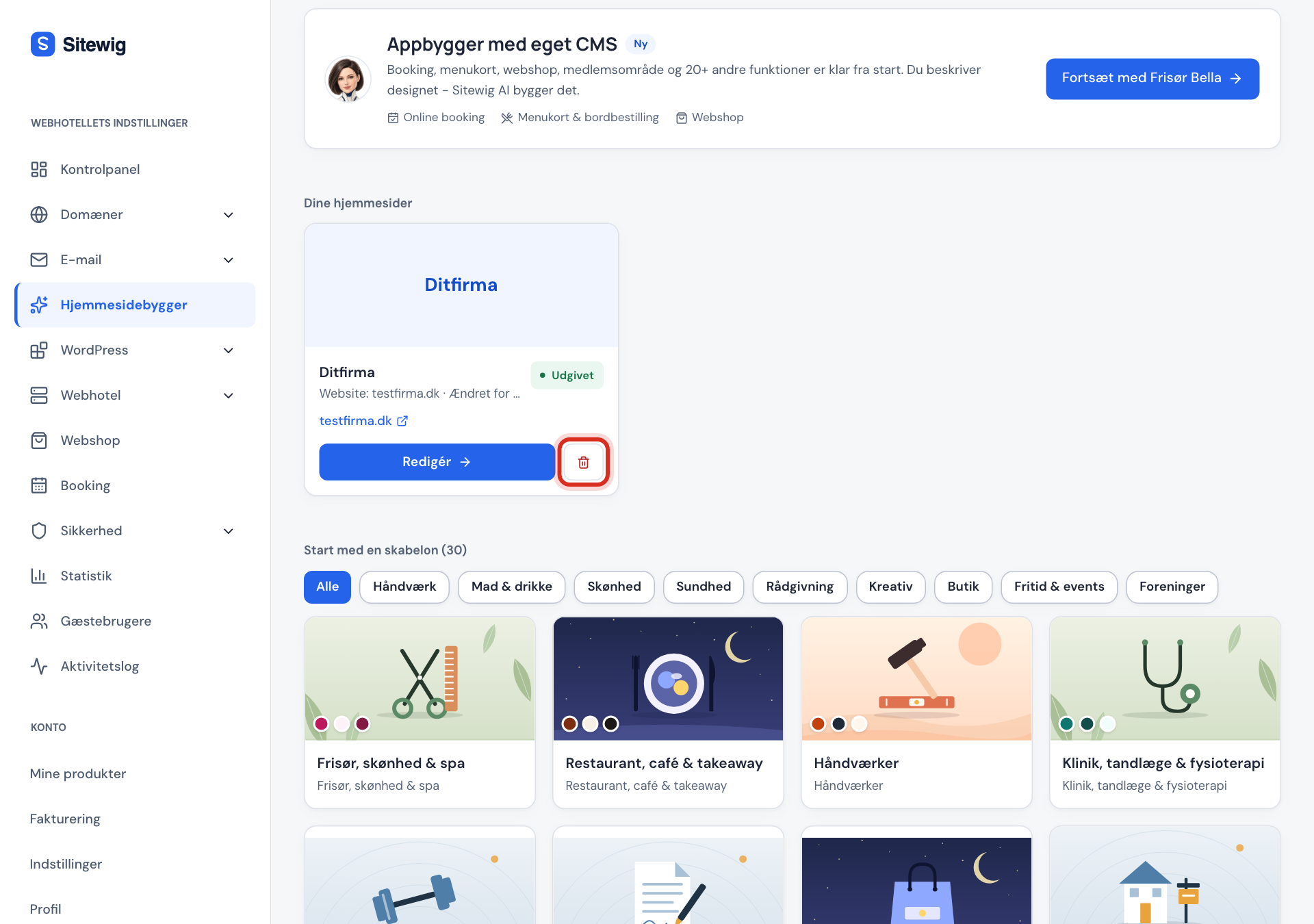
The bin deletes the website from the builder Step 2: Click the bin
Click the bin (Delete from the builder) next to the Edit button.
Step 3: Confirm
In the Delete website from the builder? window, click Delete. The project and the whole version history are deleted, and you see the message The website has been deleted from the builder.
Take the website offline
If you want the website off the internet, you have two options:
- Remove the files: open Web hosting → Files, go to the site's web root and delete the published files. The site and the domain stay, so you can upload something new.
- Delete the site: open the site under WordPress → Overview (the Websites page) and choose Delete site. The site, all its files and linked domains are permanently removed. This can't be undone. The main site (main) can't be deleted.
Frequently asked questions
Can I get a deleted website back?
No. Once the project has been deleted from the builder, the version history is gone too. If the website has been published, though, the files are still on the site.
Can I build a new website on the same site?
Yes. Create a new website with AI or a template and choose the same site. When you publish, the new website replaces the old files.
Are my domain or email deleted when I delete the website from the builder?
No. Domains and email are managed elsewhere and aren't affected.