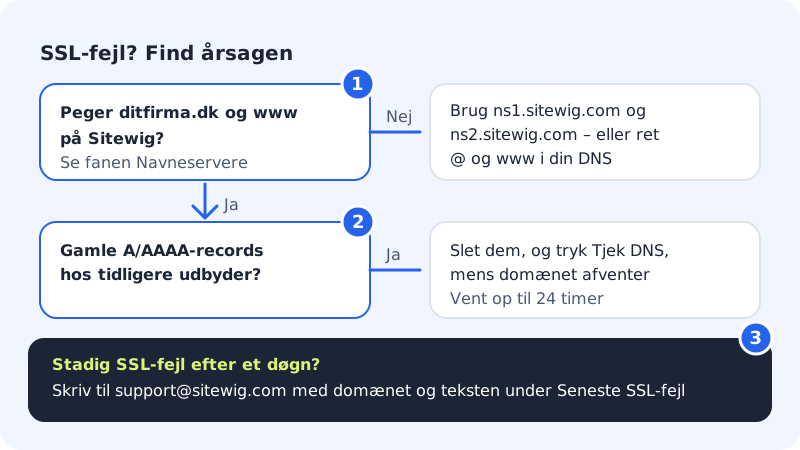
An SSL certificate from Let's Encrypt can only be issued when Let's Encrypt can reach your website on Sitewig's servers via the domain. Almost all errors are therefore caused by the domain – or www – still pointing somewhere else. Follow the steps below in order.
How to find the error
Step 1: See the status and error message
Go to Domains and choose the domain. Look at the SSL row in the Setup list. If it shows Error and the setup has stalled, we also show a box at the top of the page with the message we got the last time we tried to issue the certificate.
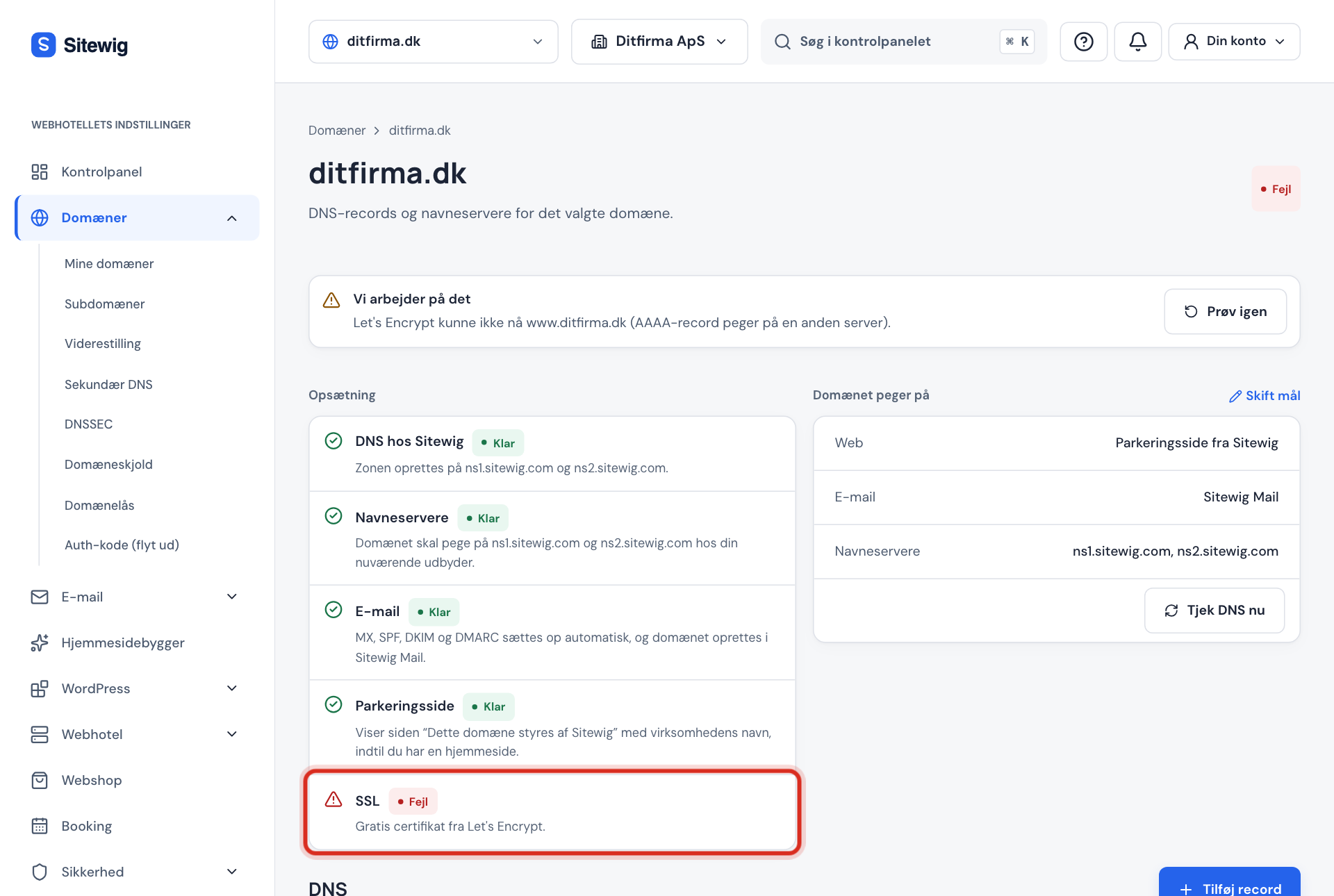
The error message at the top of the domain page tells you what went wrong Step 2: Check where the domain points
Look at the Name servers row in the Setup list. If it shows Ready, the domain uses
ns1.sitewig.comandns2.sitewig.com, which means we manage DNS and the records are set up correctly by themselves. If it shows Pending, the domain doesn't point to us yet. If you use another DNS provider, both the domain itself (@) andwwwmust point to the addresses the control panel shows for the domain.Step 3: Remove old records
If you previously had the website with another provider, delete old A and especially AAAA (IPv6) records that still point to the old server. A forgotten AAAA record is a classic reason why Let's Encrypt can't verify the domain.
Step 4: Let us try again
We check the domain again ourselves at regular intervals, so you don't need to do anything. If there's an error box at the top of the domain page with the Try again button, you can press it once you've fixed DNS, and we'll try straight away.
Step 5: Give DNS time
If you've just changed name servers or records, it can take up to 24 hours before the change has taken effect everywhere. For
.dkdomains, the owner must also approve a name server change with MitID at Punktum dk, otherwise the change doesn't take effect.
Where you're notified
If issuing fails, the control panel's home page shows a warning that SSL for your domain couldn't be issued, with a link to Security. The SSL per domain card on the Security page shows the status of all your domains.
Nothing helping?
Write to us at support@sitewig.com and tell us which domain it concerns and what the error message at the top of the domain page says. Then we'll take a look.
Frequently asked questions
My site says "not secure", but SSL shows as active – what's wrong?
Then the certificate is fine, and the problem is typically mixed content: images or scripts loaded over http://. See Are visitors sent to https automatically?.
Can I use a proxy or CDN service in front of my site?
Yes, but then Let's Encrypt can't always reach our server directly. Turn the proxy off while the certificate is being issued, or let the domain point directly to Sitewig.
Does SSL work only on the domain, but not on www?
Then www probably points somewhere else. Create or fix the www record so that it points to Sitewig. If the domain uses Sitewig's name servers, we set up www ourselves.