Sitewig has built-in statistics that show how many people visit your website, where they come from and which pages they view. They use no cookies and store no IP addresses.
View your visitor numbers
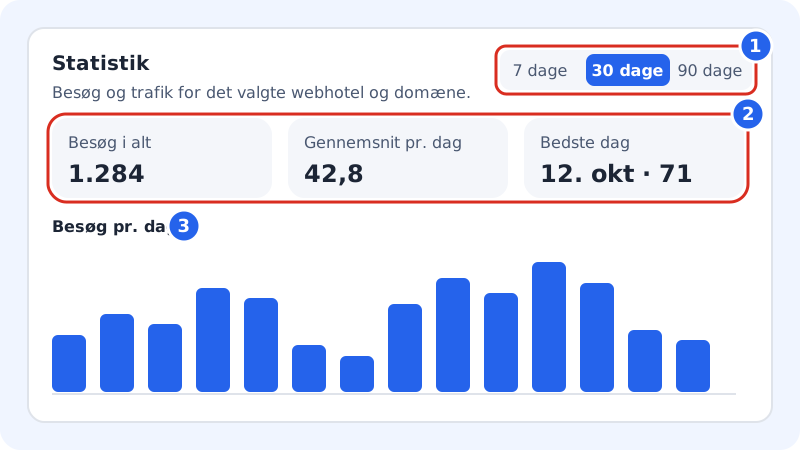
Step 1: Open Statistics
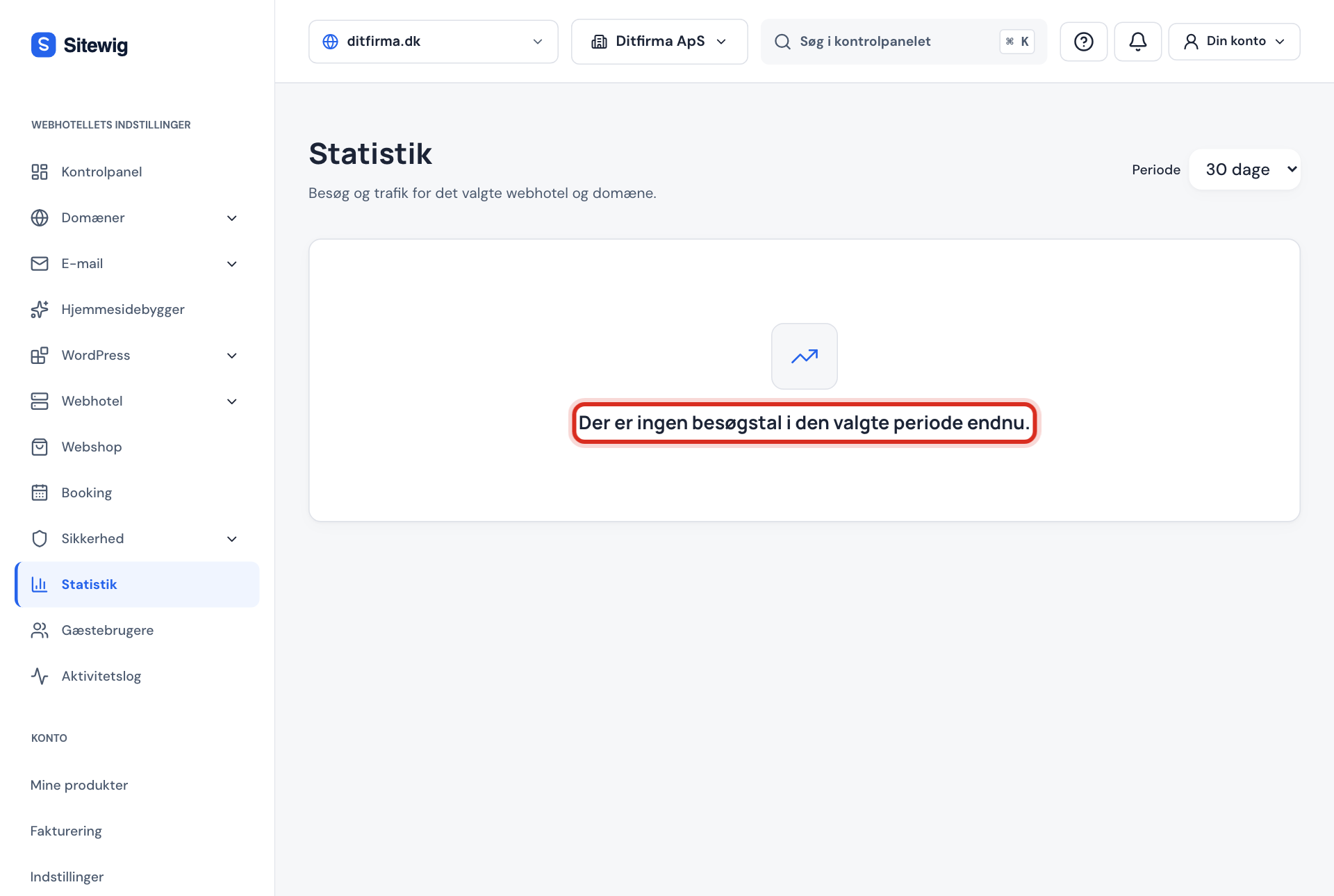
Sign in to the control panel and choose Statistics in the menu. The page shows Visits and traffic for the selected web hosting and domain.
Step 2: Choose web hosting and domain
If you have several web hosting accounts or domains, choose the right one at the top of the panel.
Step 3: Choose a period
Press 7 days, 30 days or 90 days.
Step 4: Read the key figures
You'll see Total visits, Average per day and Best day. Below them are a bar chart and a table with visits per day.
Step 5: See sources, pages and devices
When there is enough data, the page also shows Sources (where visitors came from), Most visited pages and Devices (computer, mobile and tablet).
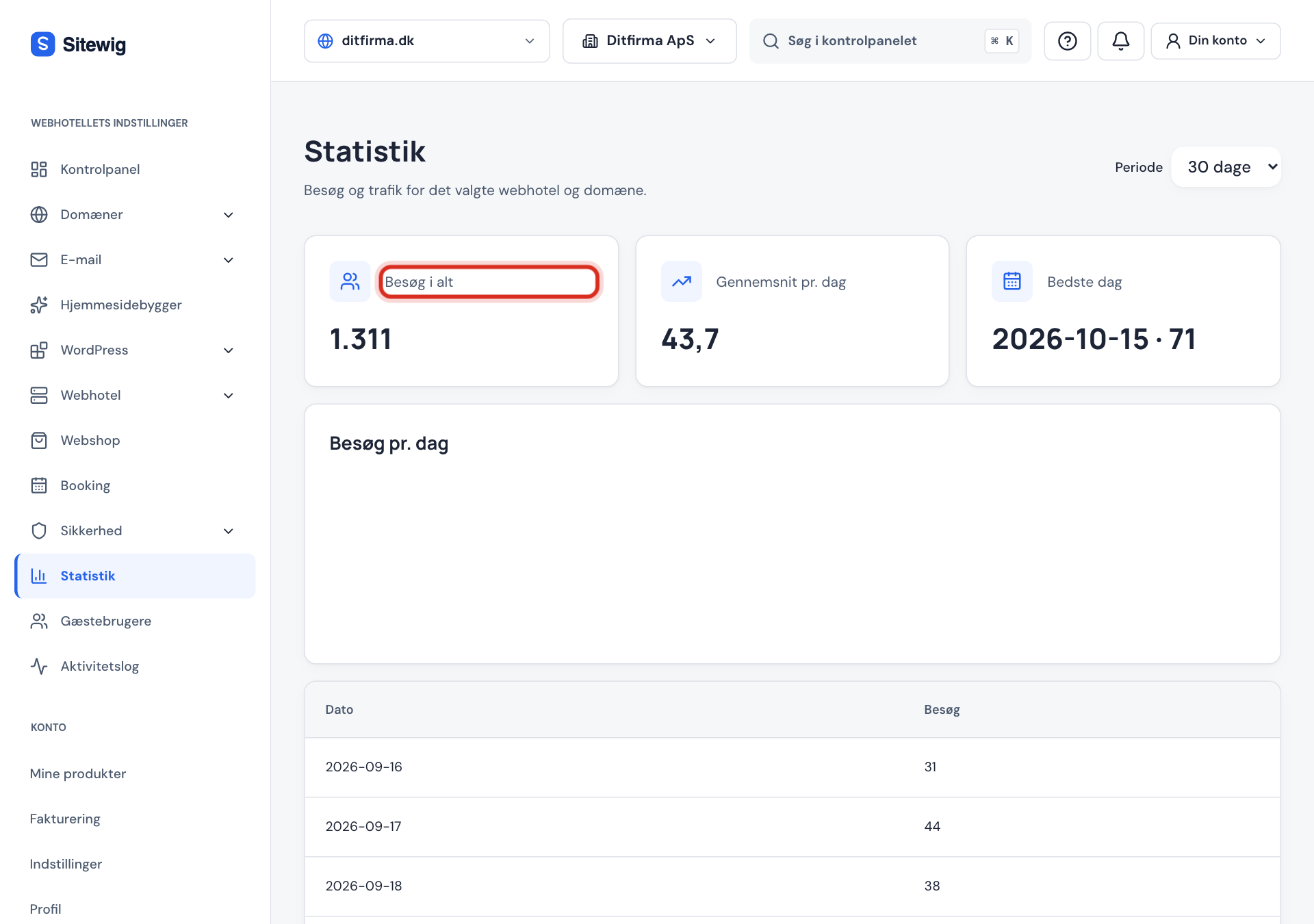
Why the numbers may differ from Google Analytics
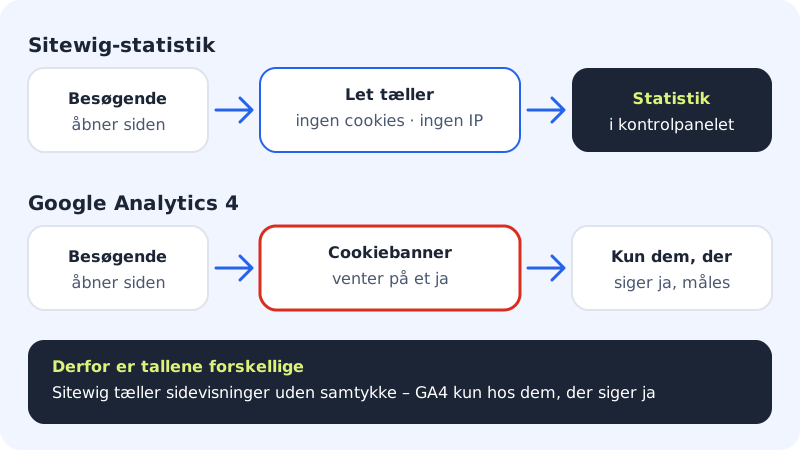
- Without cookies: Sitewig can't recognise the same person from one day to the next, so the figures are an estimate of visits, not unique people.
- Consent: If the website has a cookie banner, sources, visits and devices are only counted for visitors who say yes to statistics. Without a banner, only page views are counted.
- Do Not Track: Visitors who have turned on "Do Not Track" in their browser are not counted.
- Google Analytics only measures those who say yes in the cookie banner, and uses its own rules for what counts as a visit.
Need more?
If you want to see details such as conversions, campaigns or user journeys, you can connect Google Analytics 4 – see Connect Google Analytics 4, Google Tag Manager and Meta Pixel.
If you have an app built with AYAAI, you'll also find a Visibility tab in the app with a Google check and tips for getting found.
Frequently asked questions
Do my own visits count?
Yes, when you visit the published website. The preview in the editor doesn't count.
Can I see who has visited the site?
No. The statistics are anonymous. They only show overall figures, never individuals.
Do the statistics also apply to my WordPress site?
The built-in statistics are added to websites from the website builder when they are published. On a WordPress site, you can use Google Analytics or a statistics plugin.