An A record points a name to an IPv4 address (e.g. 203.0.113.10). An AAAA record does the same for an IPv6 address (e.g. 2001:db8::10). If your server has both, you can create both, and each visitor will use whichever their connection supports.
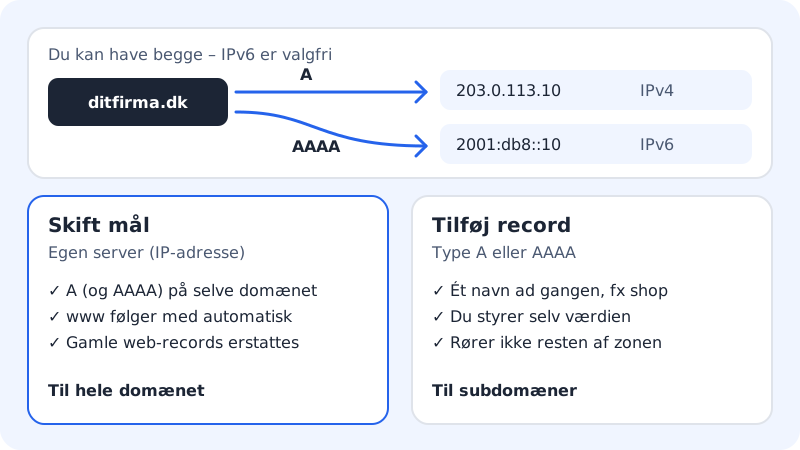
There are two ways to do it:
- The whole domain and www on one server: use Change target → Own server (IP address). This is the safe route, because Sitewig removes the old web records at the same time.
- One specific name, e.g.
shoporapp: create an A record with Add record, or use Subdomains.
Point the whole domain to your own server
Step 1: Open the domain
Choose Domains → My domains and click the domain.
Step 2: Tap Change target
Tap Change target next to The domain points to. The window What should yourcompany.com point to? opens.
Step 3: Choose Own server (IP address)
Under What should the domain show? choose Own server (IP address). Enter the server's address in IPv4 address. If the server also has IPv6, enter it in IPv6 address (optional). Leave the email setting as it is.
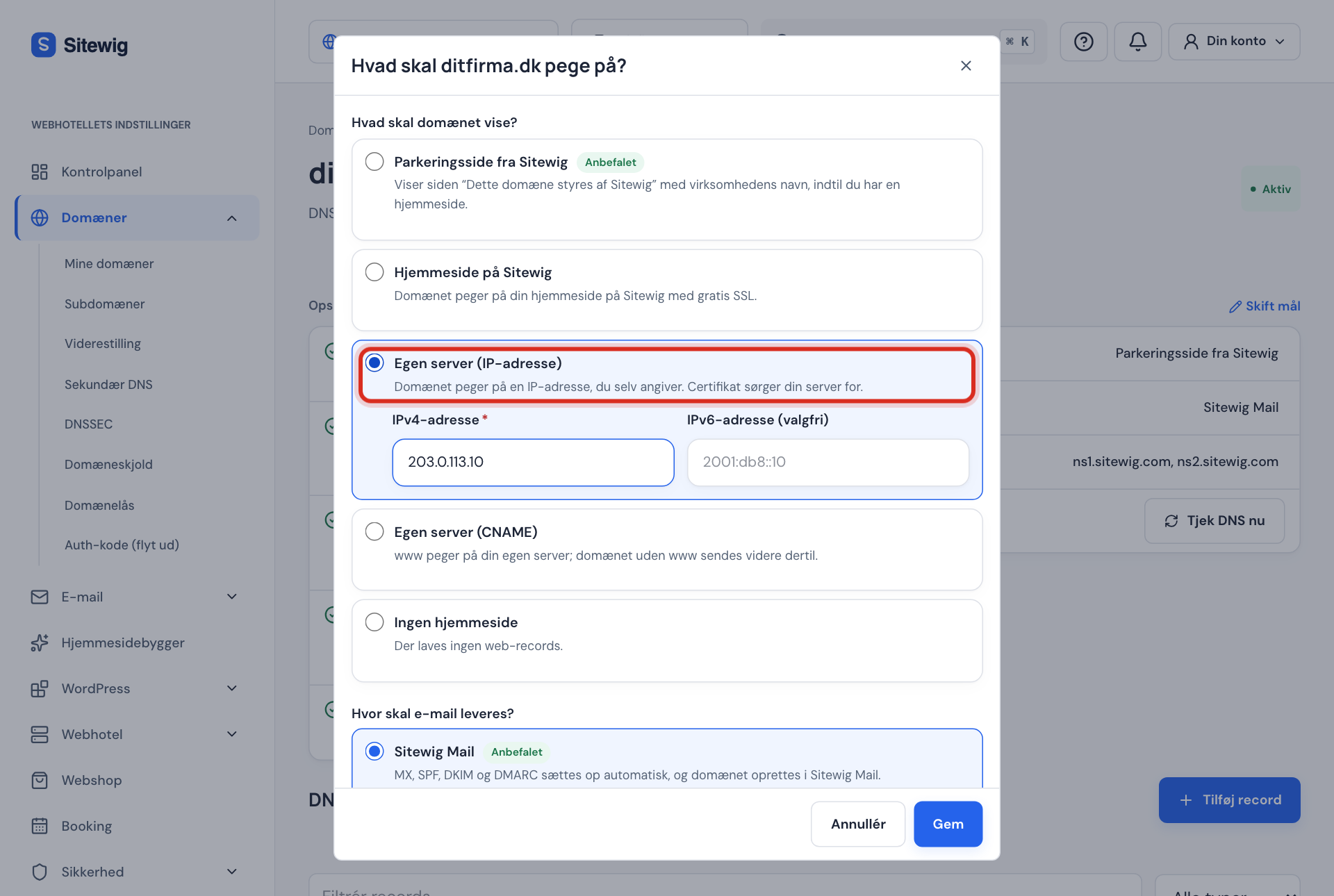
Change target → Own server (IP address) Step 4: Save
Tap Save. You see the message The target has been changed. Sitewig now creates an A record (and an AAAA record if needed) for the domain itself, and
wwwpoints to it as an alias, sowww.yourcompany.comshows the same thing.
Create an A record for a subdomain
Step 1: Tap Add record
Scroll down to the DNS section on the domain page and tap Add record.
Step 2: Fill in the fields
Choose Type A, IPv4 address (or AAAA, IPv6 address). Enter the name in Record name, e.g.
shop, and the IP address in IPv4 address.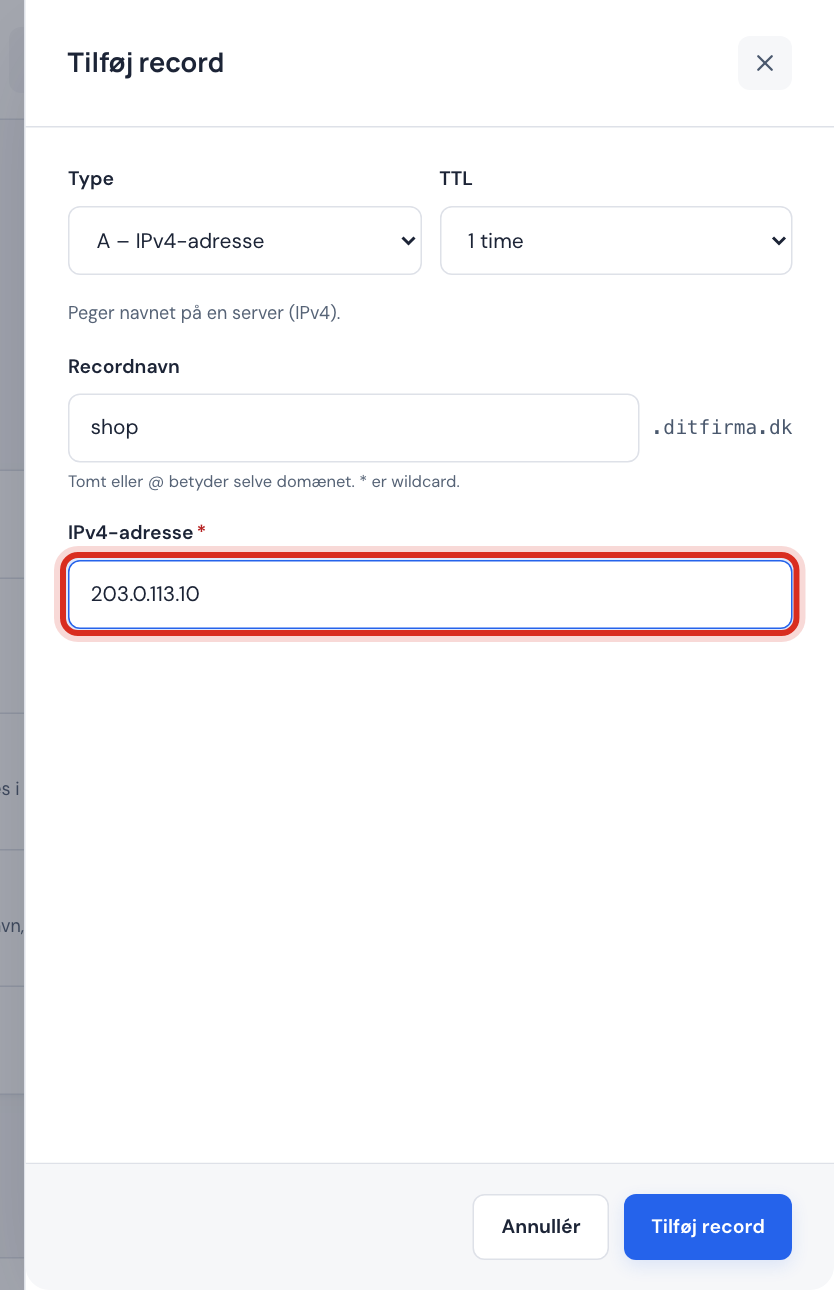
A record: shop.yourcompany.com → 203.0.113.10 Step 3: Save
Tap Add record. The change reaches the name servers within a few minutes.
Example: shop.yourcompany.com on your own server
- Type
- A, IPv4 address
- Record name
shop- IPv4 address
203.0.113.10- TTL
- 1 hour
Avoid duplicate A records
If a name has two A records with different IP addresses, DNS sends visitors at random to one or the other. That is rarely what you want.
- Do not add an extra A record on
@orwwwto move the website. Sitewig's own records are already there – use Change target instead. - If you need to change the IP address on your own subdomain, edit the existing record rather than creating a new one.
Frequently asked questions
Do I need both A and AAAA?
No. A is enough. Only add AAAA if your server actually responds over IPv6, otherwise some visitors will not be able to reach the site.
Why do I get the error Enter a valid IPv6 address?
An IPv6 address must contain colons (:). Addresses that begin with ::ffff: are IPv4 addresses written as IPv6 – use an A record with the IPv4 address instead.
What happens to my email?
Nothing. A and AAAA records only affect the website. Email is controlled by MX records – see MX records.