Whether you use Outlook, Apple Mail, Thunderbird or an app on your phone, it is the same five details that need to be correct. Here they are in one place, so you can keep this page open next to your email program.
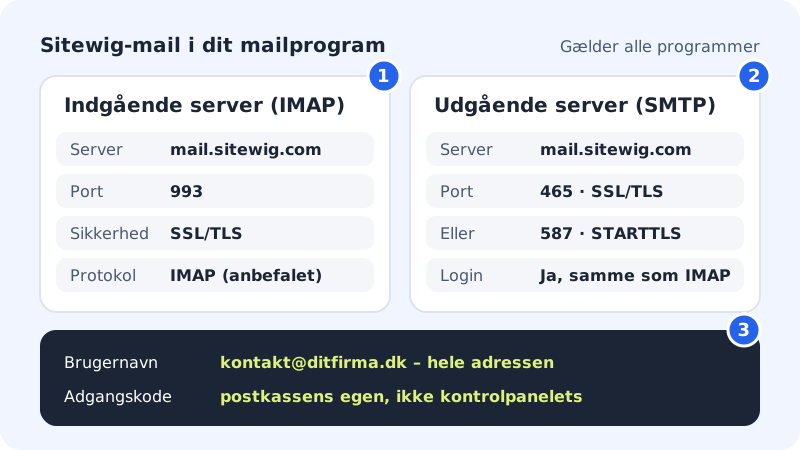
The settings
Incoming server (IMAP)
- Host name
mail.sitewig.com- Port
993- Security
- SSL/TLS
- Username
- Your full email address, e.g.
contact@yourcompany.com - Password
- The mailbox password
Outgoing server (SMTP)
- Host name
mail.sitewig.com- Port
465with SSL/TLS – or587with STARTTLS- Authentication
- Yes – the same username and password as incoming
Find the settings in the control panel
Step 1: Sign in and choose the domain
Sign in to the control panel and choose the domain the email address belongs to in the domain picker at the top.
Step 2: Open Email → Mailboxes
Go to Email → Mailboxes in the menu. At the top you see your email accounts and their status.
Step 3: Scroll down to Account settings
The Account settings card has the text "Use these details in your mail app." and the label SSL / TLS. It shows Incoming server (IMAP), Outgoing server (SMTP) and Username. Tap the copy button next to a field to copy the value.
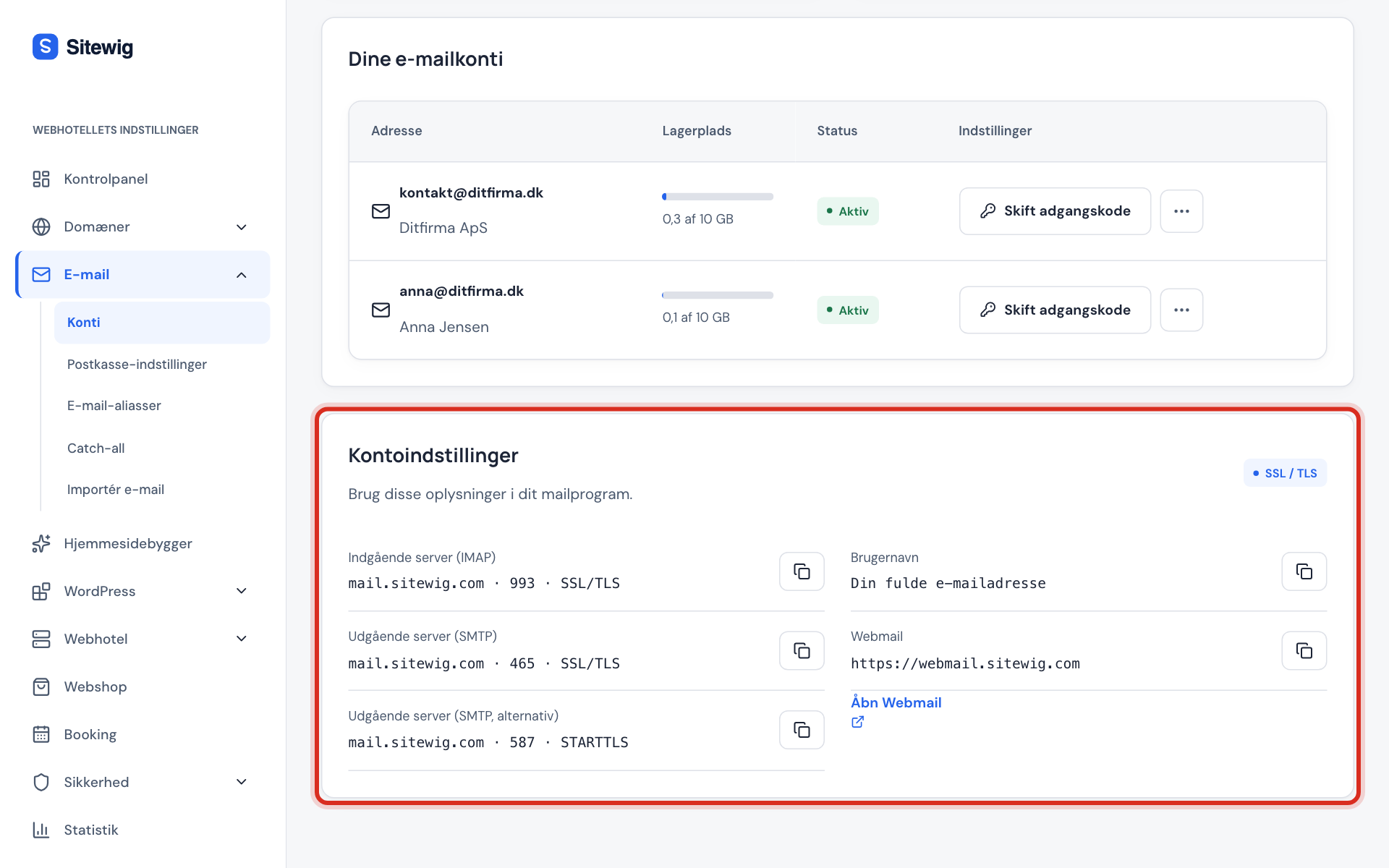
The Account settings card shows the servers for your email program
How it fits together
Your email program talks to Sitewig's mail server in two ways: it fetches email with IMAP and sends email with SMTP. Both ways use the same username and password, and the connection is always encrypted.
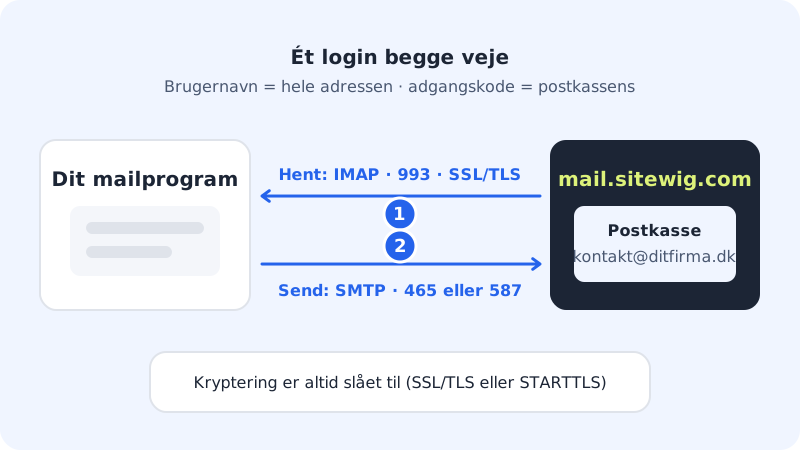
Port and security belong together. If you choose port 465, the security must be SSL/TLS. If you choose port 587, it must be STARTTLS. A wrong combination usually causes a timeout or a certificate error.
| Purpose | Port | Security |
|---|---|---|
| Fetch email (IMAP) | 993 | SSL/TLS |
| Send email (SMTP) | 465 | SSL/TLS |
| Send email, alternative | 587 | STARTTLS |
IMAP only
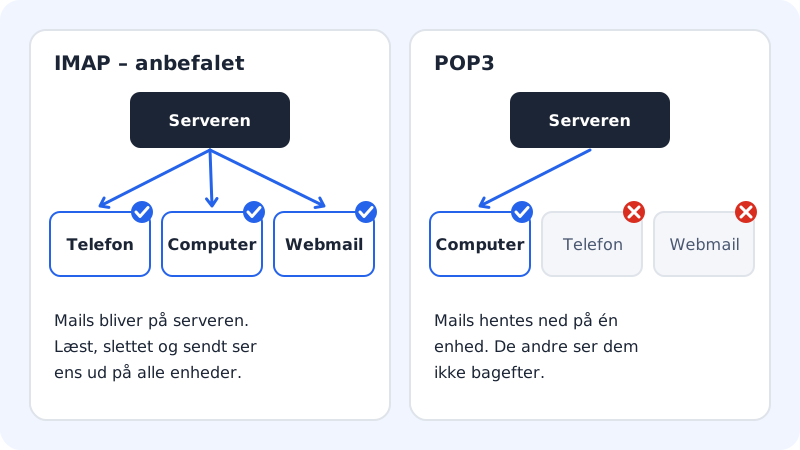
Sitewig Mail uses IMAP. With IMAP your emails stay on the server, so your phone, computer and webmail always show the same – including sent mail and folders. POP3 is not supported, so choose IMAP when the program asks for the account type.
Frequently asked questions
Does the username have to be the whole email address?
Yes. Always enter the whole address, e.g. contact@yourcompany.com – for both the incoming and the outgoing server. If you only enter contact, the server rejects the sign-in.
Can I use mail.yourcompany.com as the server?
No, use mail.sitewig.com. Sitewig's security certificate applies to Sitewig's own server names, so a server name on your own domain causes a certificate warning. Read more in Certificate warning in the email program.
I have an old setup with mail.ayamail.net or mail.fiktomail.dk. Does it still work?
Yes, the old server names point to the same mail server and still work. If you set up a device again, use mail.sitewig.com.
Can I use POP3?
No. Sitewig Mail supports only IMAP (port 993 with SSL/TLS) for incoming email. If you have an old setup with POP3, remove the account in the program and add it again as IMAP.
My program can receive but not send. What now?
Check that the outgoing server requires sign-in with the same username and password, and try port 587 with STARTTLS if 465 does not work. See I can receive but not send.