An SSL certificate encrypts the traffic between the visitor and your website. The browser shows a padlock and https:// in the address bar, and forms, sign-ins and payments are sent securely. At Sitewig it costs nothing, and you do not need to order anything: the certificate arrives by itself as soon as the domain points to us.
What you get
- Free SSL is included in all web hosting plans: Starter, Pro, Max and Business.
- The certificate is issued by Let's Encrypt, which all common browsers trust.
- It covers your domain and – if enabled for the domain – also the
wwwaddress, e.g.yourcompany.comandwww.yourcompany.com. - It renews automatically before it expires. You never need to renew, upload or pay for it yourself.
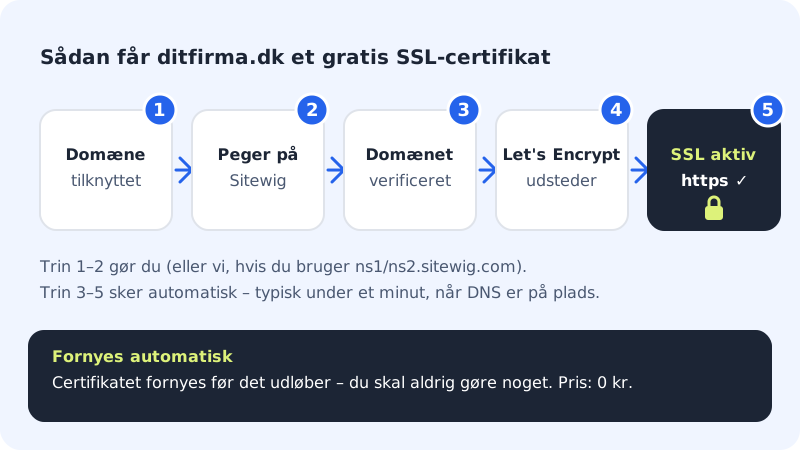
How your domain becomes secure
Step 1: Connect the domain to your website
The domain must be connected to a website or web hosting at Sitewig. If you bought the domain from us, this normally happens by itself.
Step 2: Let the domain point to Sitewig
The easiest way is to use our name servers
ns1.sitewig.comandns2.sitewig.com. If you want to keep DNS with your current provider, you need to create the records the control panel shows for the domain instead – both for the domain itself and forwww.Step 3: See the SSL status on the domain page
Go to Domains and choose your domain. At the top of the domain page is the Setup list, and the last row is called SSL.
Step 4: Wait for SSL to show as Ready
When we can see that the domain points to Sitewig, the SSL row changes from Pending to Ready. The issuing itself usually takes less than a minute.
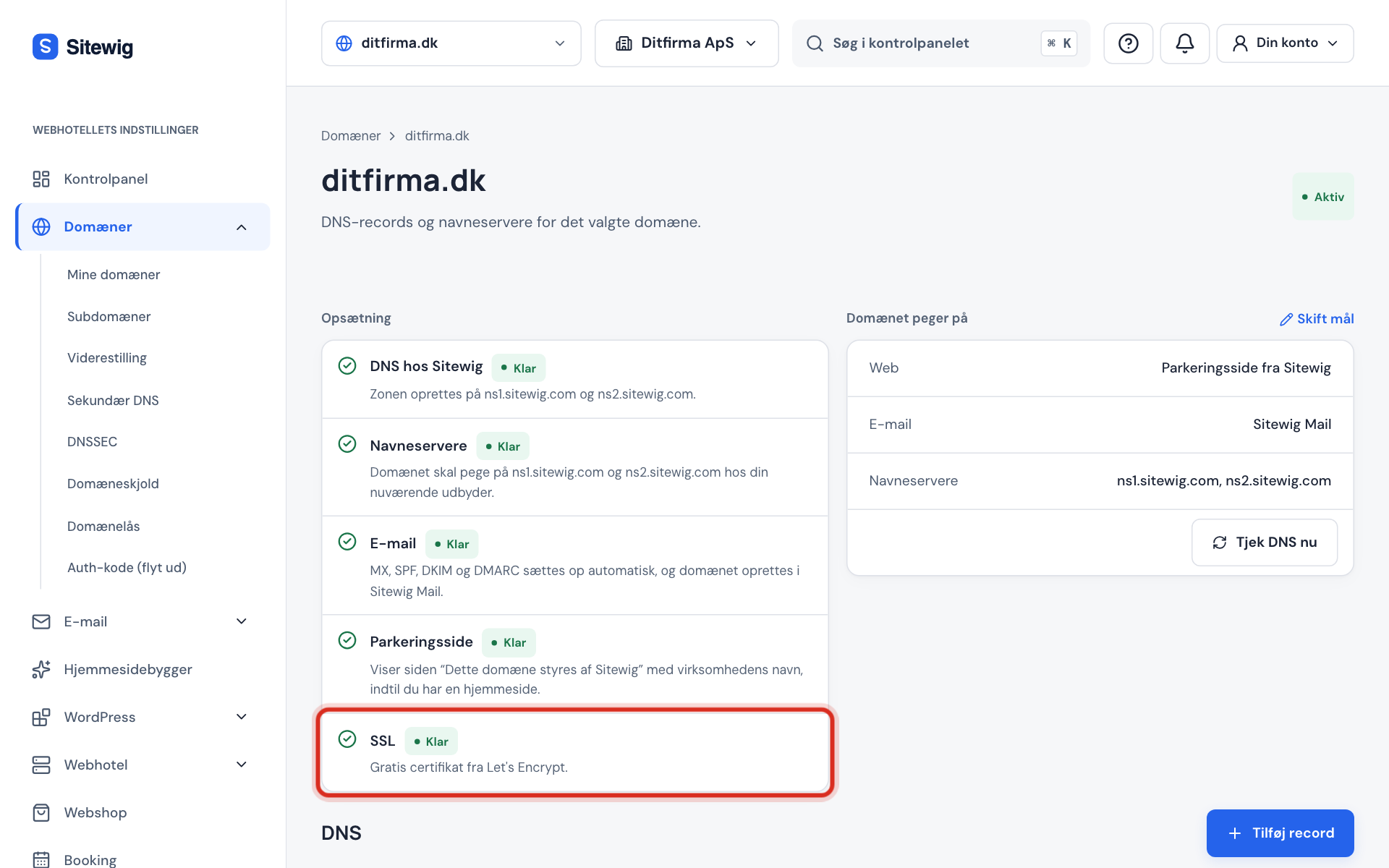
How to read the SSL row
| Status | Meaning |
|---|---|
| Waiting | We have not reached SSL yet – the other steps need to be ready first. |
| In progress | We are issuing the certificate. |
| Pending | The domain does not point to Sitewig yet. The certificate is issued as soon as it does. |
| Ready | The certificate has been issued, and the website is protected with https. |
| Error | The certificate could not be issued. See Troubleshooting: the SSL certificate is not issued. |
The domain page does not show the certificate's expiry date. You do not need to keep an eye on it either, because we renew it automatically.
Frequently asked questions
Does SSL cost extra?
No. Free SSL is included in all web hosting plans, and there is no bill for renewal.
Can I upload my own certificate, e.g. an EV or OV certificate?
Not at the moment. The control panel has no function for uploading your own certificates. The Let's Encrypt certificate provides the same encryption as paid certificates.
Do I need to redirect visitors to https myself?
No. As soon as the certificate is active, the server automatically redirects all http visits to https. Read more in Are visitors sent to https automatically?.
How long does it take before the padlock appears?
Once the domain points to Sitewig, the issuing itself usually takes less than a minute. The long wait is almost always the DNS change, which can take up to 24 hours.