Sitewig issues an invoice for every payment. You find them all together in the control panel, where you can open them online or download them as PDF.
Step 1: Open Billing
Sign in to the control panel and choose Billing in the menu. The list shows the newest documents first.
Step 2: Find the invoice
Each row is an invoice or a credit note. The Period column shows which period the amount covers, and below the amount it says incl. VAT.
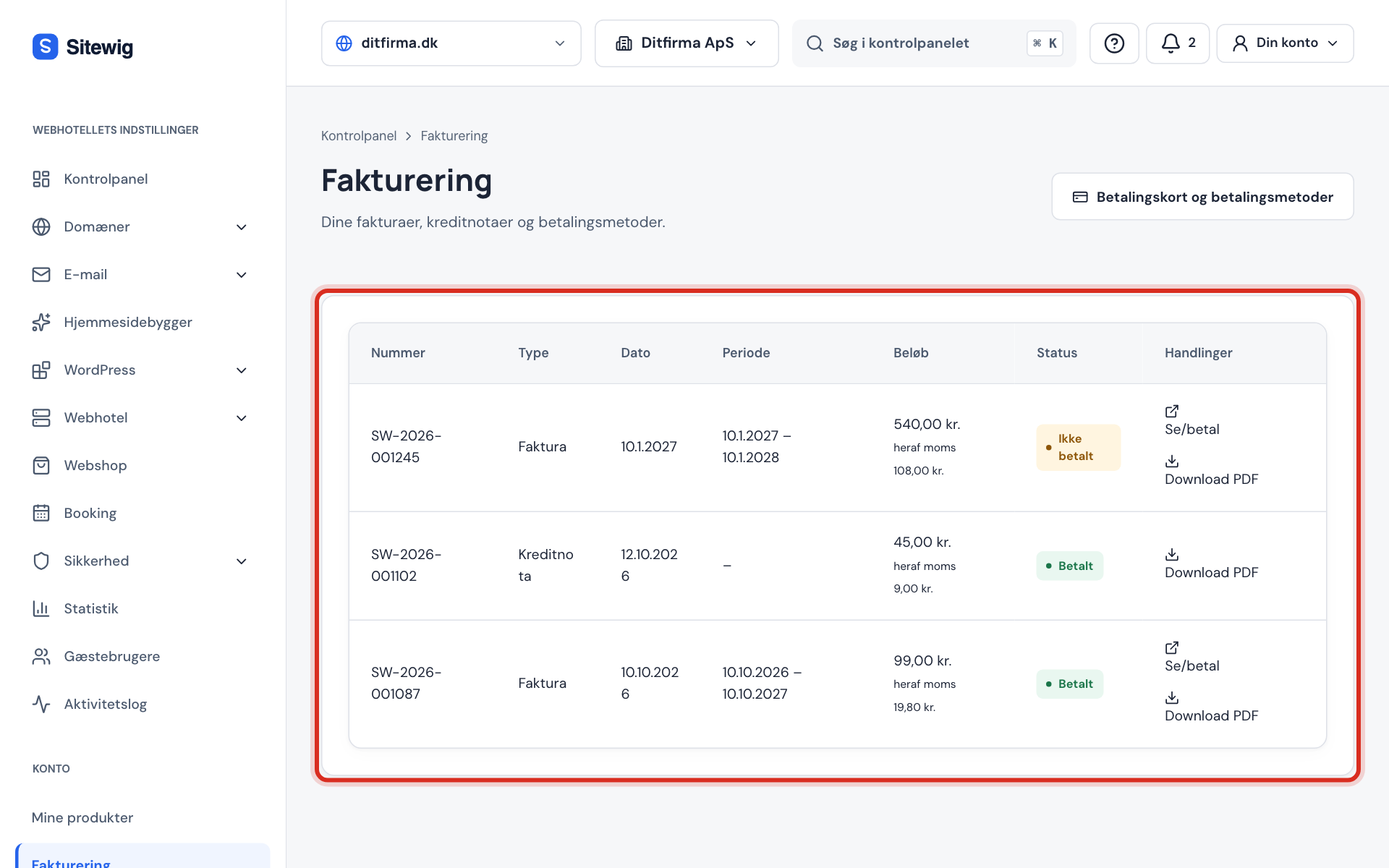
Invoices and credit notes together under Billing Step 3: Download the PDF
Tap Download PDF in the Actions column. You can save the file or send it straight on to your bookkeeper.
Step 4: Open the invoice online
Tap View/pay to see the invoice in the browser. If it has not been paid yet, you can pay it in the same place.
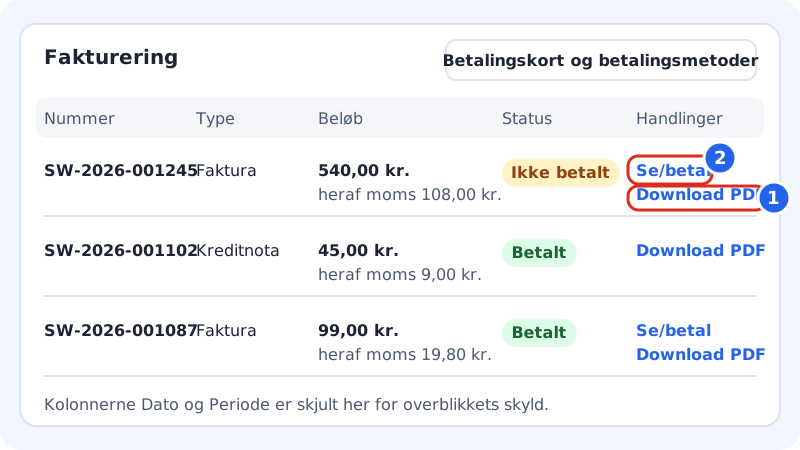
The columns in the list
Billing
- Number
- The invoice's sequential number
- Type
- Invoice or Credit note
- Date
- When the document was issued
- Period
- The period the amount covers (e.g. 12 months)
- Amount
- The total amount and the line incl. VAT
- Status
- Whether the invoice has been paid – see below
- Actions
- View/pay and Download PDF
What does the status mean?
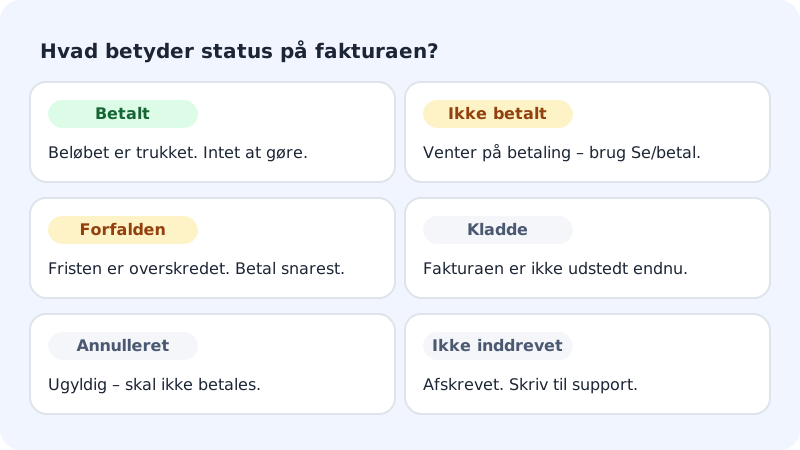
- Paid – the amount has been charged. You do not need to do anything.
- Unpaid – the invoice is awaiting payment. Use View/pay.
- Overdue – the payment deadline has passed. Pay as soon as possible to avoid the plan being closed.
- Draft – the invoice has not been issued yet.
- Void – the invoice is invalid and should not be paid.
- Uncollectible – the amount has been written off. Write to support if you are unsure.
What is on the invoice?
The invoice contains Sitewig's VAT number for the relevant scheme, your name and address, the VAT treatment that applies to you (rate or reverse charge) and a sequential invoice number. Name and address are taken from Settings → Domain owner and customer details.
Frequently asked questions
Why do I have a credit note?
A credit note is issued when we pay money back, e.g. after you have withdrawn from a purchase or cancelled with a proportional refund. It appears in the same list with the type Credit note.
It says No invoices yet. Is something wrong?
No. The list is empty until you have paid for something. If you are in the 3 free months and have not bought a domain, the first invoice comes when the annual payment is charged.
Can I have the company name or address changed on an invoice?
Update the details under Settings → Domain owner and customer details. The change is used on the next invoices. An invoice that has already been issued is not changed.
I cannot see Billing. Why?
Your user does not have access to the Billing area on the account. Ask the account owner for access or to send you the invoice.